
Skills
# Skills
——This article explains Skills and how to create Skills, configure hard rules, and import existing Skills.
Entry: Resource › Skills.
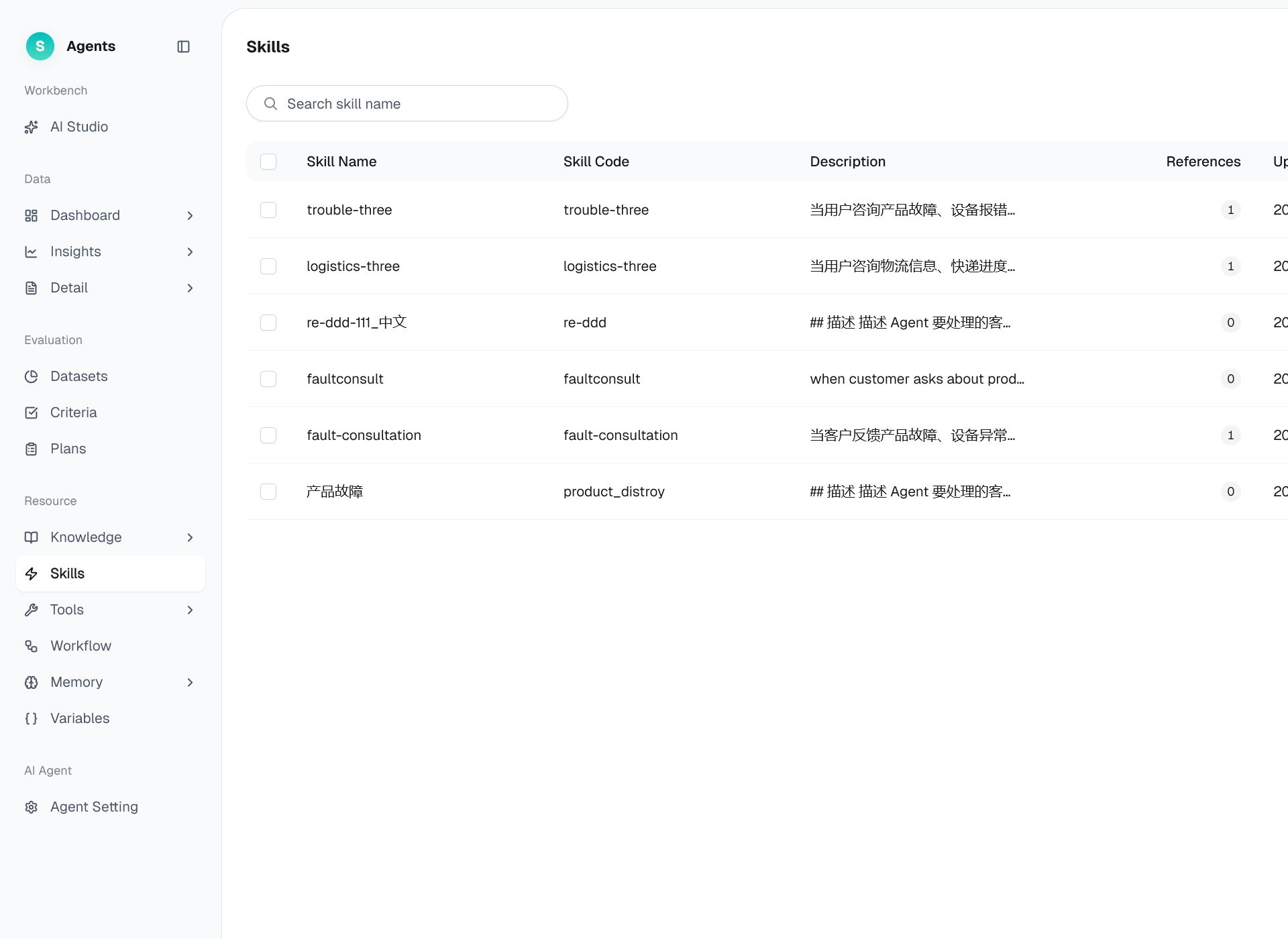
Figure 1: Skills
# Skills Overview
- Use case: A business scenario follows a defined handling method, such as processing refunds or account appeals, and the bot must follow that method.
- Purpose: Package the handling method for a type of business scenario as a reusable capability. After a bot references the Skill, it follows the Skill's instructions whenever the corresponding scenario occurs.
# How to Use Skills
# • Skill list
The list displays all Skills and supports creating, editing, deleting, and importing Skills.
# • Creating a skill
- Click Create Skill and fill in the name and description.
- Write the skill content: describe what the bot should do in this scenario, in what steps, and which knowledge or tools to use.
- Once saved, it can be bound to a bot.
# • Hard rules
A skill can set hard rules—when specific trigger conditions are met, the agreed action is enforced without relying on the model's free judgment, guaranteeing certainty in critical scenarios. Hard rules are configured and shown on the skill edit page.
# • Import
- Import: Import Skills from an external source to quickly reuse existing work.
Last Updated: 8/7/2026, 5:00:36 PM