
Tags
# Tags
——This article helps you understand what Tags do, plus tag group management, AI auto-tagging, and tagging knowledge.
Entry: Resource › Knowledge › Tags.
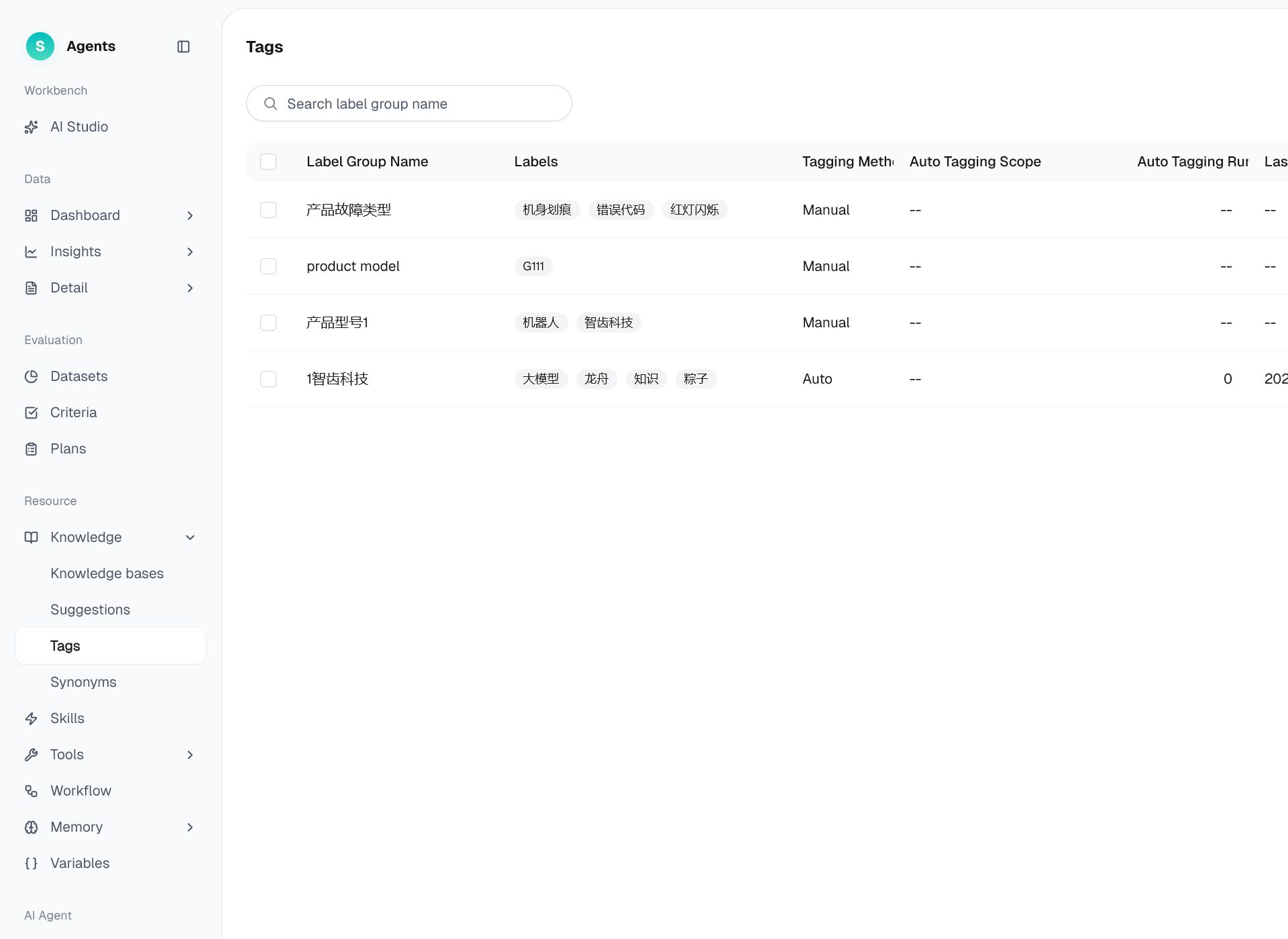
Figure 1: Tags
# Tags Overview
- Use case: Categorize and manage a growing knowledge collection to improve retrieval accuracy.
- Purpose: Apply categories and tags to knowledge for more precise retrieval and easier management. AI can also apply tags automatically.
# How to Use Tags
# • Tag group list
Tags are organized into tag groups. You can create, edit, and delete tag groups.
# • Creating a tag group
- Click Create Tag Group and enter a name.
- Add one or more tags to the group.
- Save the group to make its tags available for knowledge items.
# • AI auto-tagging
When enabled, the system automatically applies the corresponding tags to qualifying knowledge according to the rules, saving manual item-by-item labeling. The list page shows the execution status of auto-tagging.
# • Tagging knowledge
You can manually select tags on knowledge items in the Knowledge bases; combined with AI auto-tagging, this greatly improves tagging efficiency.
Last Updated: 8/7/2026, 4:55:58 PM