
Memory Rules
# Memory Rules
——This article helps you understand what Memory does, and how to use Memory Rules, User Memory Profiles, and integration with the bot.
Entry: Resource › Memory (includes Memory Rules and User Memory Profiles).
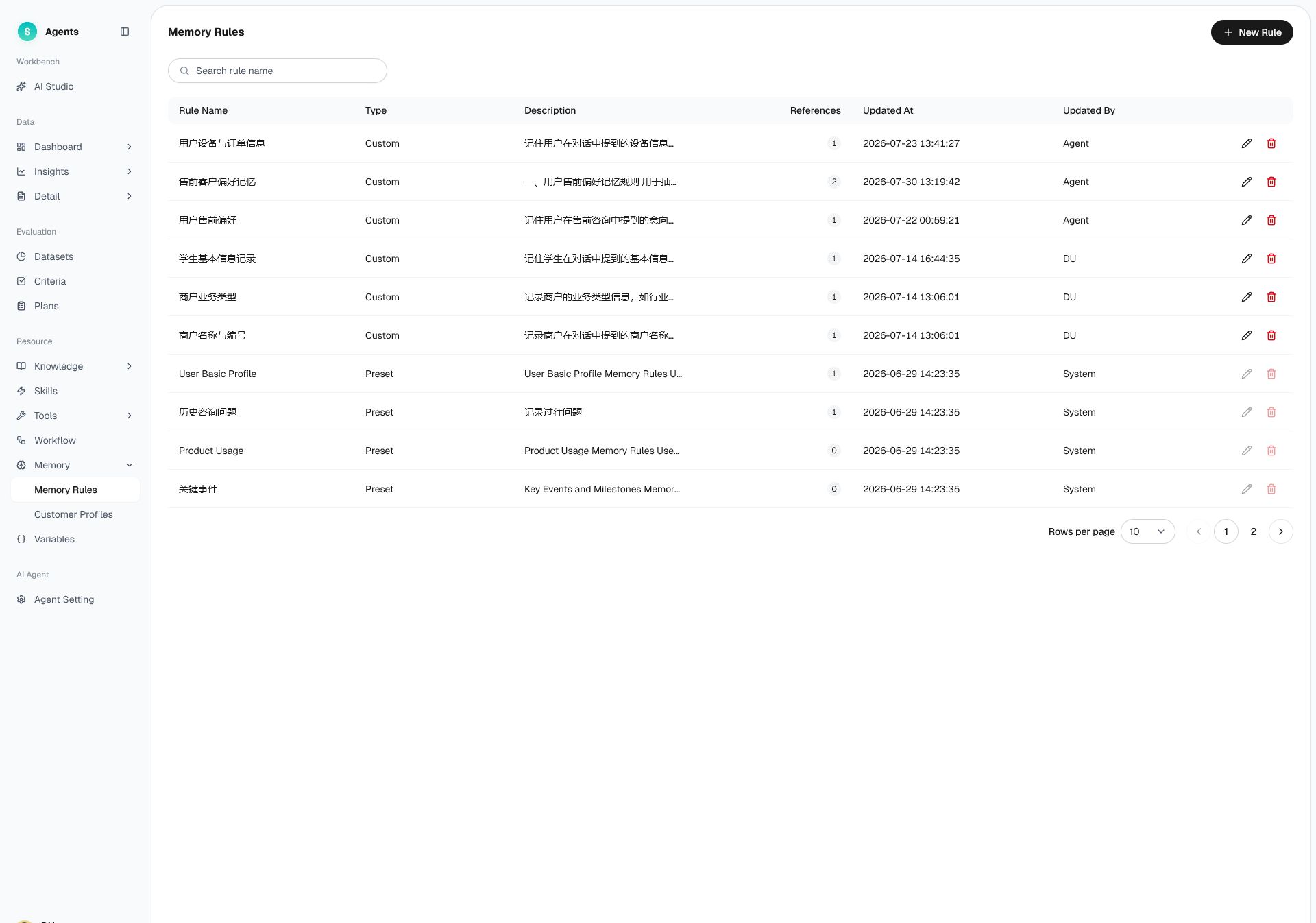
Figure 1: Memory Rules
# Memory Rules Overview
Before using Memory, familiarize yourself with its use case and purpose:
- Use case: You want the bot to remember a user's long-term information and provide more coherent, more personalized service across conversations.
- Purpose: Use "rules" to decide what to remember and "profiles" to store what has been remembered, so the bot "recognizes" returning users.
# How to Use Memory Rules
# • Two-Layer Structure
- Memory Rules: Configuration layer that defines which user information the bot should record.
- User Memory Profiles: Data layer that stores the actual recorded content per user.
# • Memory Rules
The list shows all rules, with columns including rule name, type, description, reference count, update time, and updated by. The system ships with a set of preset rules:
- Basic User Profile: Records identity and role.
- Historical Inquiries: Records questions asked in the past.
- Product Usage: Records products in use.
- Key Events: Records lifecycle milestones.
- Sentiment and Satisfaction: Records emotional tendency.
You can also click "Create Rule" to customize the information to record.
# • User Memory Profiles
User Memory Profiles display the information recorded for each user and let you view and manage an individual user's memories. Filter profiles by identity or nickname and by Agent.
# • Integration with the Bot
After a bot is bound to a Memory Rule, it automatically injects that user's memory document at the start of the conversation.