
Actions
# Actions
——This article helps you understand what Actions do, and how to create an Action, configure an endpoint, and choose between Actions and MCP.
Entry: Resource › Tools › Actions.
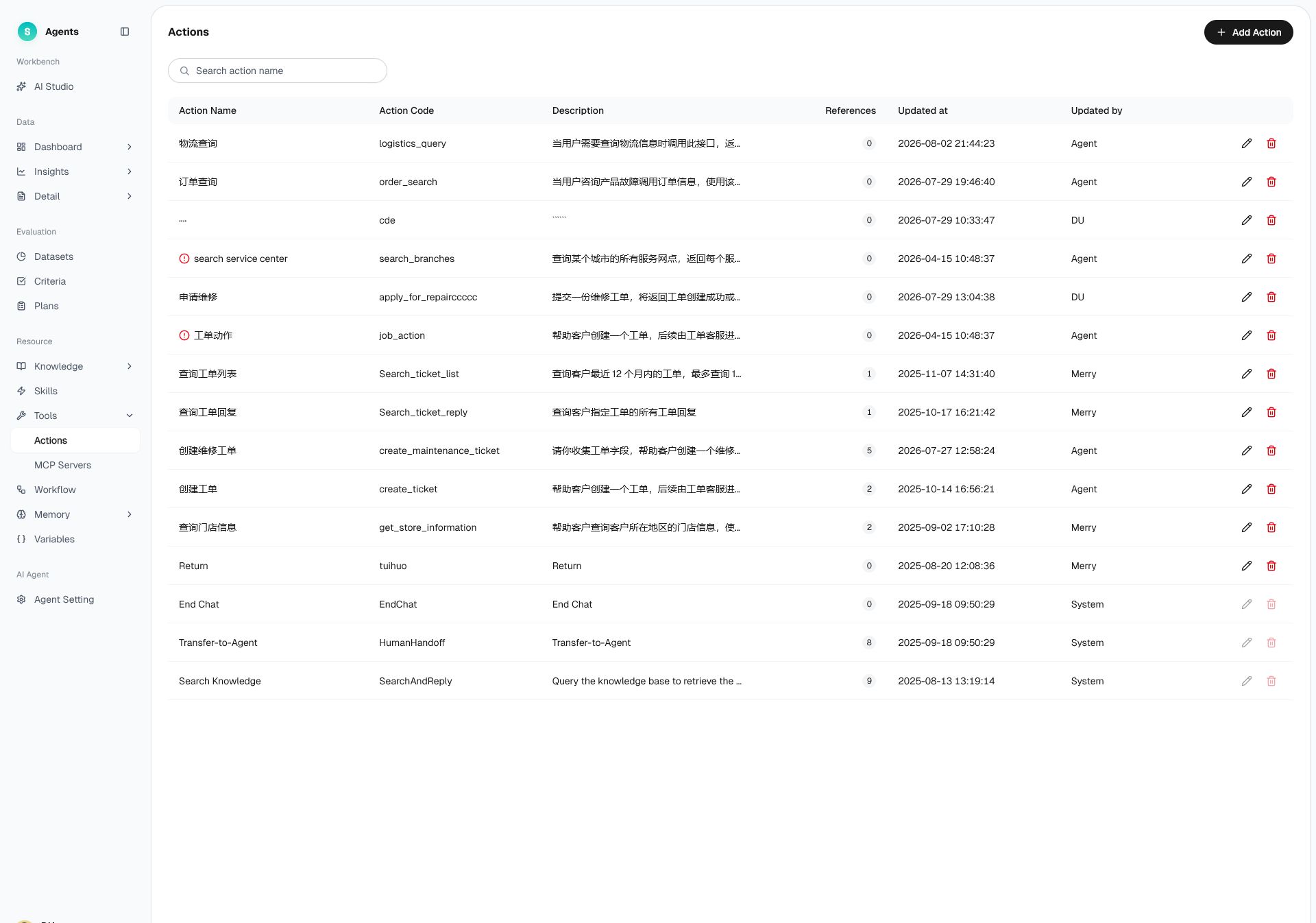
Figure 1: Actions
# Actions Overview
- Use case: The bot needs to call one of the enterprise's API endpoints to complete a query or operation, such as checking an order, checking a shipment, or submitting a ticket.
- Purpose: Use endpoints to let the bot connect to external systems and take action.
# How to Use Actions
# • Action List
The list displays all Actions. Common columns include Action name, identifier, purpose, references, update time, updated by, and available actions. You can create, edit, and delete Actions.
# • Create an Action
Creating an Action has two parts:
- Basic Info: Action name, purpose description, etc.
- Endpoint Info: Endpoint address, request method, input/output parameters, and other connection settings.
Steps: create the Action → fill in the basic info → configure the endpoint info to connect the business system → after saving, bind it to the bot, which calls it when needed.
# Actions or MCP
Tools are available as Actions or MCP services. Choose the option that matches your organization's existing integration method:
- Your organization provides API endpoints → Use Actions to integrate the endpoints individually.
- Your organization already provides an MCP service → Use MCP to connect directly to the entire service. See MCP Servers.
Last Updated: 8/7/2026, 4:55:58 PM