Appearance
Product Updates: March 5, 2026
Overview
This upgrade focuses on the product concept of "smarter, more efficient, and more flexible" with an emphasis on enhancing the capabilities of AI Agent, Live Chat, and the Ticket Center. By strengthening intelligent decision-making mechanisms and optimizing service process management and workflow orchestration, it further improves the service handling capacity and operational controllability of enterprises across multiple scenarios. This helps build a more stable, efficient, and scalable customer service system.
Intelligent Reception Capabilities Upgraded, More Mature Bot Applications
Information Collection and Expression Optimization: Add a pre-question information collection mechanism, improve the answer presentation format, and make the conversation flow smoother.
Handoff Strategy Upgrade: Autonomous decision-making for manual support is diverted accurately by skill group, enhancing human-bot collaboration.
AI Collaboration Mechanism Enhancement: Optimize the response logic of AI assistants, and strengthen semantic understanding and support capabilities in complex scenarios.
Enhanced Live Chat Capabilities, Clearer Service Management
SLA and Statistical System Improvement: Optimize SLA rules and statistical analysis capabilities, and enhance the ability to assess service quality and control processes.
Always On Reception Mechanism Enhancement: Add new session filtering rules, reduce invalid assignments, and standardize session flow in asynchronous scenarios.
Conversation and Language Experience Improvement: Support conversation retrieval and visitor-side multi-language restrictions to enhance overall service fluency.
Ticketing Workflow Capabilities Upgraded, More Standardized Collaboration Mechanisms
Ticket Workflow Canvas Launched: Build standardized flow paths through visual process orchestration, supporting clear flow and full-process management in complex business scenarios.
Ticket Creation Mechanism Enhancement: Enrich template configuration and field capabilities to improve the adaptability and information-carrying capacity of ticket generation.
Sobot is committed to empowering global enterprises with intelligent products, activating new service efficiency, and leading the new future of customer interaction.
Note: =Additions
 =Optimization
=Additions =OptimizationAI Agent
Bot Setting: Always-on Display of Trans-to-Agent Button
Function Background
In previous versions, the visitor side could set up the "Trans-to-Agent" entry independently. Version V7 does not support this configuration for now. To improve unified management and configuration flexibility, the online session transfer to human function will be uniformly supported by the bot side, achieving centralized control of the visitor side's transfer to human entry and interaction behavior from the bot side.
Feature Description
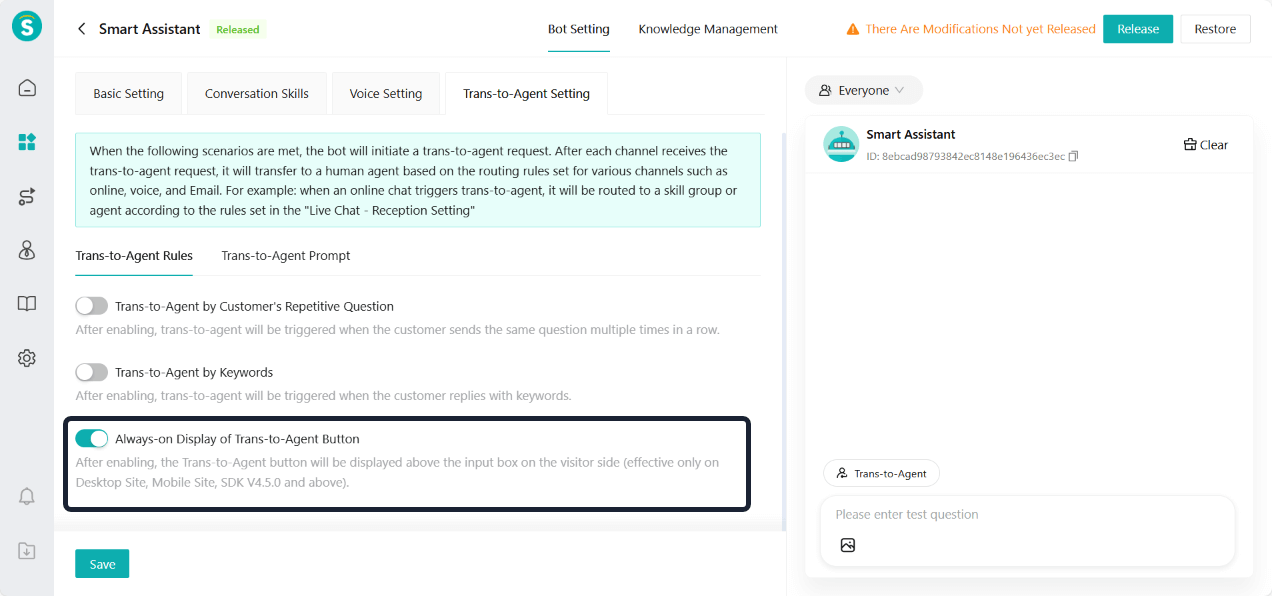
Entrance: Bot Management - Bot Setting - Trans-to-Agent Setting - Trans-to-Agent Rules - Always-on Display of Trans-to-Agent Button.
After enabling, the SDK (V4.5.0 and above), PC web client, and H5 page will display the "Trans-to-Agent" button.
Bot Setting: Autonomous Decision-Making Bot Supports Transfer to Designated Skill Groups
Function Background
After the autonomous decision-making bot went online, many enterprises provided feedback that it is very flexible and can solve customer problems more efficiently while improving service experience.
However, in actual usage, some enterprises want to accurately transfer conversations to corresponding skill groups when different question intents are matched, to achieve more refined manual handling strategies. The current capability does not support transferring to a specified skill group, limiting the need for precise routing in complex scenarios.
Feature Description
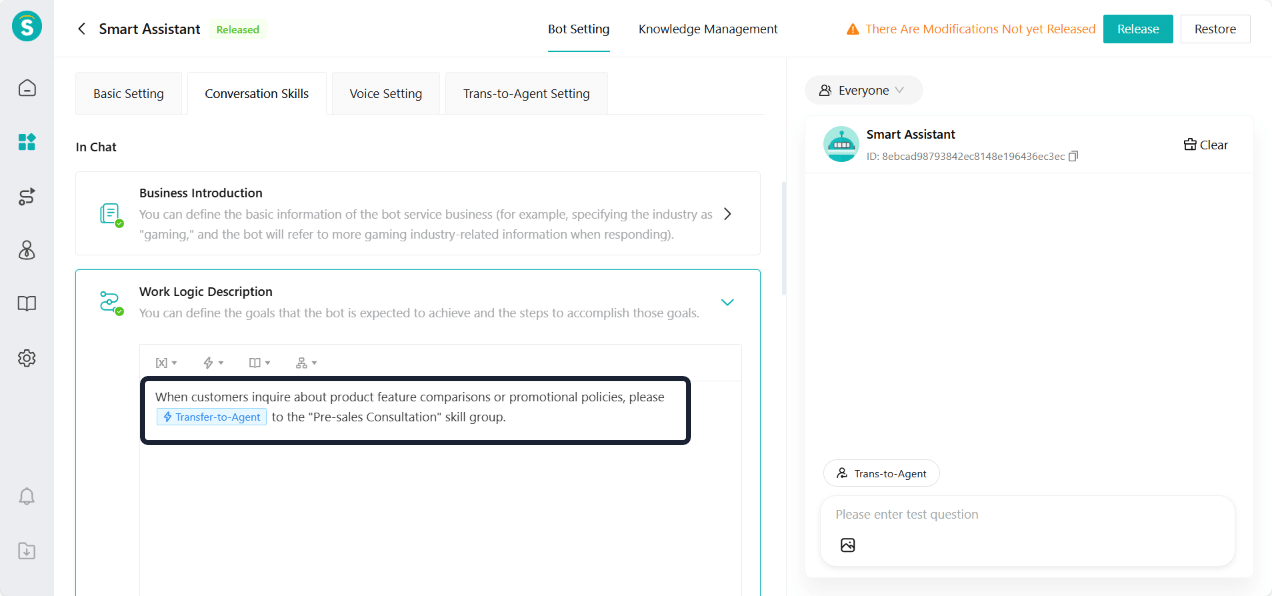
When configuring the transfer-to-agent action for autonomous decision-making bots, add the name of the skill group for transferring to agent. When a specific intent is matched, the transfer-to-agent action will go to the designated skill group.
Note: This feature is only supported in live chat scenarios.
Bot Setting: Add Persian to Bot Languages
Feature Description
Bot languages now support Persian.
Bot Q&A: Autonomous Decision-Making Bot Supports Information Collection Forms
Function Background
Some enterprises want to collect customers' basic information (such as name, phone number, requirements, etc.) during the bot Q&A process before proceeding with further questions and answers. This will improve Q&A efficiency and service experience.
Feature Description
Configuration
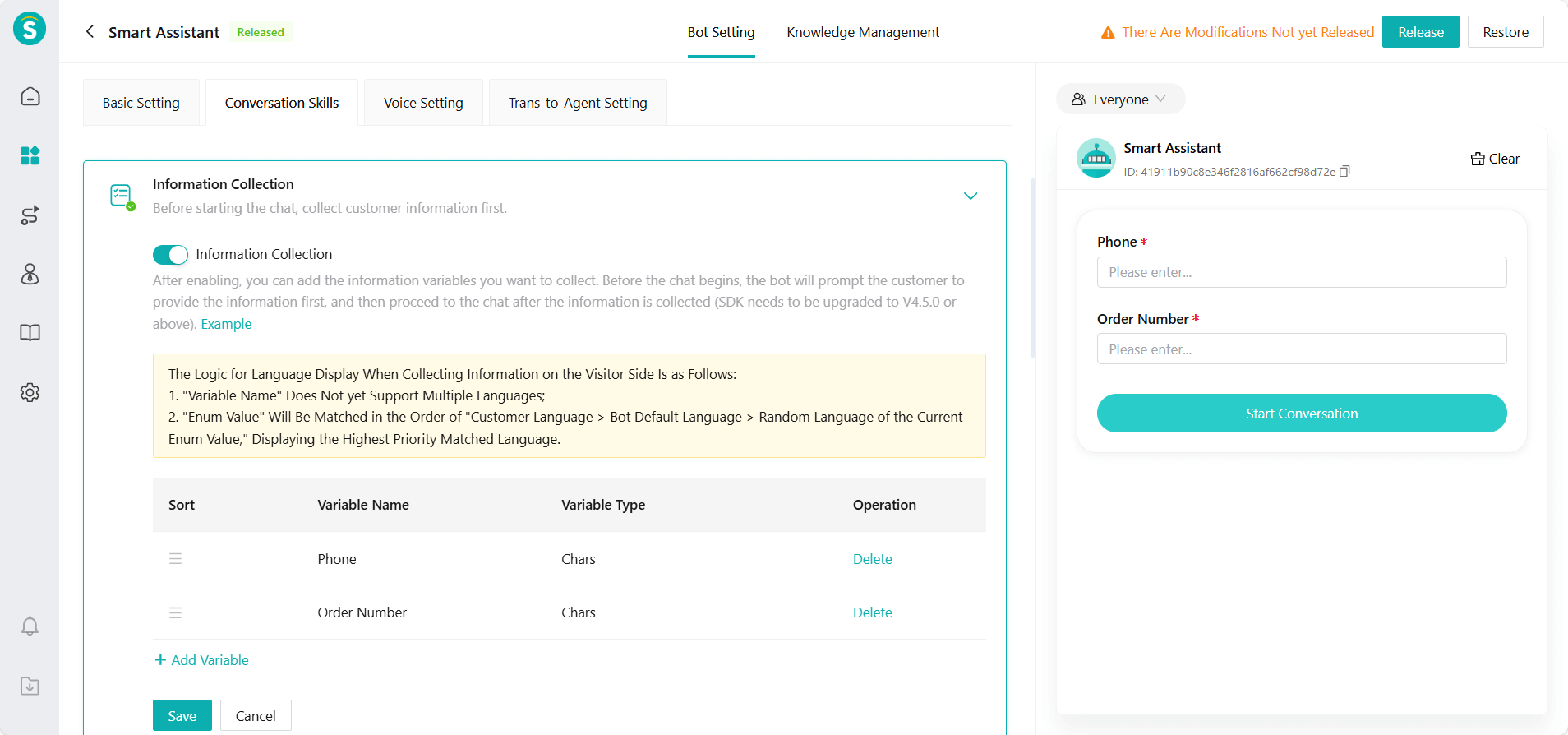
a. Entrance: Bot Management - Bot Setting - Conversation Skills - Information Collection
b. Select the variable information to collect in the conversation (such as name, phone number, requirements, etc.)
Q&A:
a. Self-owned channels (SDK, PC, H5):
i. After the customer fills in the required information and clicks "Start Conversation", the bot directly begins the Q&A.
ii. The information customer has already filled in will not be asked again, improving the efficiency of the Q&A.
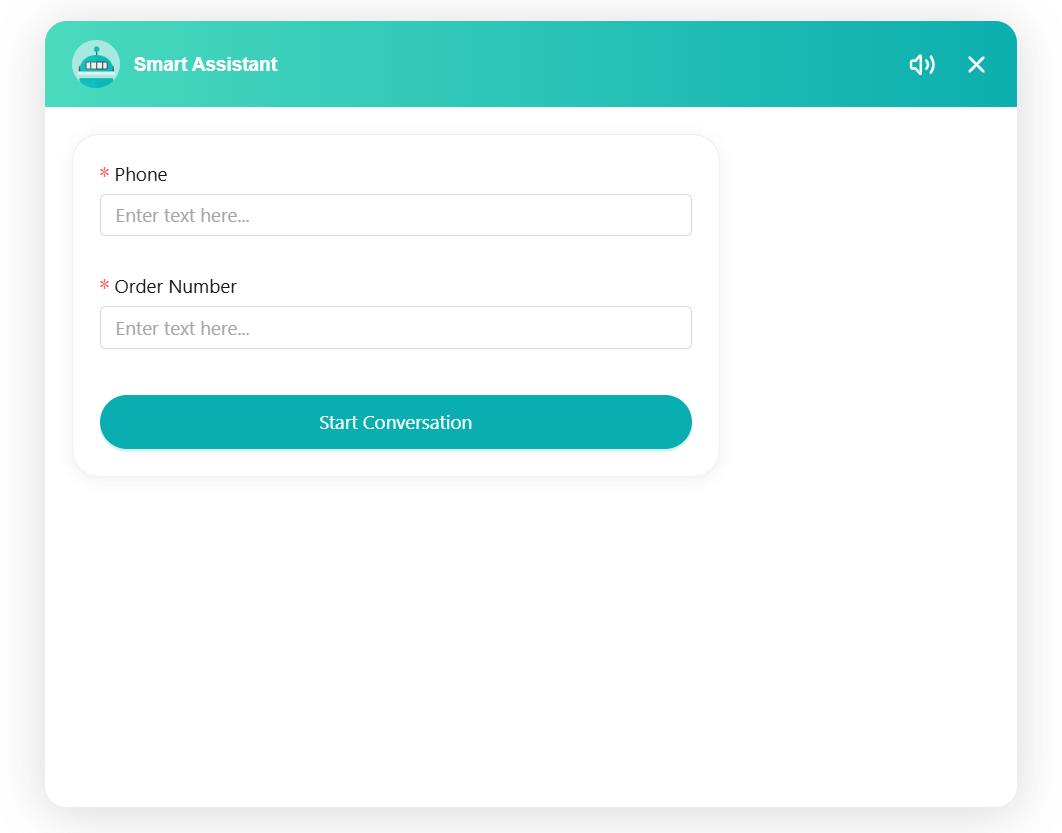
b. Third-party channels:
i. The bot asks customers for variable information step by step in a question-and-answer format.
ii. After the collection is completed, reply to the customer's questions.
Bot Q&A: Answer Source
Function Background
When the bot replies to customer questions, some customers have doubts about the accuracy and authority of the answers. Especially when the answers come from documents or web page materials, if there is no clear source for the answers, it may affect the "credibility" of the response.
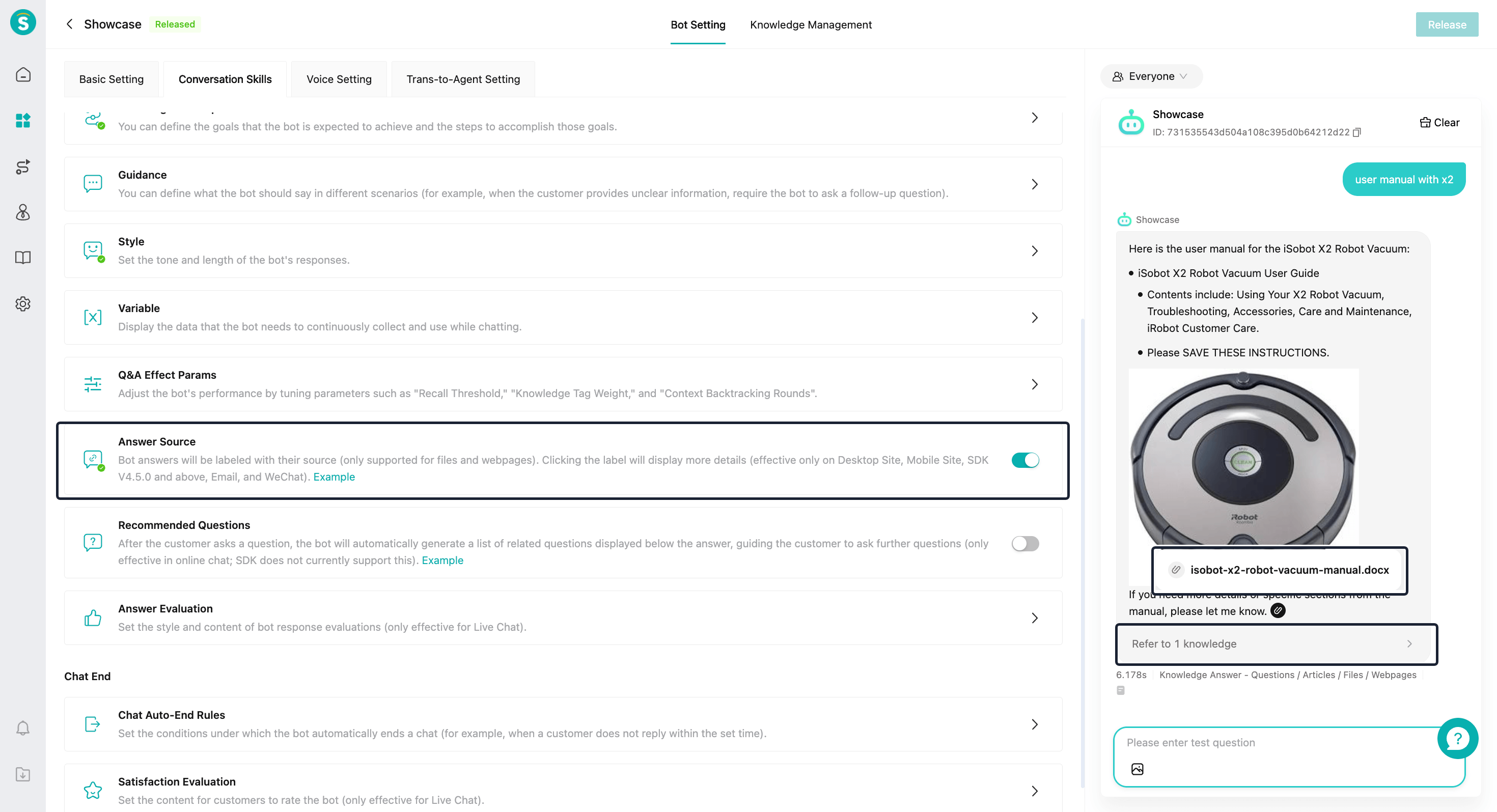
To enhance the transparency and credibility of the bot's responses, when answers are quoted from documents or web pages, the bot supports displaying the corresponding source of the answer in the reply. This allows customers to view the original documents as needed.
Feature Description
In the bot settings, add the "Answer Source" module. When enabled, the bot's responses will include citations of knowledge sources.
Bot Q&A: Button Message
Function Background
In bot dialogue scenarios, the interaction ability of traditional text replies is limited. When the response contains hyperlinks, transfers to agents, or multiple-choice content, customers still need to click links or reply with text themselves. This creates a longer operation path, affecting the overall consultation experience.
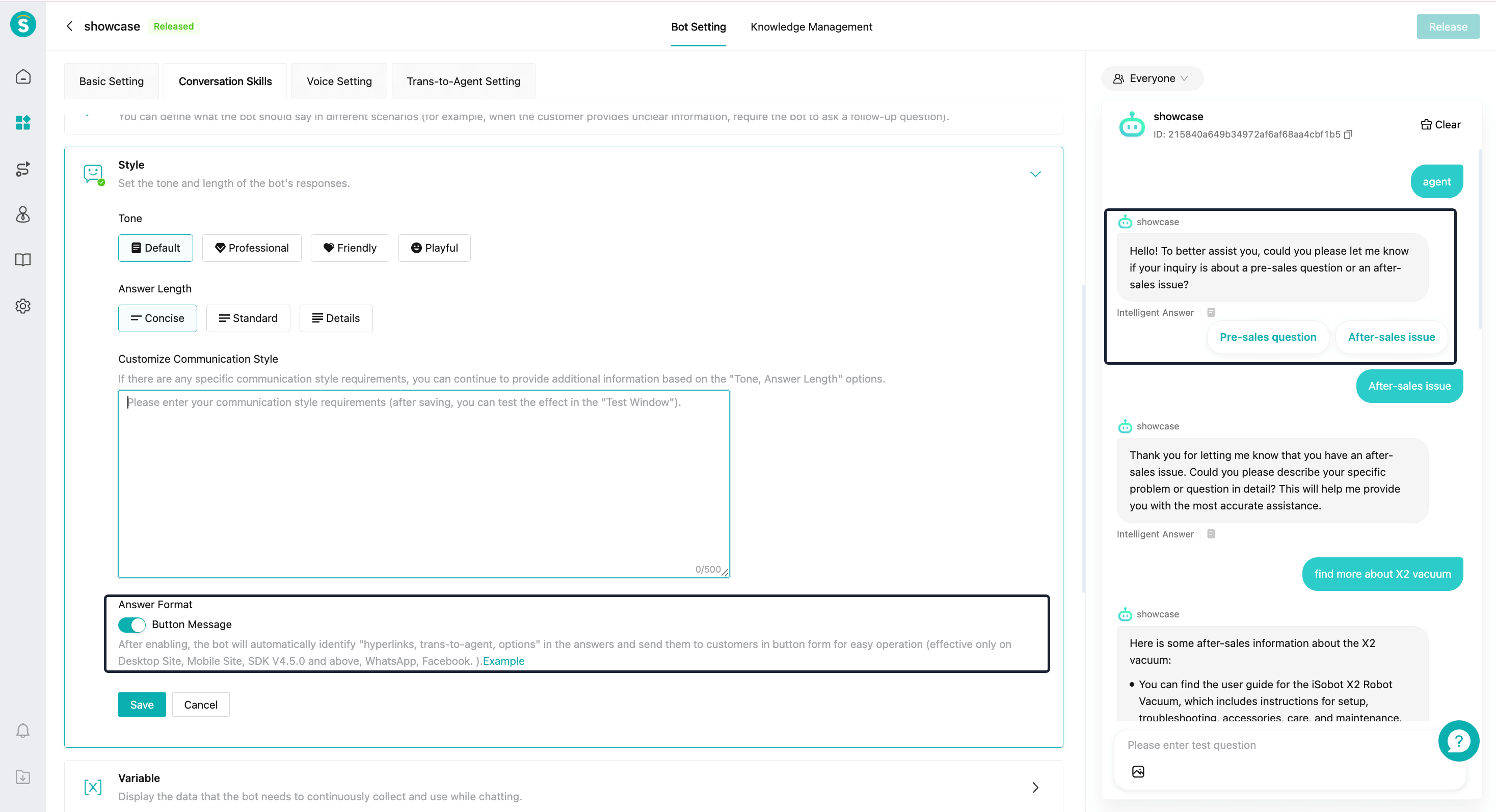
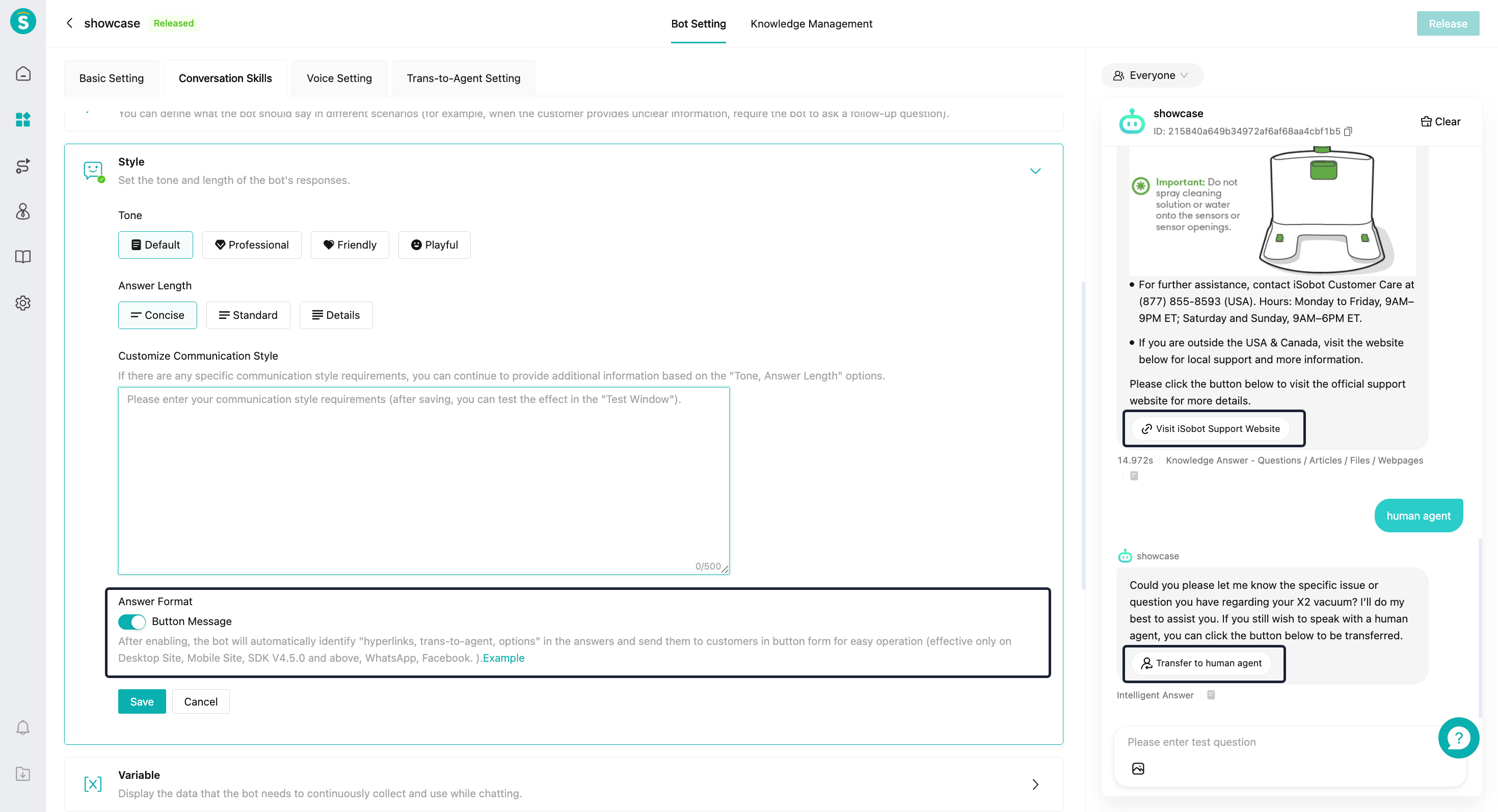
To improve the operability and interaction efficiency of conversations, the bot supports presenting executable content in the form of buttons within its responses. These include interactive hyperlinks, transferring to agents, and quick reply buttons, helping customers complete the next step quickly.
Feature Description
In the bot settings, add the "Style - Answer Format" module. When enabled, the bot will automatically identify elements in the answers such as "hyperlinks, transfer to agent, options," and send them to customers in button form for easier operation.
This feature is only effective in autonomous decision-making mode and LLM task nodes.
Bot Q&A: Third-Party Bots Support Trans-to-Agent Intents
Function Background
In the current third-party bots, Sobot supports transferring to agents based on rules, but it cannot recognize customers' transfer-to-agent needs through semantic understanding. As the complexity of dialogue scenarios increases, customers may actively express their intention to have agents join during the Q&A process. In this case, the bot needs to intelligently identify and trigger the corresponding transfer-to-agents process.
Feature Description
The third-party bot interface adds fields: transfer to agent flag (third_transfer_flag), and transfer to agent skill group name (third_transfer_groupName). For more details, see the developer documentation.
When the transfer-to-agent flag is "true", trigger the transfer to agent.
When the transfer-to-agent skill group name has a value, and the skill group name matches the live chat skill group name, this skill group will be prioritized for the transfer. Note: Applicable to Live Chat Only.
AI Copilot: Q&A Optimization
Function Background
AI copilot includes two scenarios:
The customer sends multiple messages in a row to ask questions, and the AI copilot helps generate answers.
Agent asks questions, AI copilot generates answers.
To improve the accuracy, coherence, and generation efficiency of responses, we have performed an overall optimization and upgrade for the above scenarios.
Feature Description
Automatically merge multiple customer messages to generate a response
a. When a customer sends multiple messages in a row, the system will automatically combine the content of the messages and generate a unified response to improve accuracy and completeness. A maximum of 3 messages will be merged.
b. The time interval between messages needs to be less than 5 seconds.
Real dialogue context enhancement
a. When generating responses, the system will use the real historical dialogues between agents and customers as context to improve semantic understanding and response relevance.
The output language is consistent with the workstation.
a. AI-generated content will automatically match the current language of the agent workbench, ensuring that the response language is consistent with the actual service scenario.
b. Note: If agents use the automatic translation function on the agent workbench, they need to insert the AI copilot's reply into the input box before sending. This way, the language of the sent message can match the customer's language.
Answer generation process uses streaming output
a. Content will be presented in real-time paragraph by paragraph, significantly improving the response speed of the first character and overall generation experience, helping agent obtain usable replies more quickly.
Knowledge Center
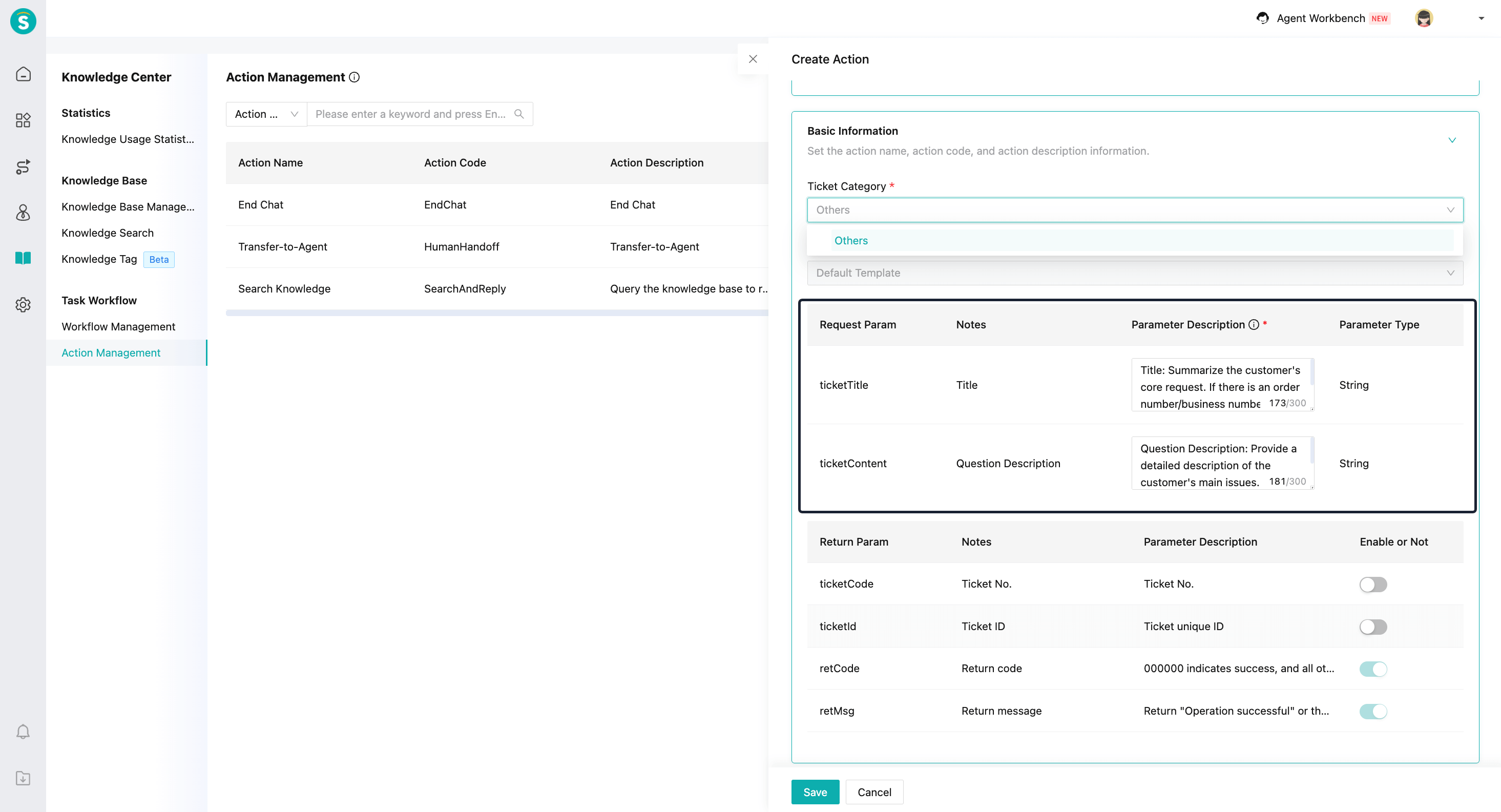
Create Ticket Action Supports Custom Prompt Configuration
Function Background
In different scenarios, the ticket titles and question descriptions created by bots have different focuses. Enterprises hope to customize the generation effects of ticket titles and question descriptions.
Feature Description
In Action Management - Create Ticket Action, a prompt editing entry is now available on the page, allowing enterprises to customize how ticket titles and question descriptions are generated based on different scenarios.
Create Ticket Action Supports Including Attachments
Function Background
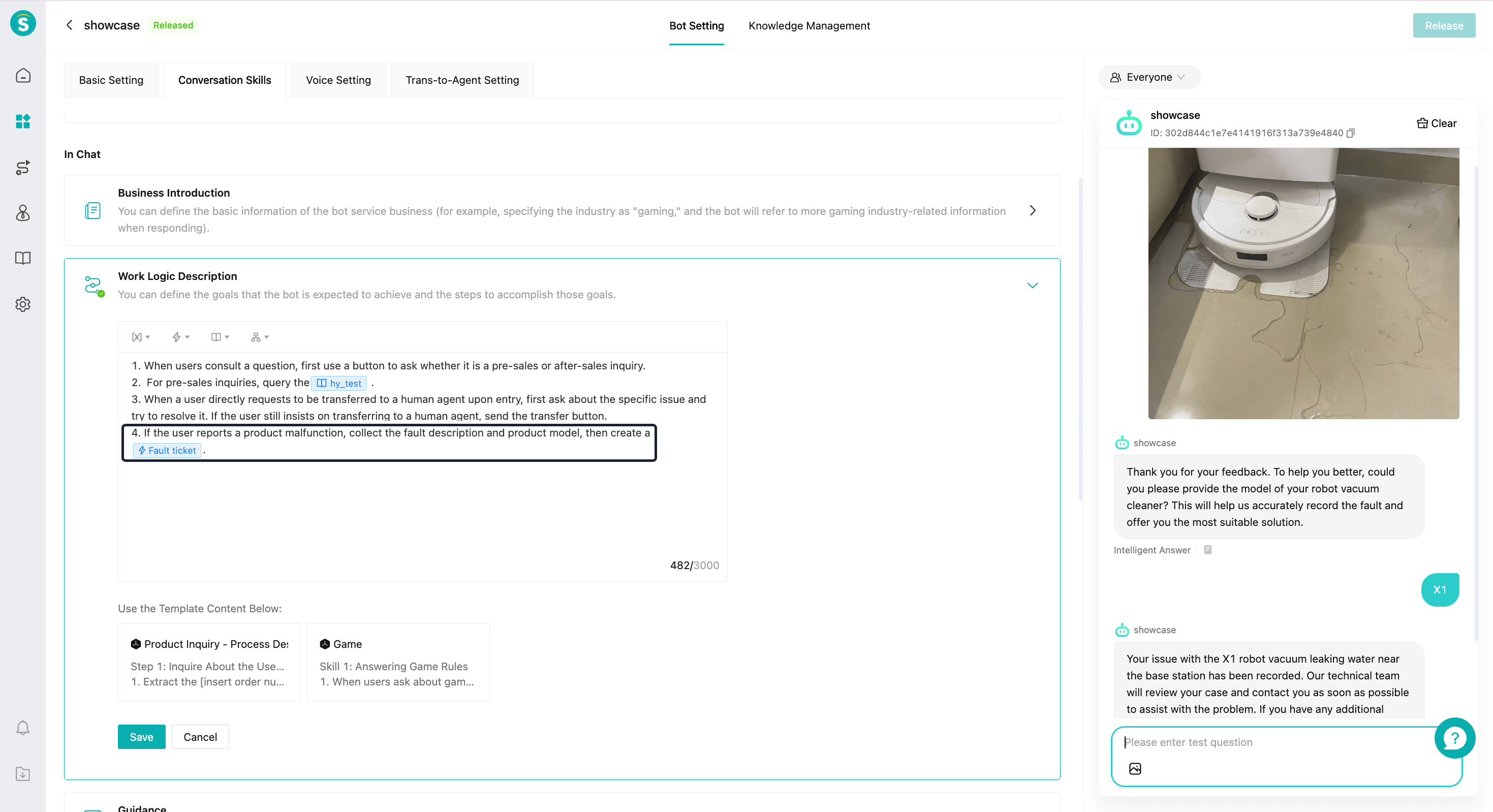
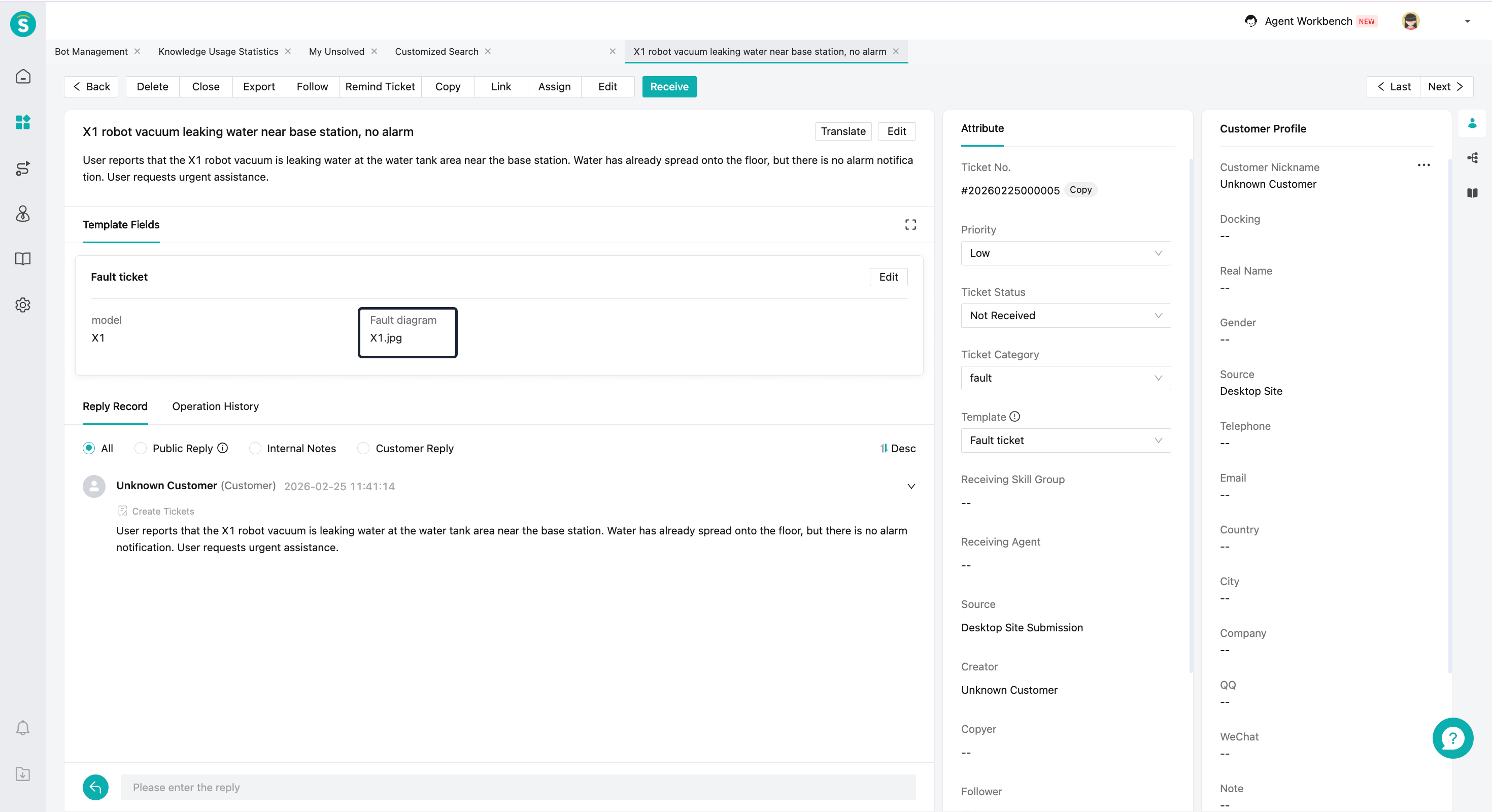
The bot needs to collect the images or attachments sent by the customer when creating a ticket.
Feature Description
When there is an attachment field in the ticket template, the images or attachments sent by the customer will be transferred into the attachment field. If there is no attachment field, the images or attachments sent by the customer will be added to the question description field.
Live Chat
Queue Leave Session Page Duration Setting
Function Background
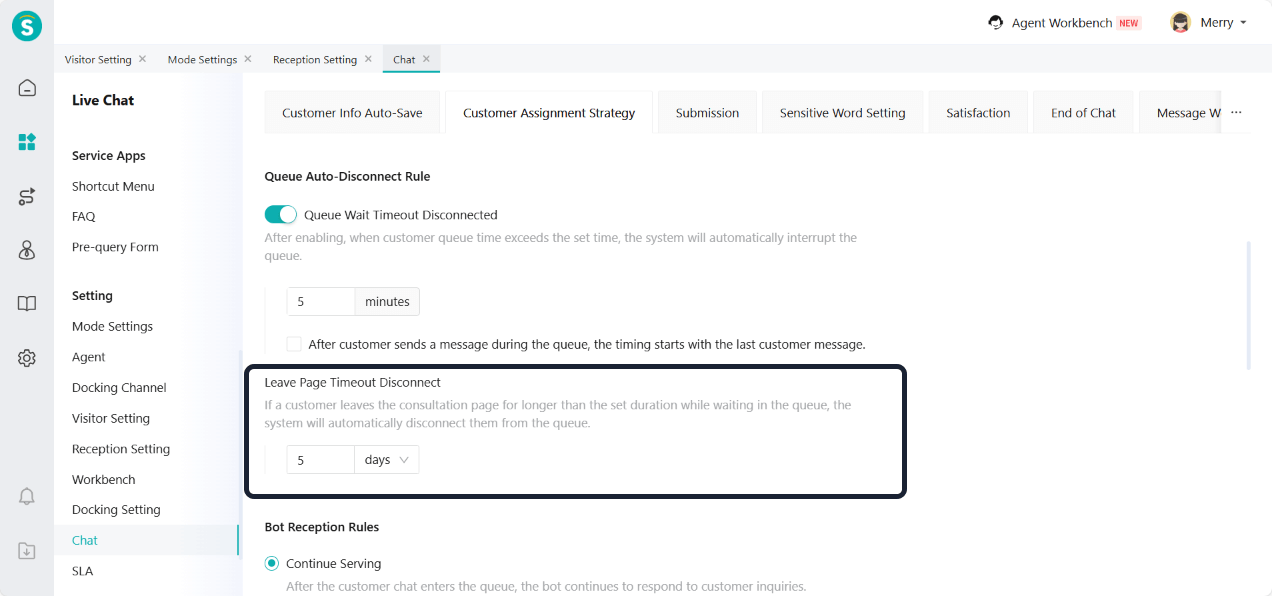
Customers are unwilling to wait for a long time while in the queue. If they close the queue page and return after more than 5 minutes, they need to queue again. This affects the customer service experience and increases the risk of customer loss.
Feature Description
Add a "Leave Page Timeout Disconnect" setting to resolve this issue. When a customer leaves the consultation page during queuing for longer than the set duration, the system will automatically disconnect them from the queue.
Configuration Limits:
Supported in real-time reception mode only.
Supported in Professional and Enterprise versions. The Team version defaults to 5 minutes and does not support configuration.
Supported up to 30 days.
Supported on PC and H5 only.
Supported in both V6 and V7.
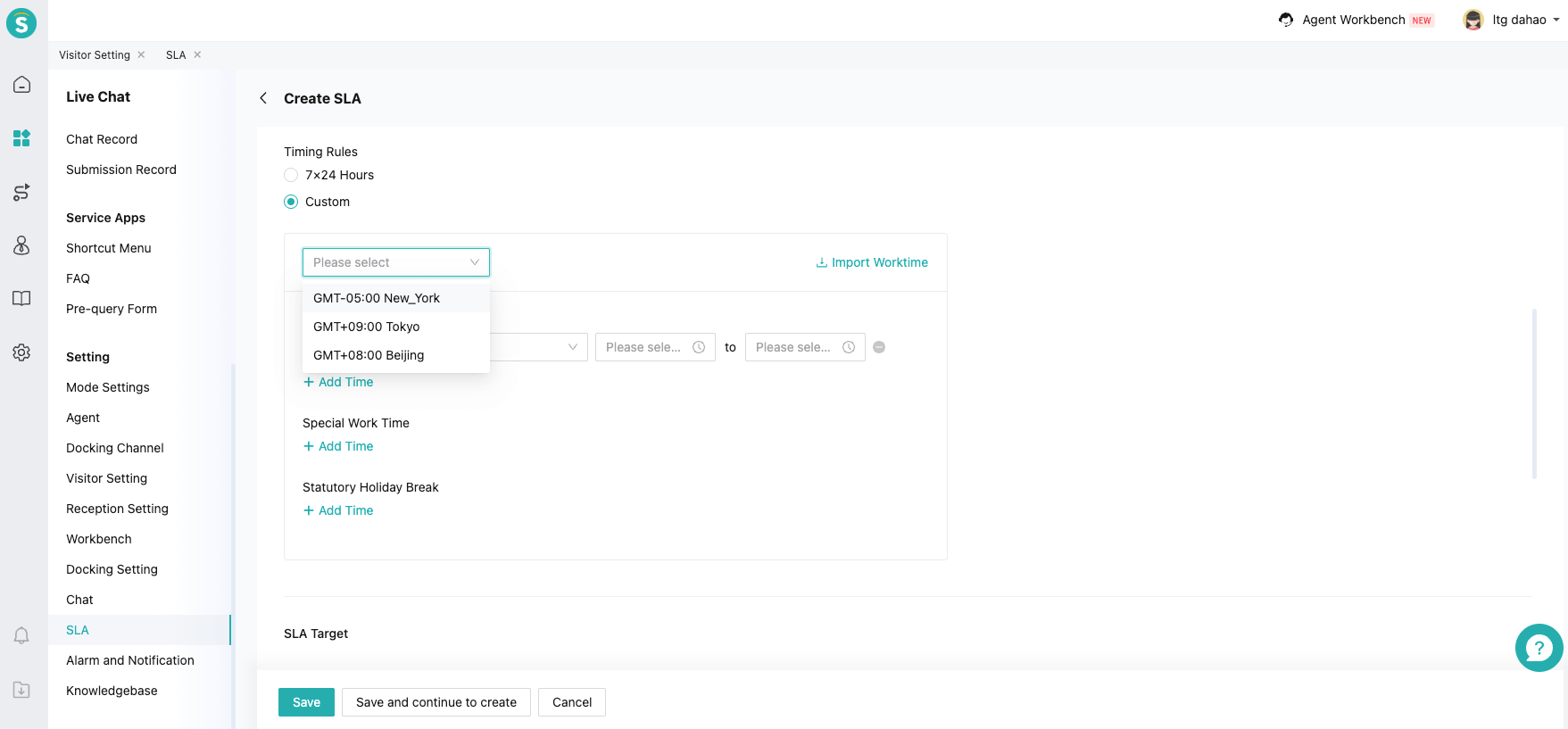
SLA Supports Setting Worktime
Function Background
For always on mode conversations, the session cycle is usually longer and may span multiple non-working days. The non-working day metrics should not be timed. Currently, the SLA metrics continue to be timed by the system during non-working hours, which will extend the response time and session duration data, affecting the accuracy of SLA evaluation.
Feature Description
Support setting working and non-working hours in SLA.
SLA response and session time stop during non-working hours.
SLA response continues and session time stops when a session is snoozed.
SLA Countdown Display
Function Background
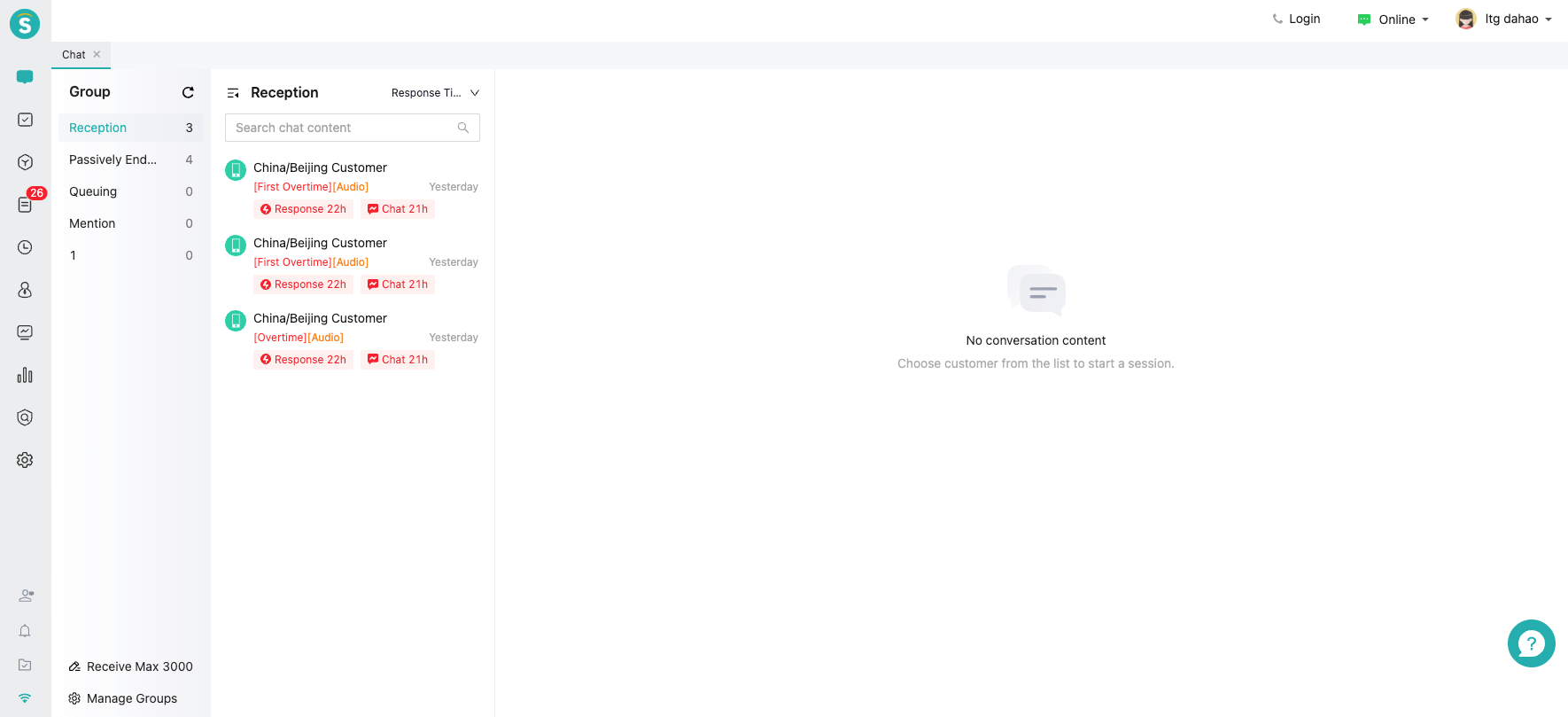
In some long-term session scenarios, the SLA countdown may last for several hours or even days. At this time, the countdown displayed in the "HH:MM:SS" format has poor readability and lacks practical reference value, but instead increases the redundancy of the interface.
Feature Description
Based on the remaining time interval, use different time granularities for display:
When remaining time is over 24 hours, show days only, e.g., 1d.
When remaining time is over 1 hour but less than 24 hours, show hours only, e.g., 22h.
When remaining time is over 5 minutes but less than 1 hour, show minutes only, e.g., 10m.
When remaining time is under 5 minutes, show hours, minutes, and seconds, e.g., 00:03:34.
SLA Statistics
Function Background
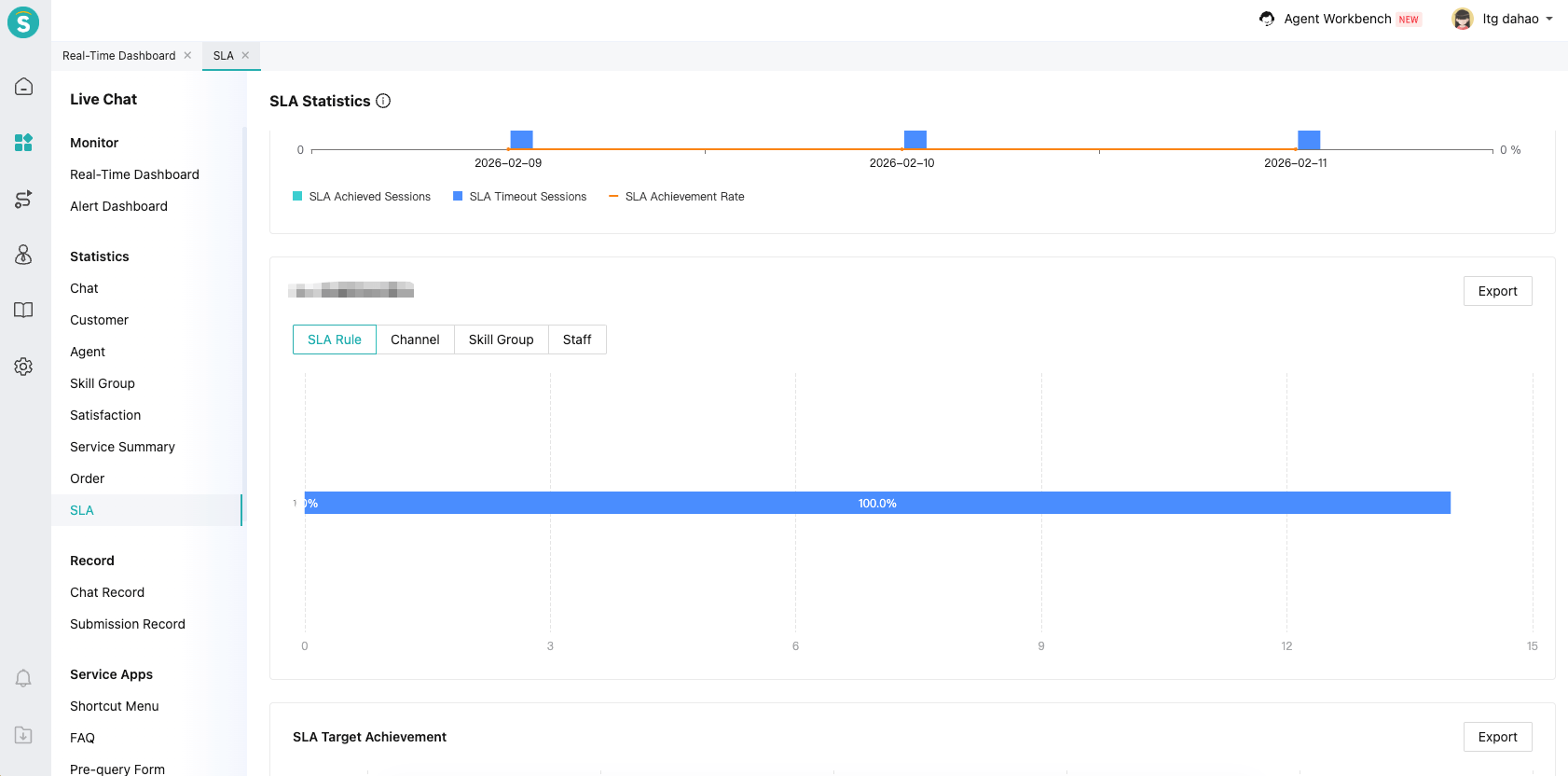
Enterprises need to clearly understand the achievement status of SLA metrics at the session level to evaluate service quality and optimize response strategies.
Feature Description
Add the SLA statistics capability for live chat, using a "Total – Breakdown" structure to comprehensively display the SLA achievement at the session level. This helps enterprises more clearly evaluate service quality and response performance. For metric details, see the indicators on the statistics page.
Enterprises can view the SLA compliance by SLA rules, channels, skill groups, and staff.
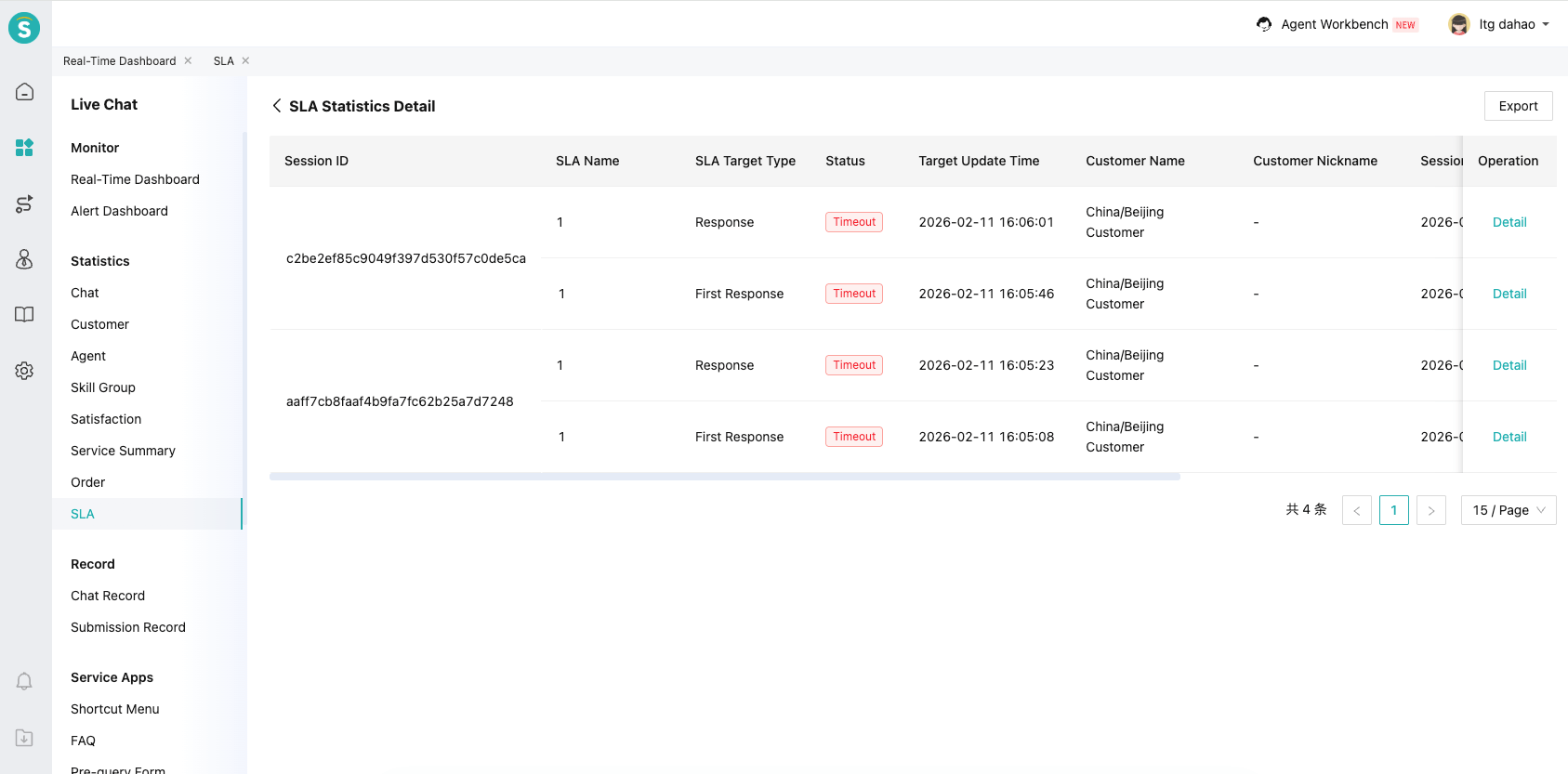
In the SLA statistics details, data drilling is supported to view specific session metric achievement details. This helps locate abnormal sessions and problem sources, improving management and optimization efficiency.
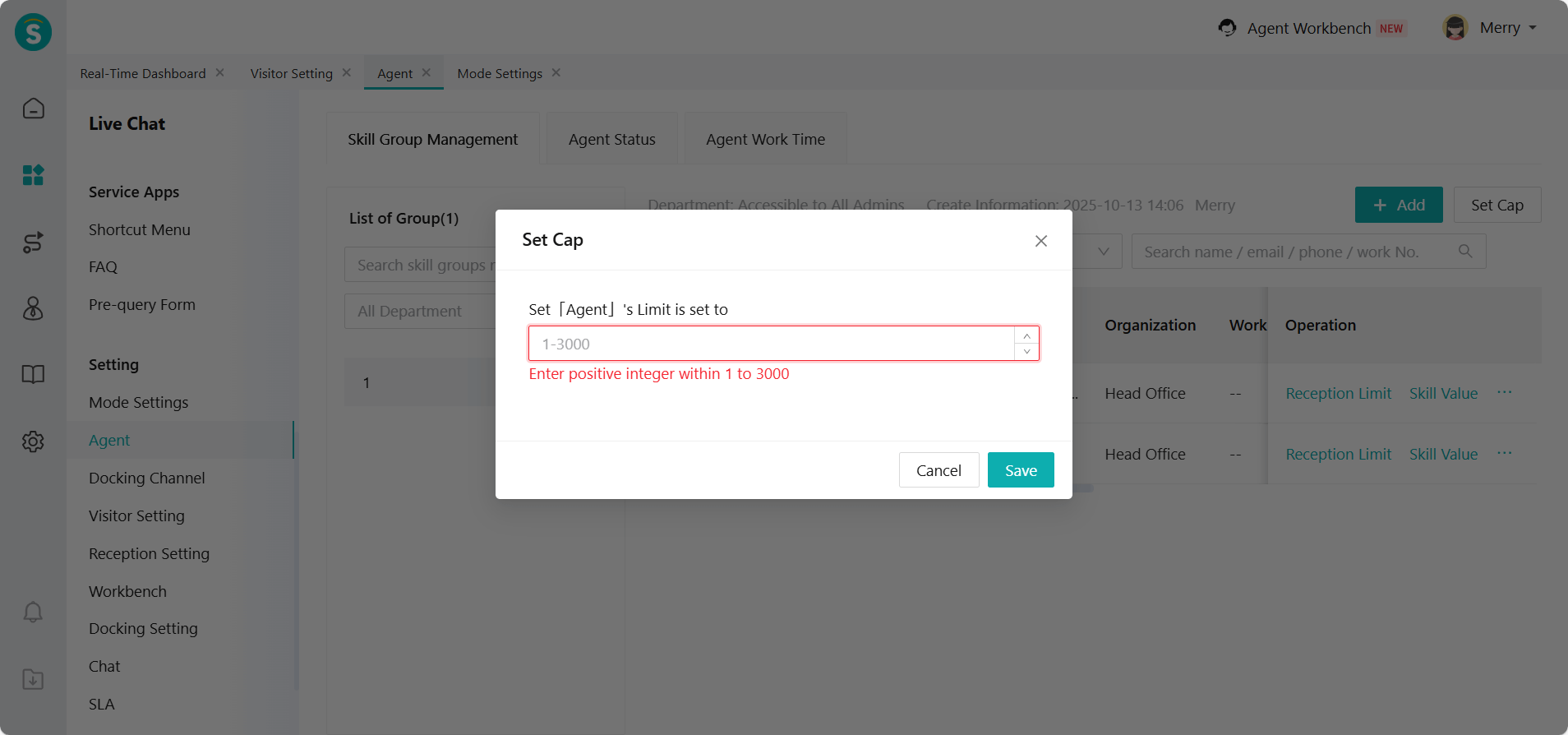
Maximum Agent Reception Limit Supported Up to 3,000
Feature Description
In always on mode, the agent reception limit can be set to 1~3000.
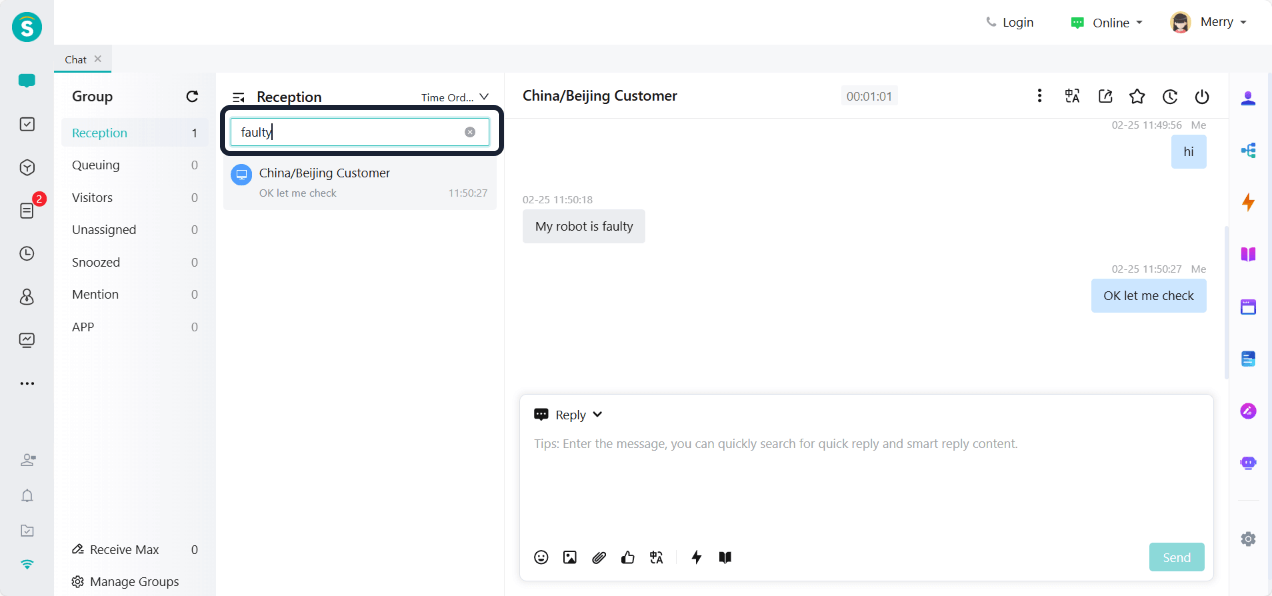
Reception and Custom Groups Support Conversation Content Search
Feature Description
Reception groups and custom groups now support searching conversation content, making it easier to find specific information.
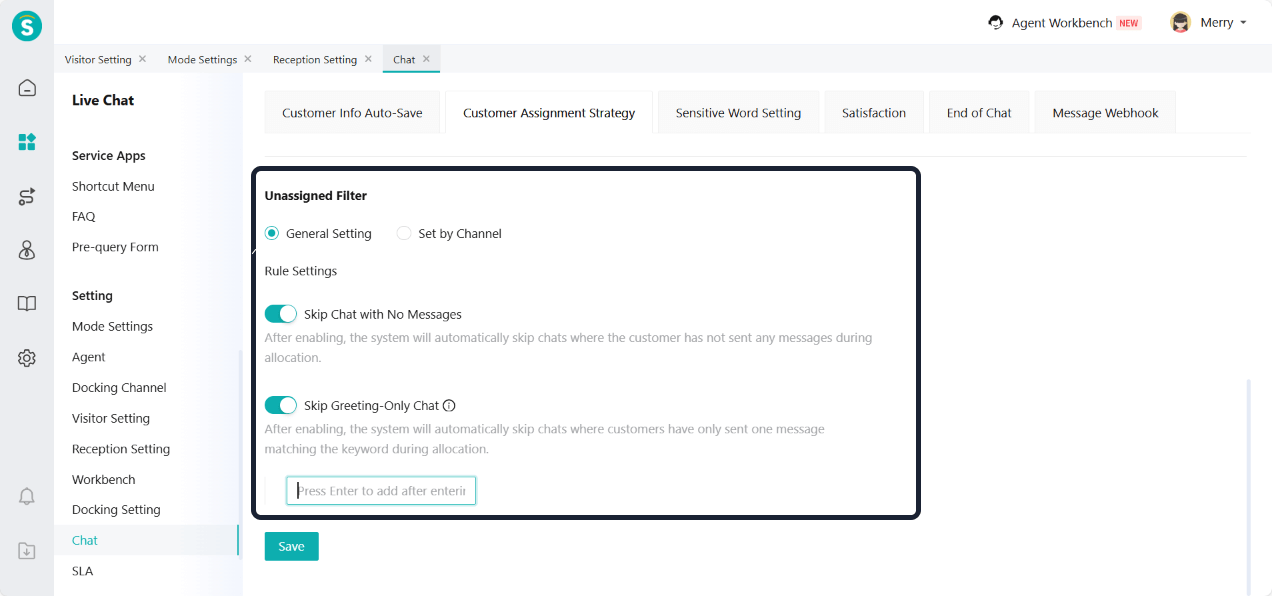
Unassigned Filter Rules for Always On Mode
Function Background
In the scenario of third-party channels, after customers follow or add the official account, a default greeting message is usually triggered automatically. For example, when adding WeChat, a system message like "I am #WeChatNickname" is sent by default. Such messages are automatically generated greetings from the channel and do not reflect the customer's actual inquiry. In this scenario, it is not necessary to transfer to an agent.
Feature Description
In always on mode, under Chat - Customer Assignment Strategy - Unassigned Queue Settings - Unassigned Filter, enterprise can set to skip conversations with no messages or skip conversations with only greetings. Conversations that meet the above rules will not be assigned to agent.
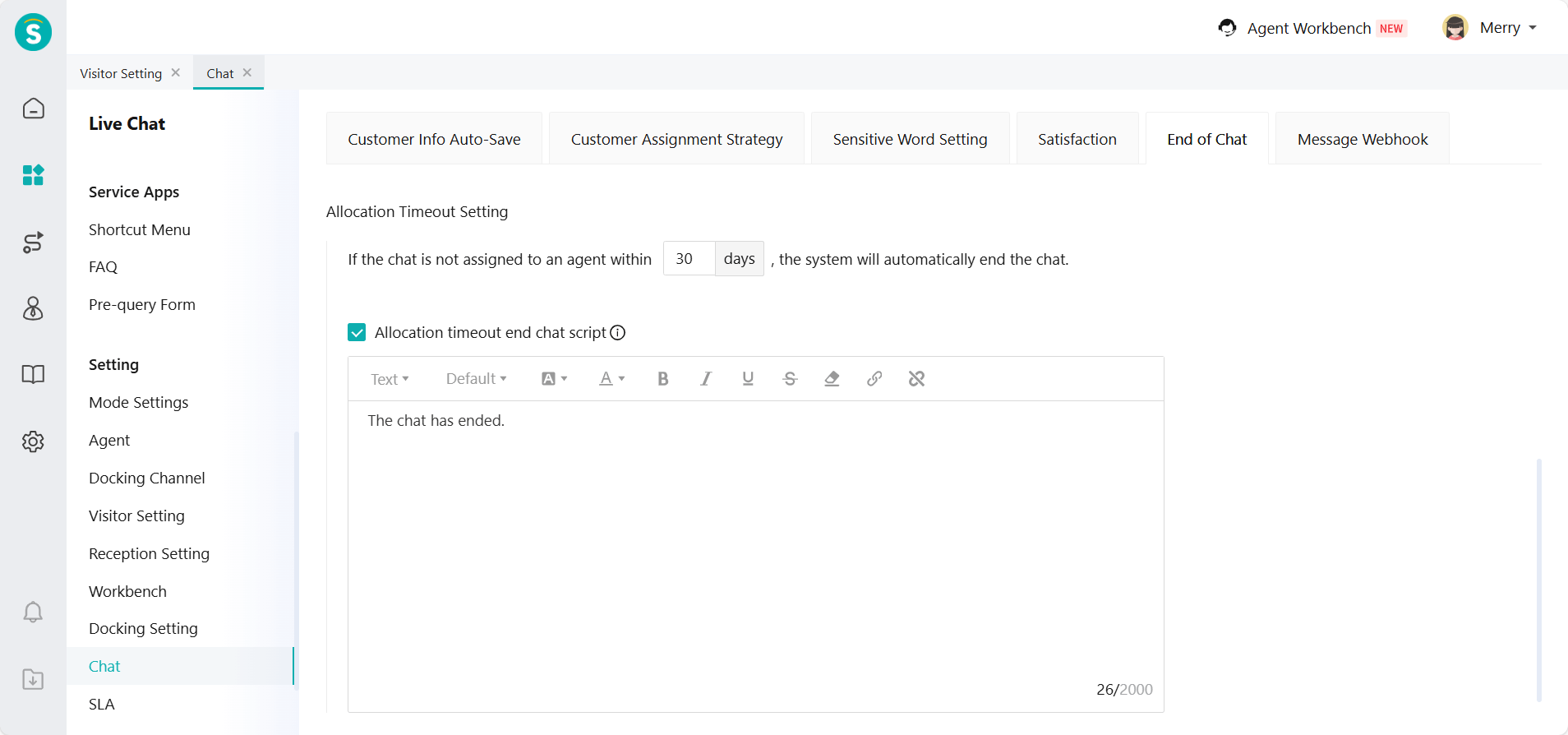
Allocation Timeout Setting for Always On Mode
Function Background
In always on mode, some invalid or meaningless sessions that do not need to be assigned (such as messages automatically triggered by channels, etc.) may stay in the unassignment pool for a long time, occupying system resources.
To avoid long-term stagnation of such conversations, it is necessary to set up a timeout automatic termination rule. This rule will automatically close the conversation after it exceeds the specified duration, promptly release the resources in the pending allocation pool, and improve the overall reception efficiency.
Feature Description
In always on mode, under Chat - End of Chat - Allocation Timeout Setting, enterprise can set the session to automatically end if it is not assigned to an agent within the specified time. The maximum setting allowed is 30 days.
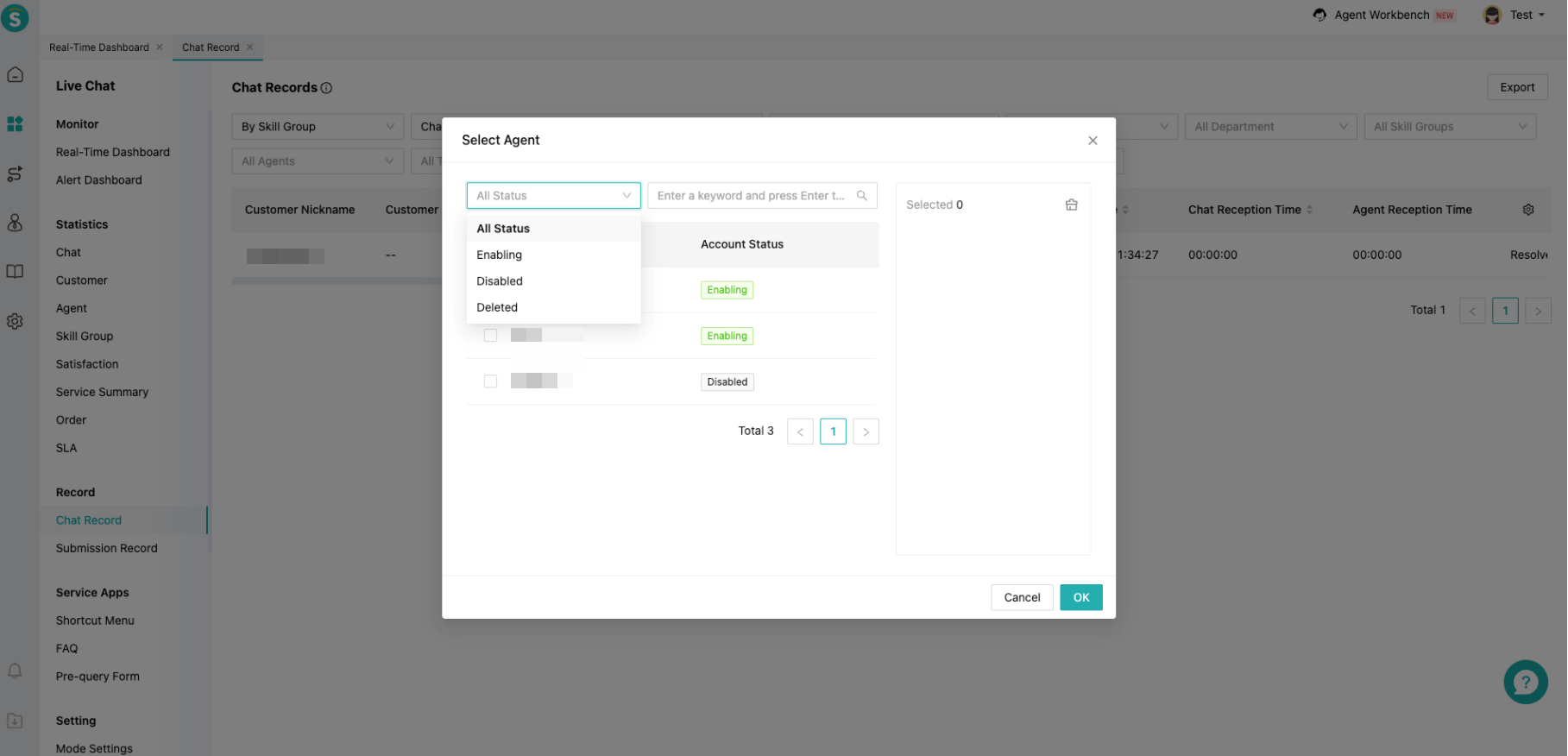
Allow Selecting Disabled Agents in Query and Statistics Filters
Function Background
For enterprises with relatively high turnover rates or shift work requirements, disabled or deleted agent data cannot be filtered, failing to meet the needs of the enterprise.
Feature Description
Optimize the filtering of agent components. It defaults to showing enabling agents but allows manually selecting disabled or deleted agents.
Language Scope Setting for Reception Schemes
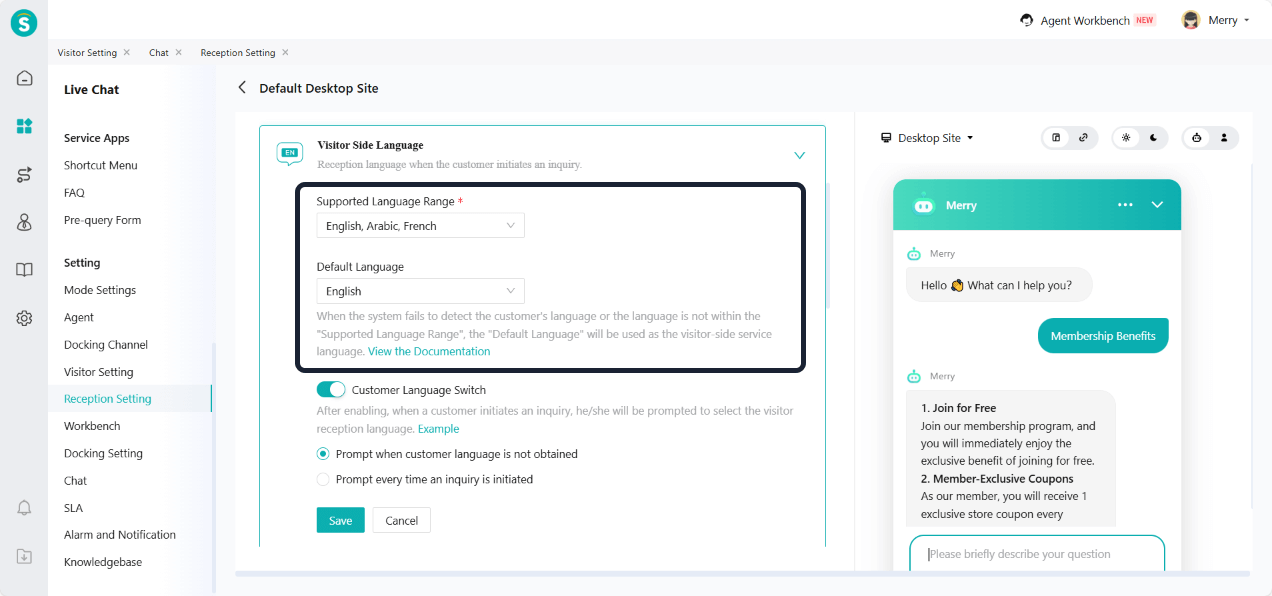
Function Background
Some enterprises only provide services in specific languages. Therefore, they need to limit the language of visitor side. For example, if an enterprise only supports English services, it should display English even when Chinese customers visit.
Feature Description
Add a setting for "Supported Language Range" in "Reception Setting - Visitor Side Language". Allow enterprises to select some languages from 17 options as the displayable language range. When a customer's language is outside the set range, the system will display content in the default language.
Visitor Side V7 Adds Arabic Language
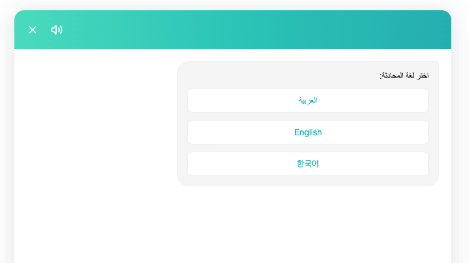
Function Background
Customers in Southeast Asia use Arabic more often, but the current visitor side V7 does not support Arabic. This version will add Arabic.
Feature Description
Visitor side V7 adds Arabic.
Show Authorization Reminder When H5 Visitor Side Accesses Camera
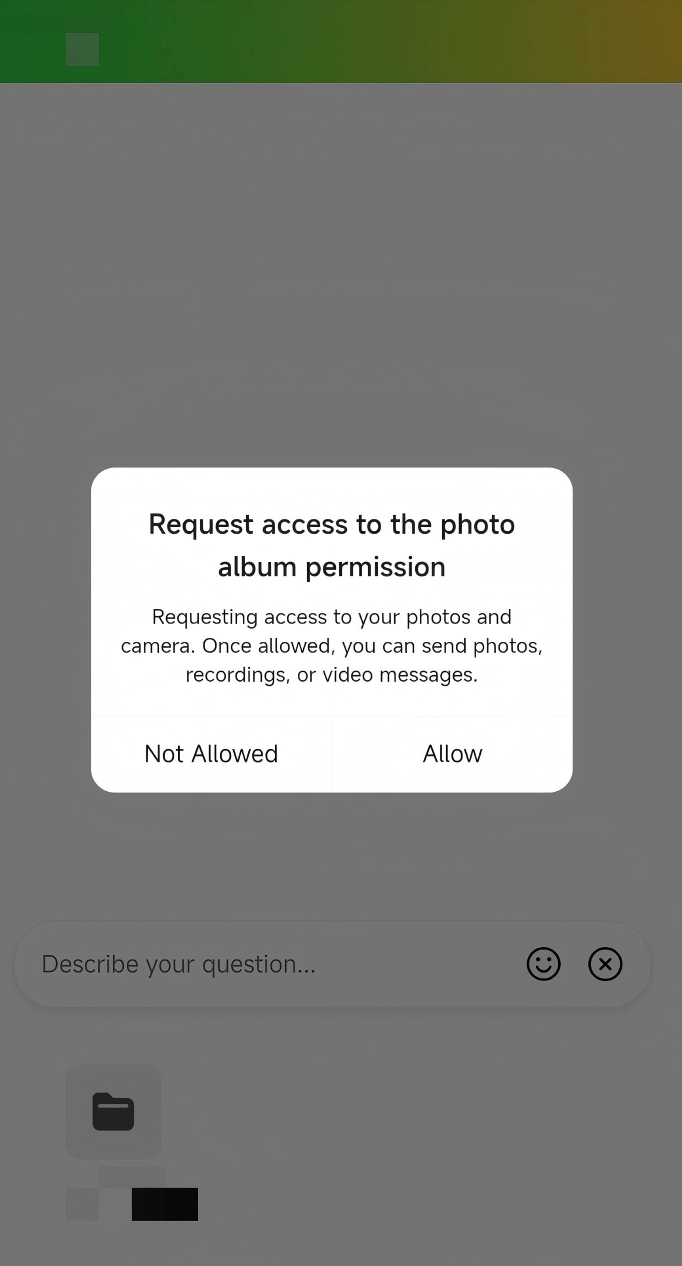
Feature Description
When customers use functions like images and photography in the H5 visitor side, an authorization reminder will pop up for the first time. If the authorization is not allowed, they cannot use the function. The related function can only be accessed after allowing authorization.
H5 Visitor Side Supports Sending Voice Messages
Function Background
In some service scenarios, text input is less efficient, especially for elderly customers or those who find typing inconvenient, leading to higher communication costs. Compared to text, voice messages are more direct, efficient, and better align with the usage habits of some customers.
Feature Description
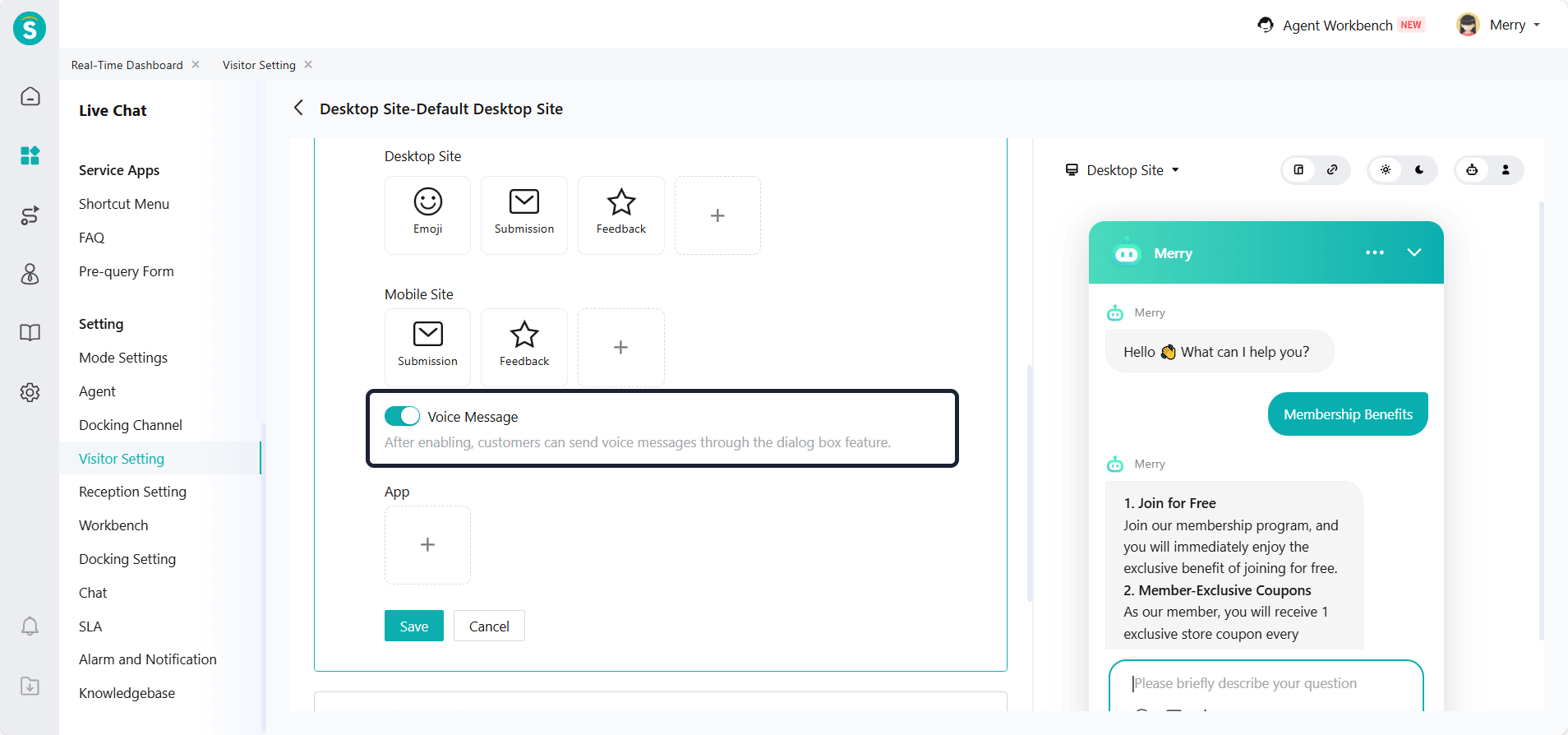
In Visitor Setting - Input Box Setting - Agent Reception, a new "Voice Message" switch is added. When enabled, customers can send voice messages in the chat box.
Configuration Limit: Supported in V7 only.
PC Visitor Side Supports Background Customization
Function Background
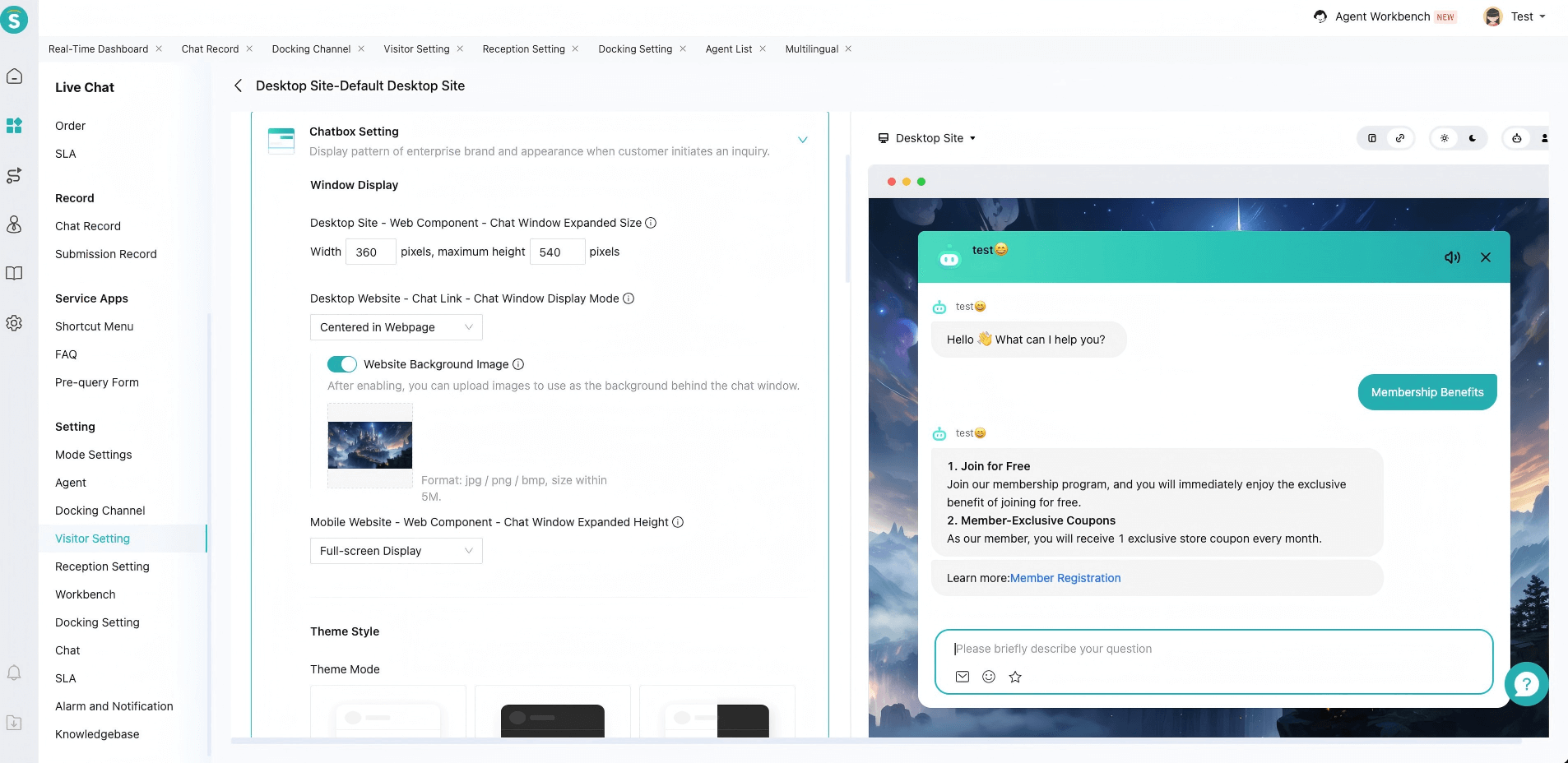
In the gaming industry, the current PC visitor client uses a white background by default. This is inconsistent with the overall visual style of the business page, affecting the immersive experience and brand consistency. Enterprises hope to customize the chat window background style according to their own branding to improve overall visual harmony and customer experience.
Feature Description
In Visitor Setting - Chatbox Setting, add a background setting for the chat window display on desktop websites. When selecting webpage centering, enterprise can customize the webpage background image.
Agent Workload Statistics Add SLA-Related Metrics
Feature Description
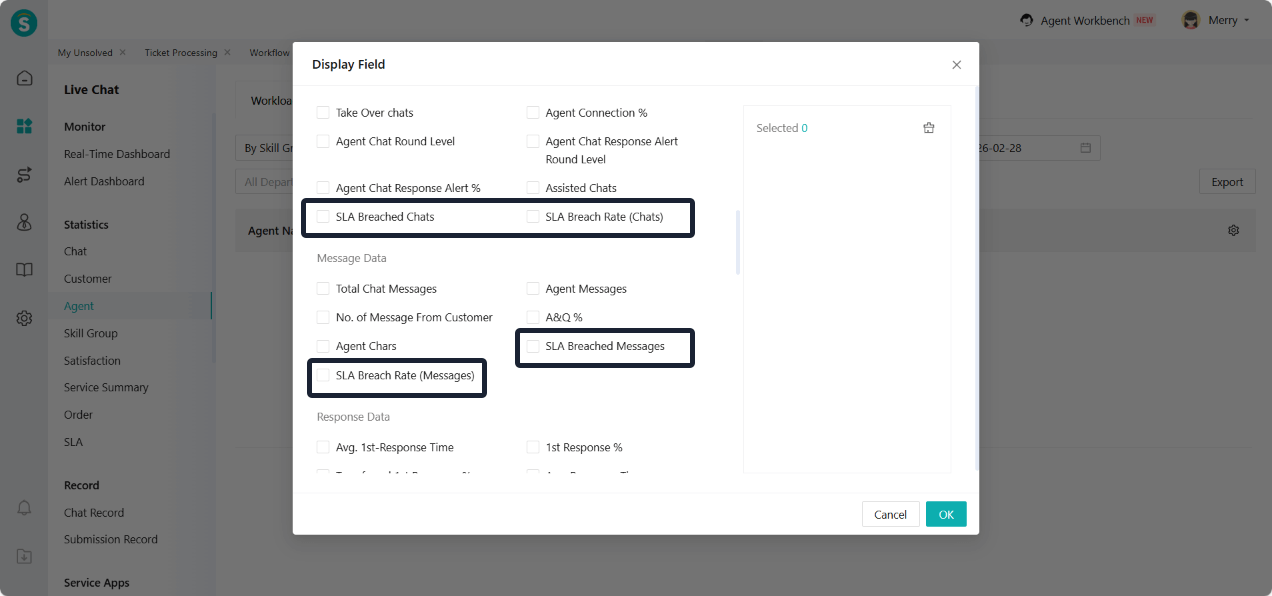
The agent workload metrics add SLA-related metrics, such as SLA breached chats, SLA breach rate (Chats), SLA breached messages, and SLA breach rate (Messages).
Agent Status Statistics Add Agent Time Zone
Feature Description
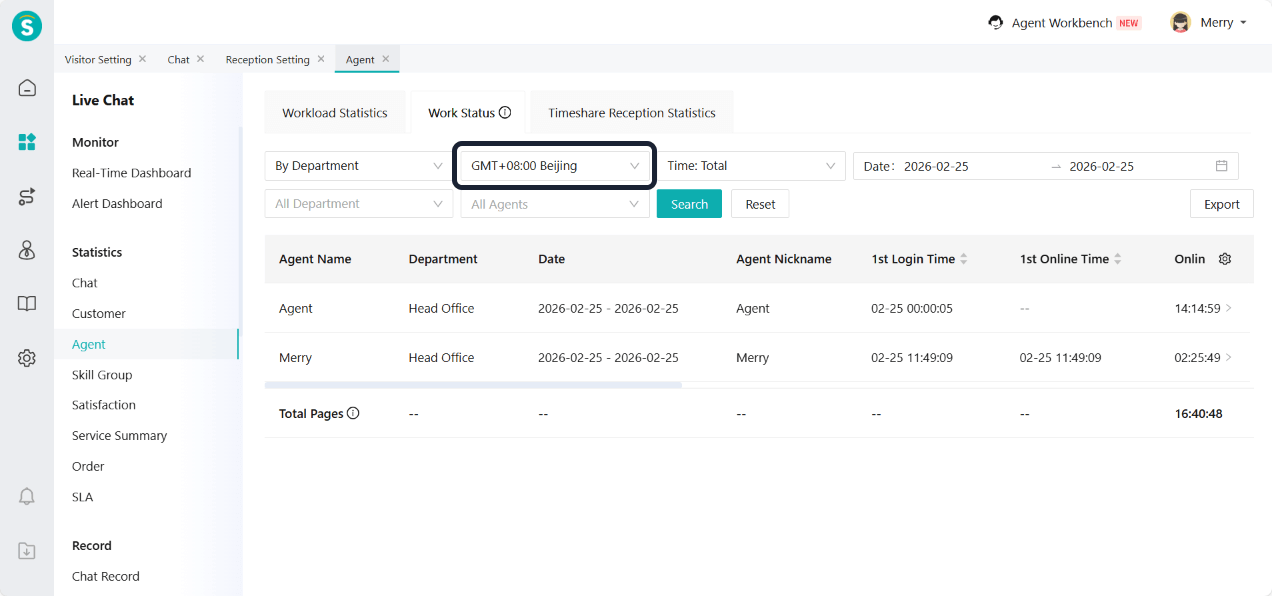
The agent statistics add a time zone filter. The login time of the agent in the list is displayed according to the selected time zone. After clicking for details, the time zone where the agent is located is shown. The export function also adds the time zone where the agent is located.
Statistics Module Adds Cross-Day Time-Segment Reporting
Feature Description
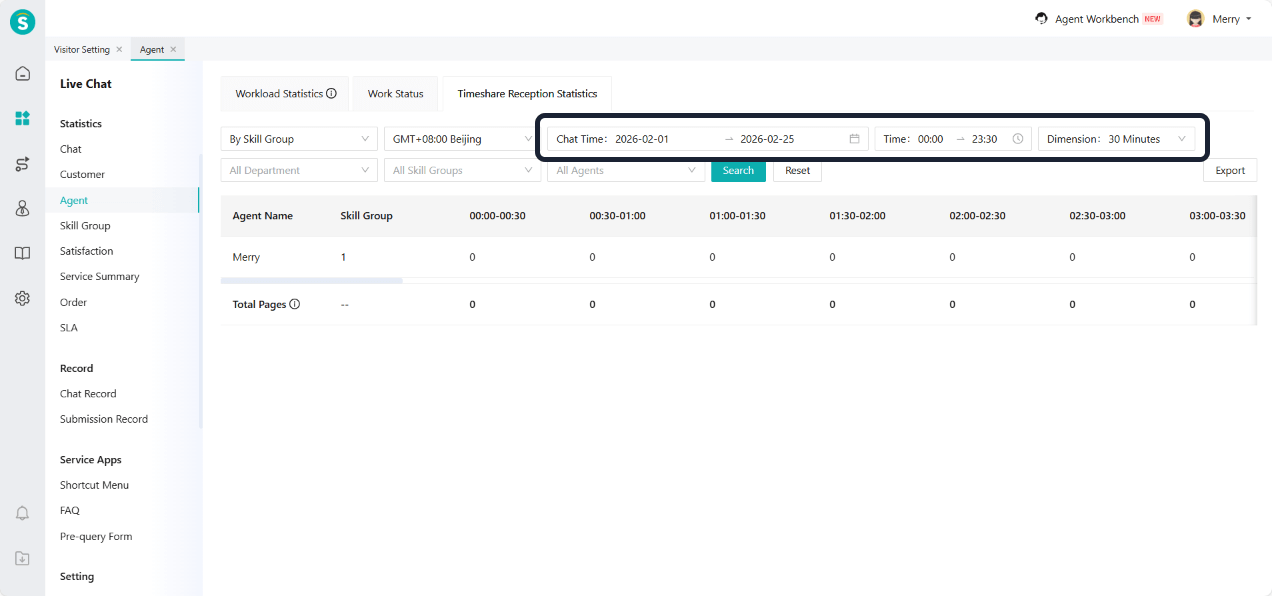
In Agent - Timeshare Reception Statistics, cross-day time-segment reporting is added, based on the number of sessions handled by agents.
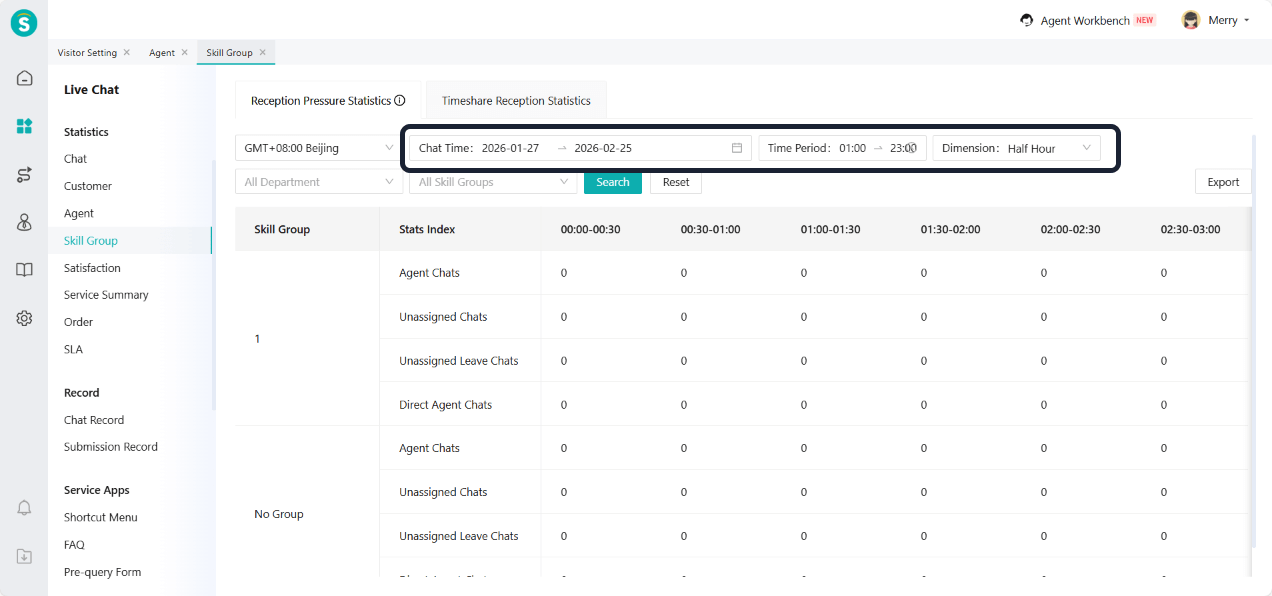
In Skill Group - Reception Pressure Statistics, cross-day time-segment reporting is added, based on the number of sessions handled by agents. If an agent is not assigned to any skill group, sessions without a skill group are also included in the statistics.
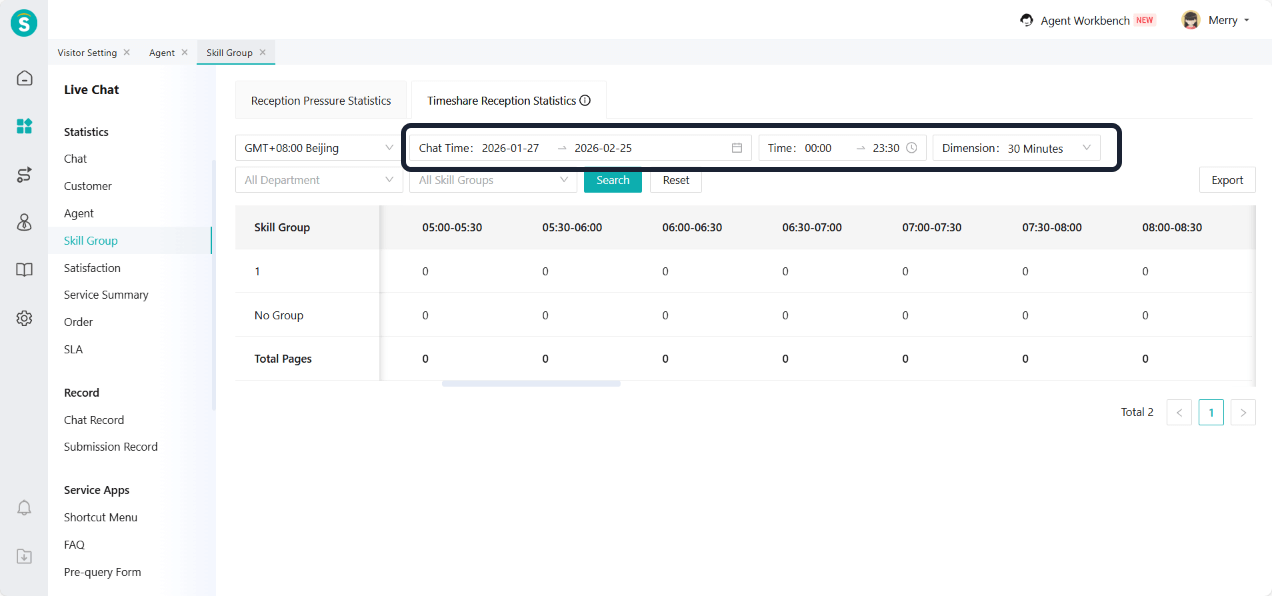
In Skill Group - Timeshare Reception Statistics, cross-day time-segment reporting is added, based on the number of sessions handled by agents. If an agent is not assigned to any skill group, sessions without a skill group are also included in the statistics.
Line and WhatsApp Support Message Quoting
Feature Description
Line and WhatsApp channels now support message quoting functionality, making it easier to reference previous messages in conversations.
Note: This feature only supports quoting messages generated after its launch. If you quote historical messages from before the launch, the quoting effect will not be displayed.
Facebook and WhatsApp Support Read Receipts
Feature Description
Facebook and WhatsApp channels now support read receipts, allowing agents to know when customers have read their messages.
Admin Center
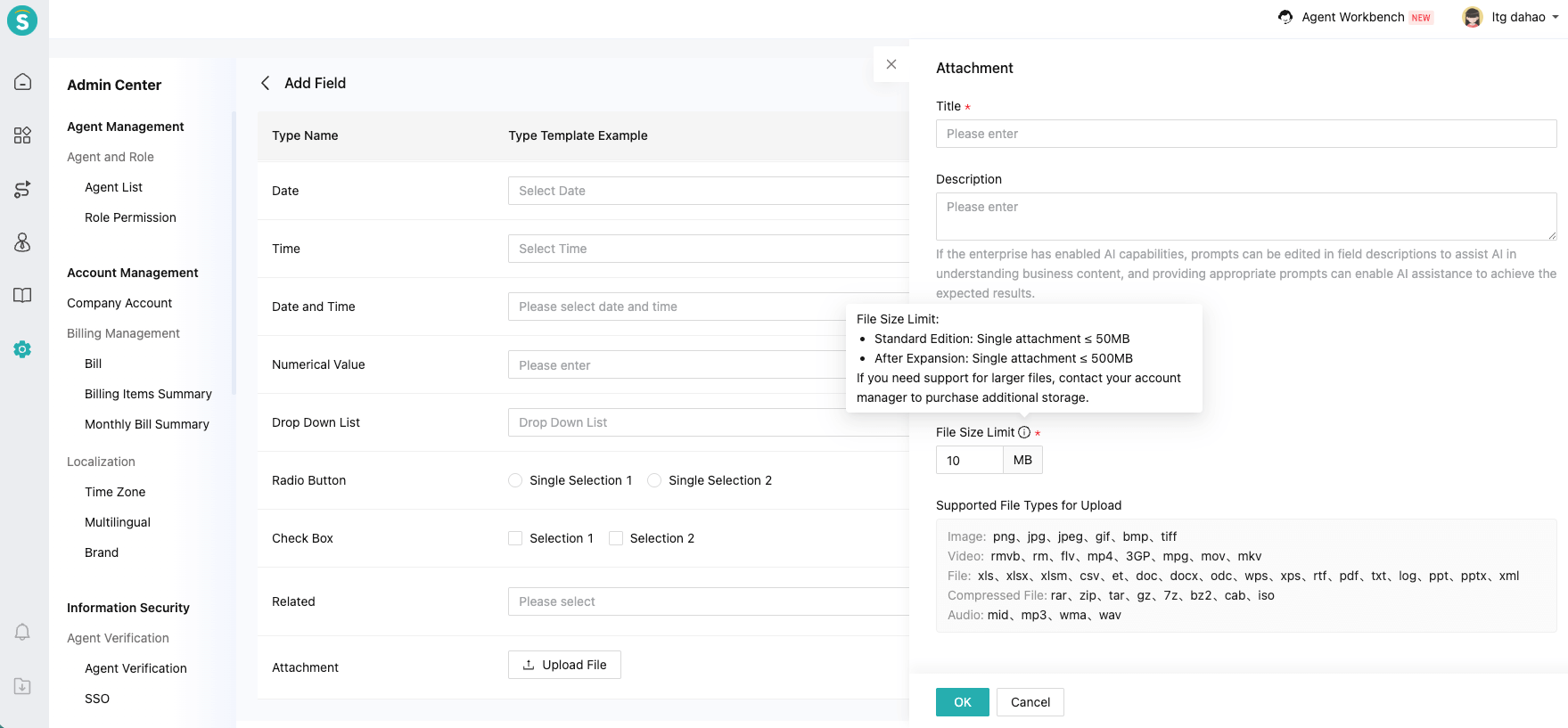
Attachment Type Field
Feature Description
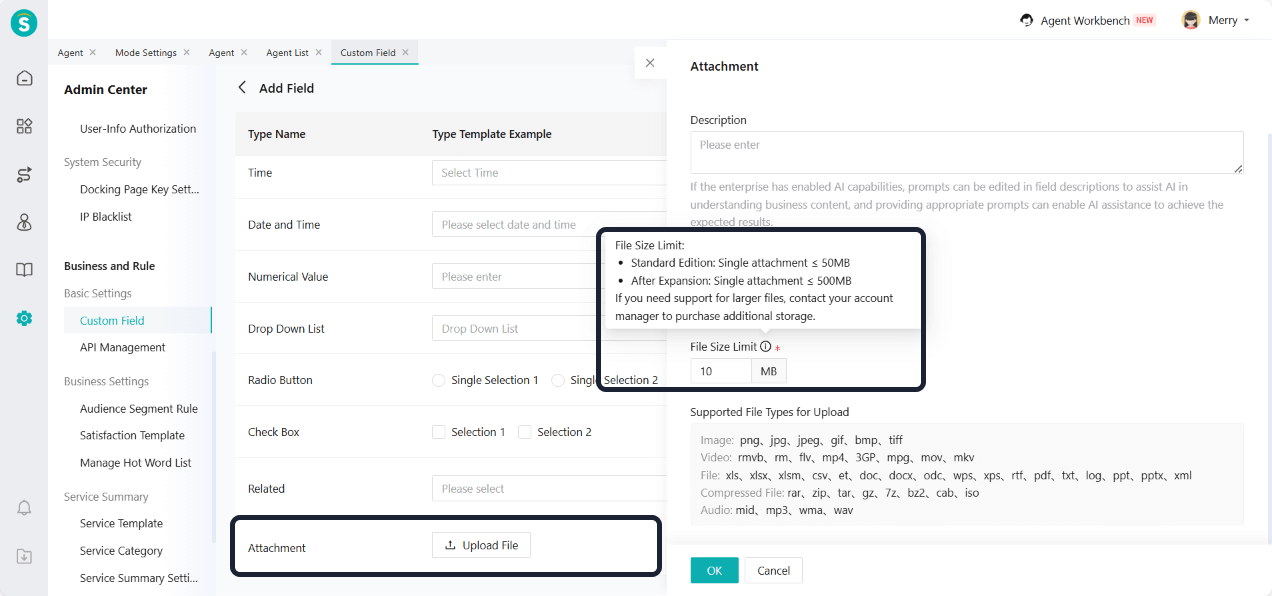
Custom fields now support adding attachment type fields. The maximum size for a single attachment is 50 MB. For larger storage needs, please purchase additional storage.
Currently, only tickets support custom fields of the attachment type.
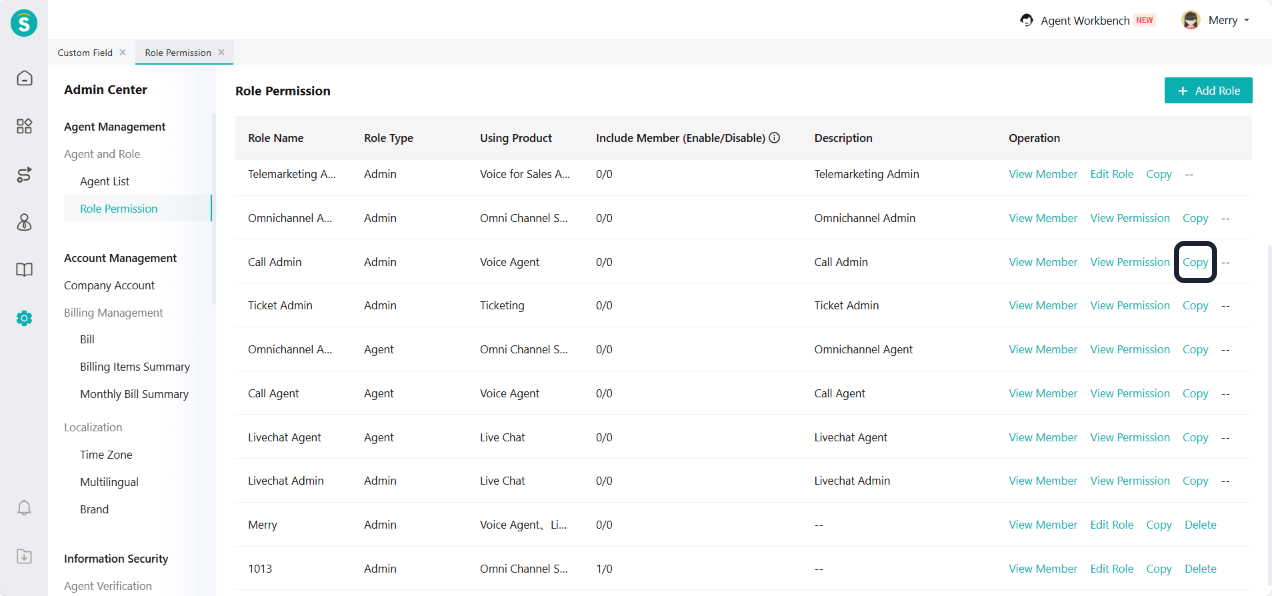
Copy Function Added in Role Permission
Feature Description
Role permission settings now include a copy function, making it easier to create similar roles.
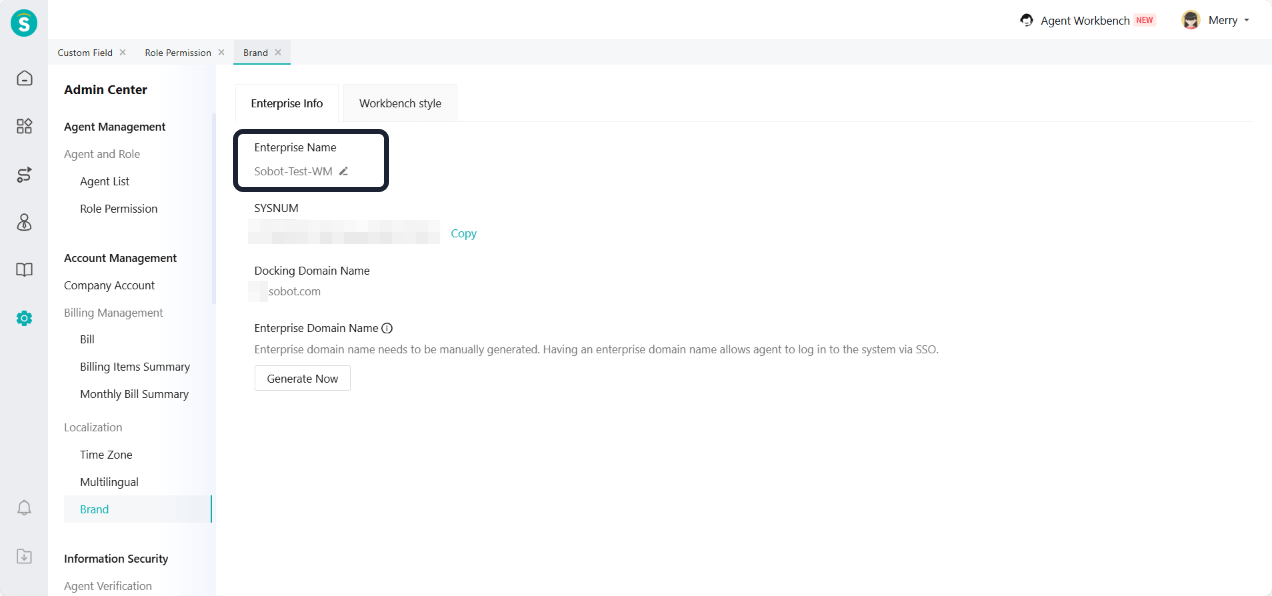
Brand Supports Editing Enterprise Name
Feature Description
The brand settings now support editing the enterprise name, allowing for more flexible brand management.
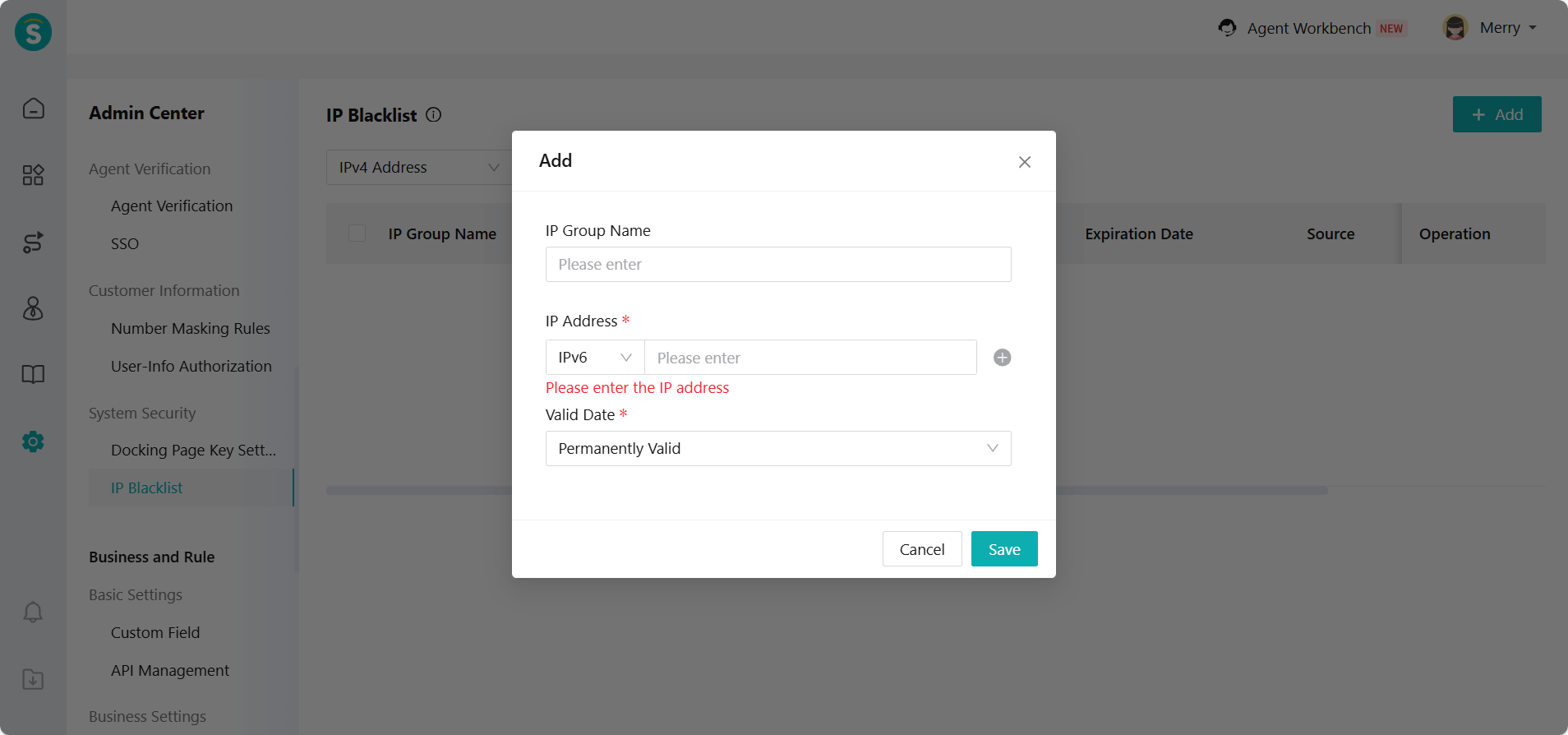
IP Blacklist Adds IPv6 Address
Feature Description
Some enterprises use IPv6. Therefore, IP blacklists add IPv6 configuration and filtering.
Ticketing
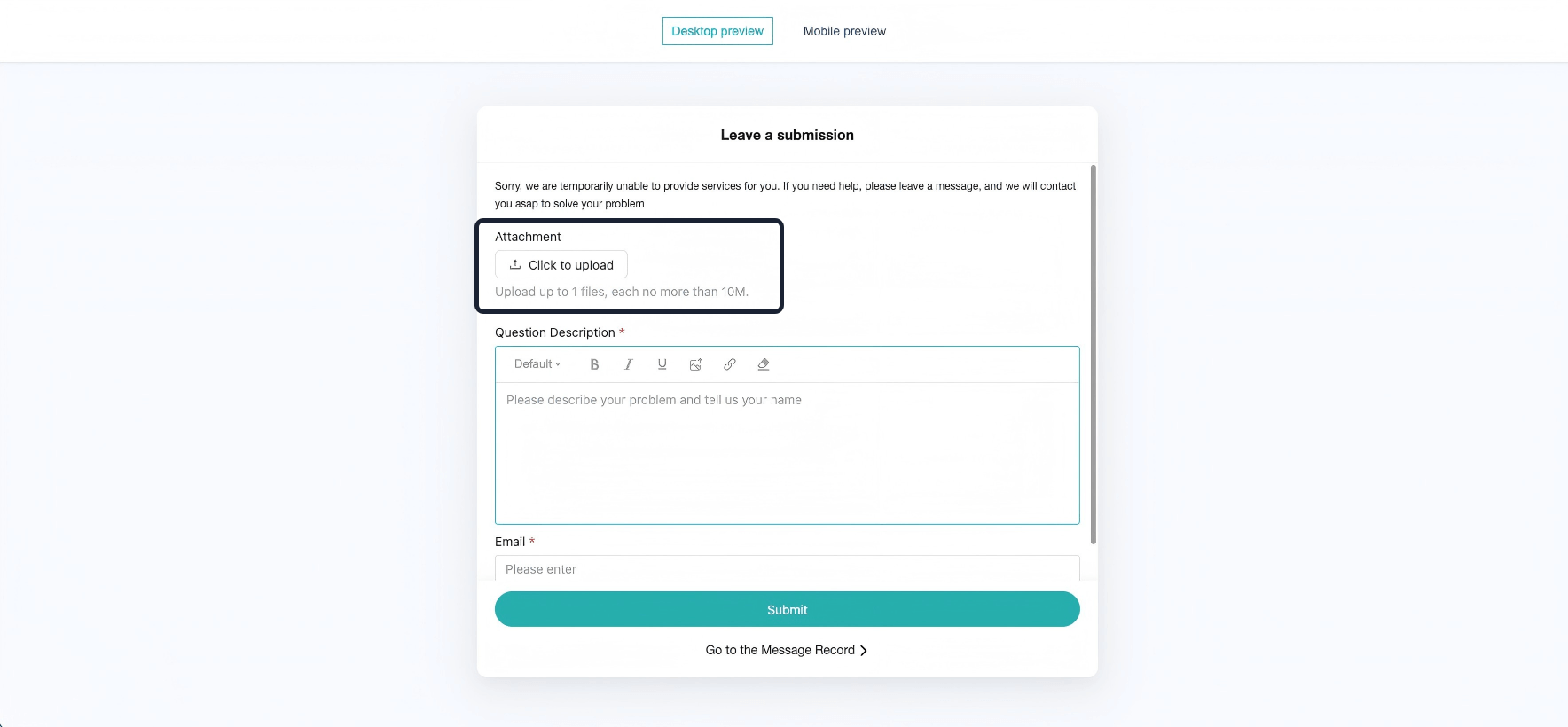
Ticket Templates and Ticket Plugins Support Attachment Type Fields
Function Background
In some business scenarios, attachments such as screenshots, contract files, and problem recordings need to be uploaded during the ticket processing as explanations or handling references. The current ticket system does not support attachment type fields, which limits the flexibility of use in related scenarios.
Feature Description
When creating ticket templates and ticket plugins, enterprises can select attachment type fields.
Customers can upload corresponding attachments in the ticket based on the actual situation, improving the efficiency of problem handling and the completeness of information.
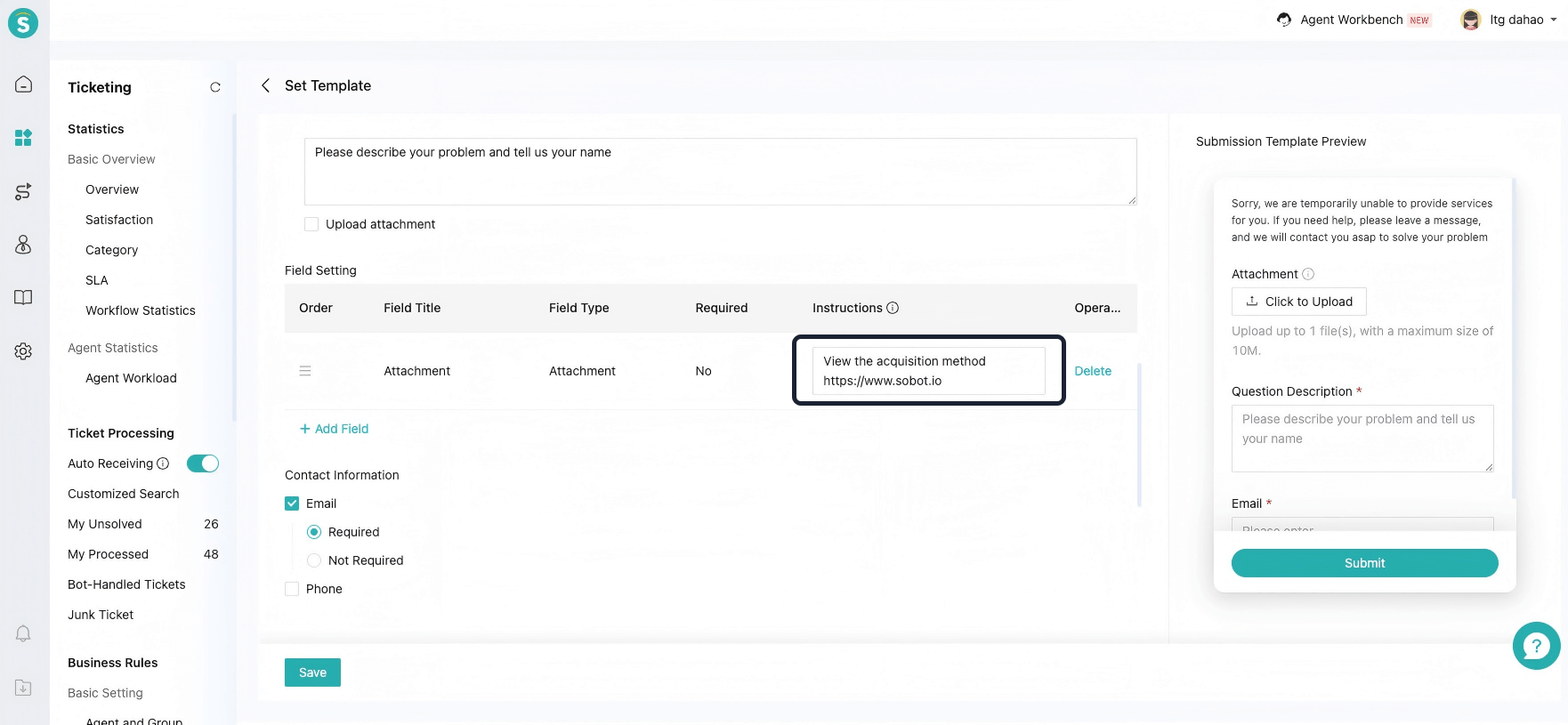
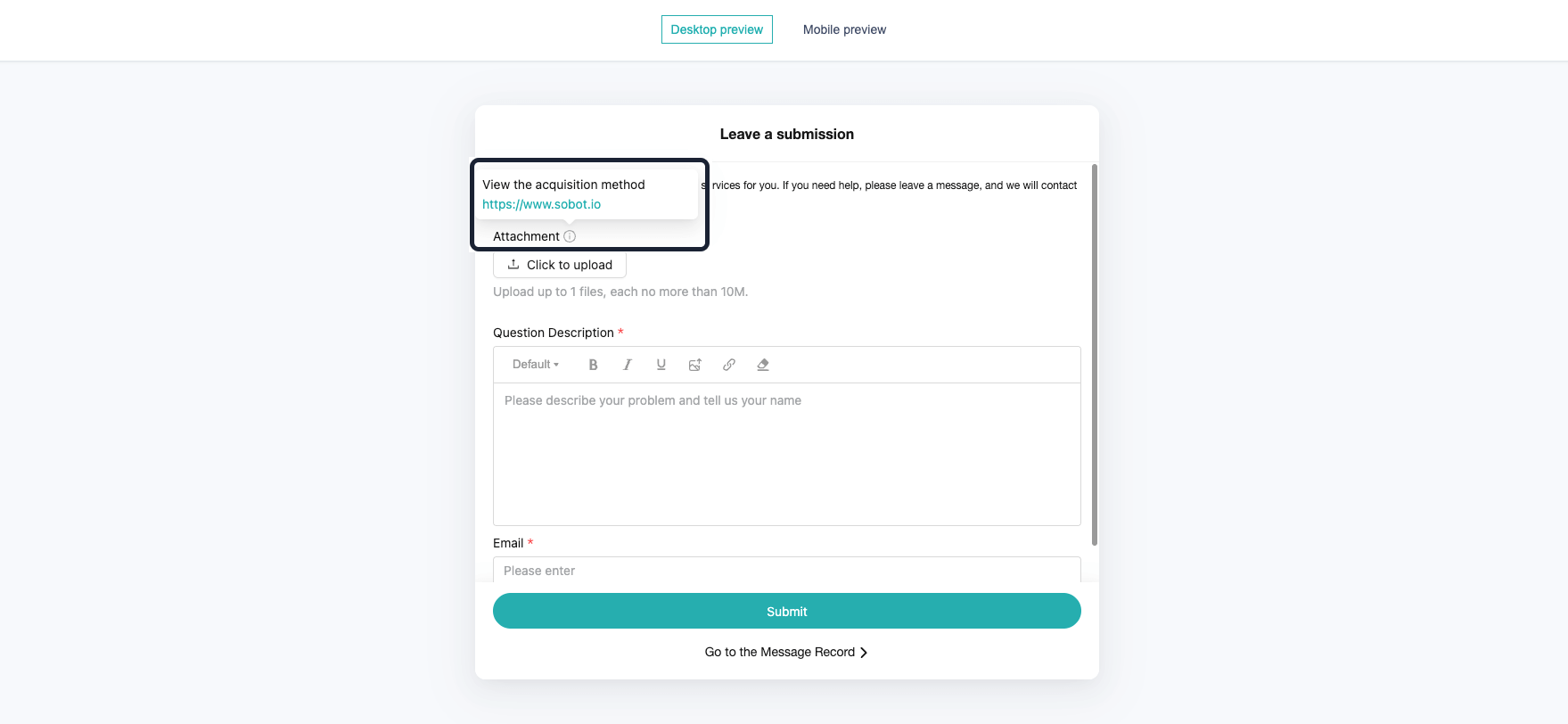
Field Descriptions Added to Ticket Plugins
Function Background
In some business scenarios, customers need to fill in key field information for problem localization when submitting tickets, such as Game ID, Device Code, etc. However, customers often do not know how to obtain this information or the specific requirements for filling it out, which leads to incomplete or incorrect entries. This increases communication costs and affects processing efficiency. Therefore, guidance instructions for the fields need to be added to provide customers with clear directions on how to fill them out.
Feature Description
Ticket Channel Setting - Ticket Plug-in - Configure Submission Template supports filling in field descriptions.
Configuration Limit: Supported in V7 only.
Attachment Field and Ticket Attachment Expansion
Function Background
In scenarios such as maintenance, bug reporting, and others, customers can upload videos to show problems more clearly.
As mobile device cameras continue to improve in resolution, individual video files have become larger, increasing the demand for large-file uploads.
Feature Description
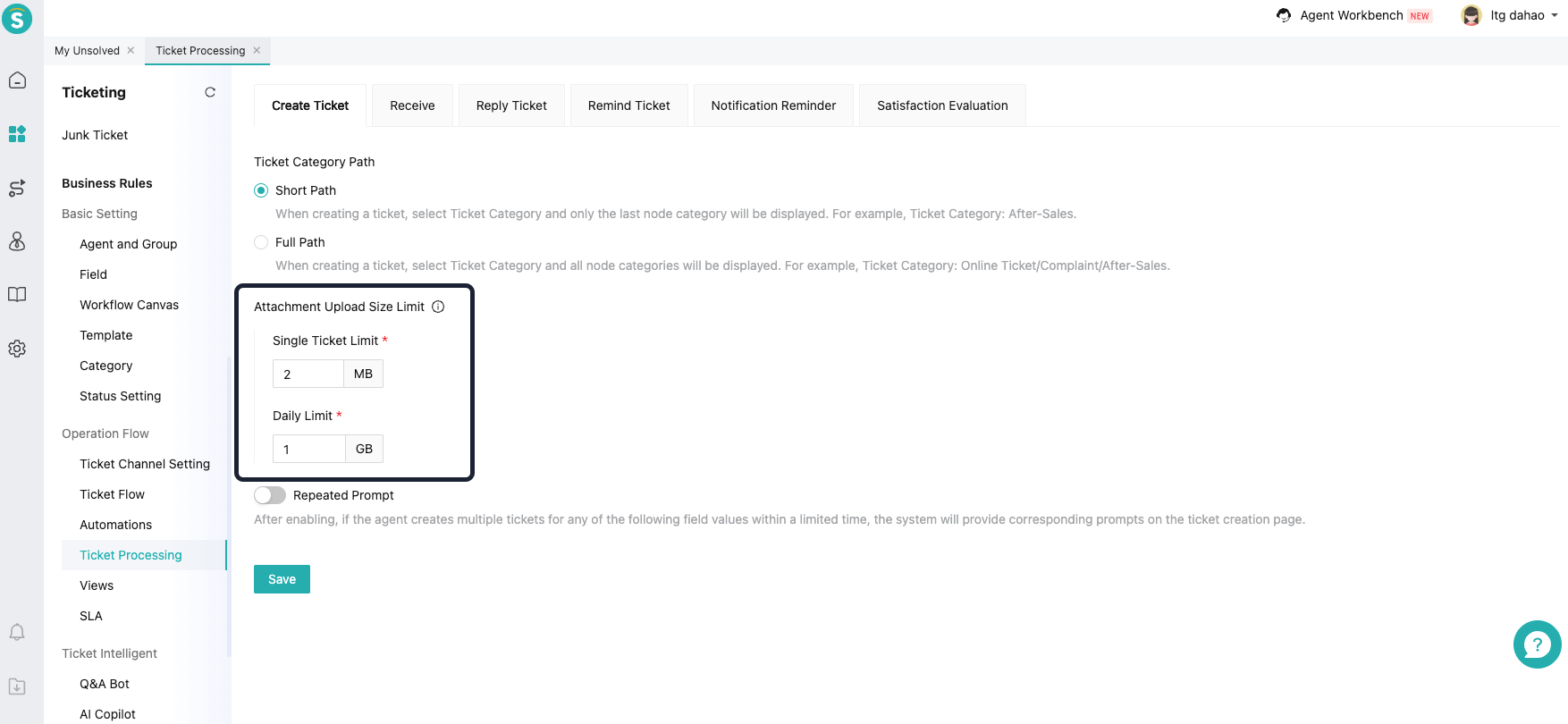
Sobot launches the "Daily Ticket Storage Limit" product. Enterprises can purchase the daily storage limit to enable customers to upload large files. For the pricing of the product, please consult your customer service manager.
After purchase, the upper limit for a single attachment can be increased from 50M to 500M, and the total upper limit for attachments in a single ticket can be expanded from 750M to 1G. When the daily limit is exceeded, the maximum size for a single attachment will return to 50M, and the total upper limit for attachments in a single ticket will return to 750M.
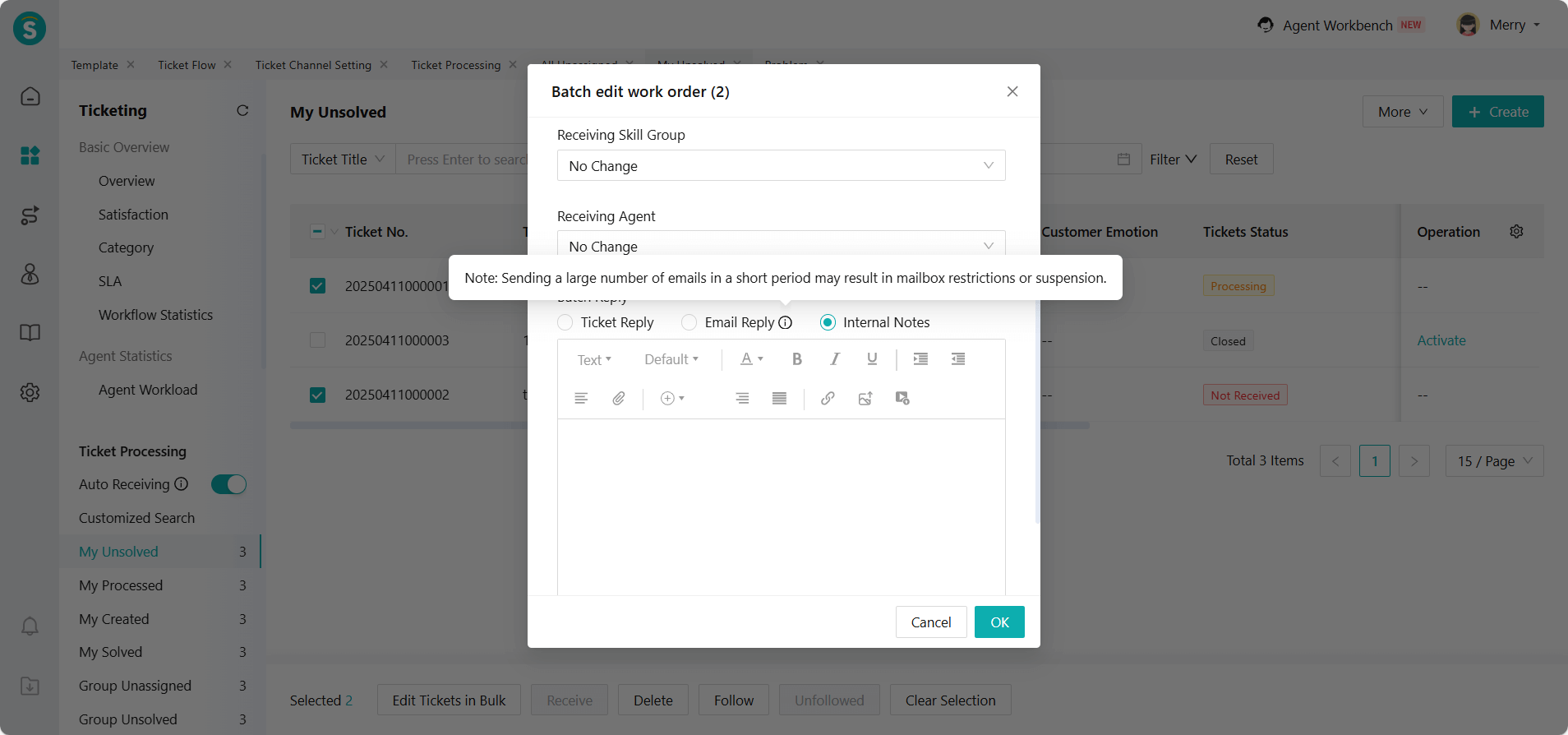
Batch Reply Adds Email Reply
Feature Description
Email replies are only supported for email accounts that have configured SMTP.
Note: When using this function, do not send a large number of emails in a short period of time. Otherwise, the email service provider may reduce your sending priority, limit the number of emails you can send, mark emails as spam, and in severe cases, it may lead to account suspension.
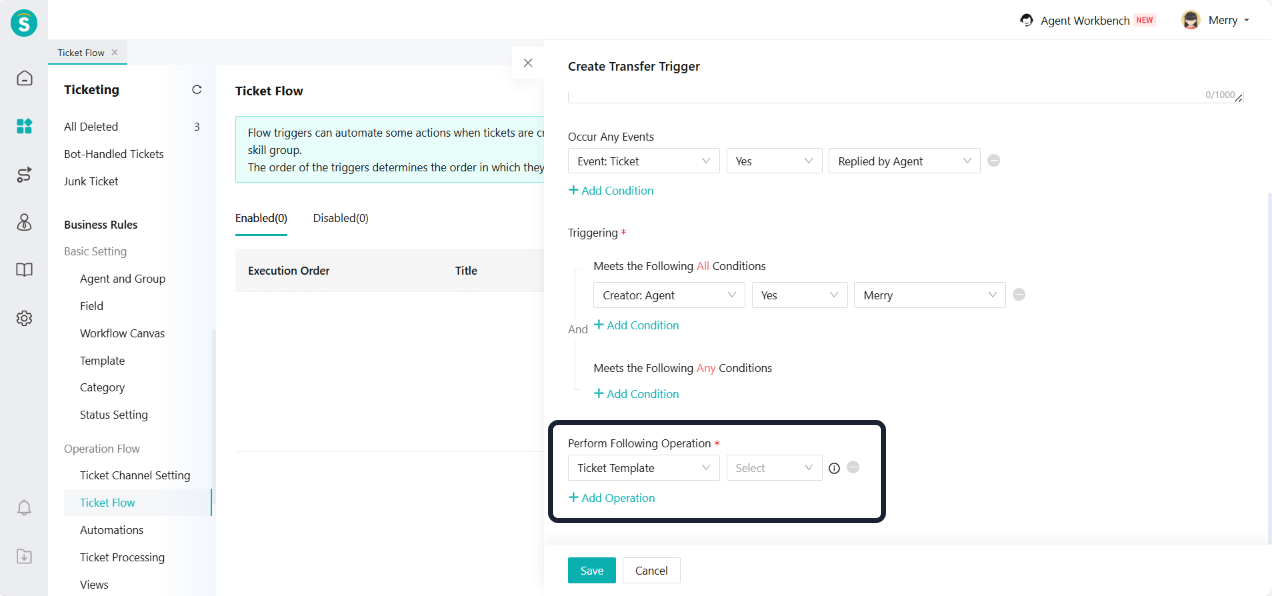
Ticket Flow and Automations Add Modify Ticket Template Action
Feature Description
Ticket flows and automations now support the modify ticket template action, providing more flexibility in ticket management.
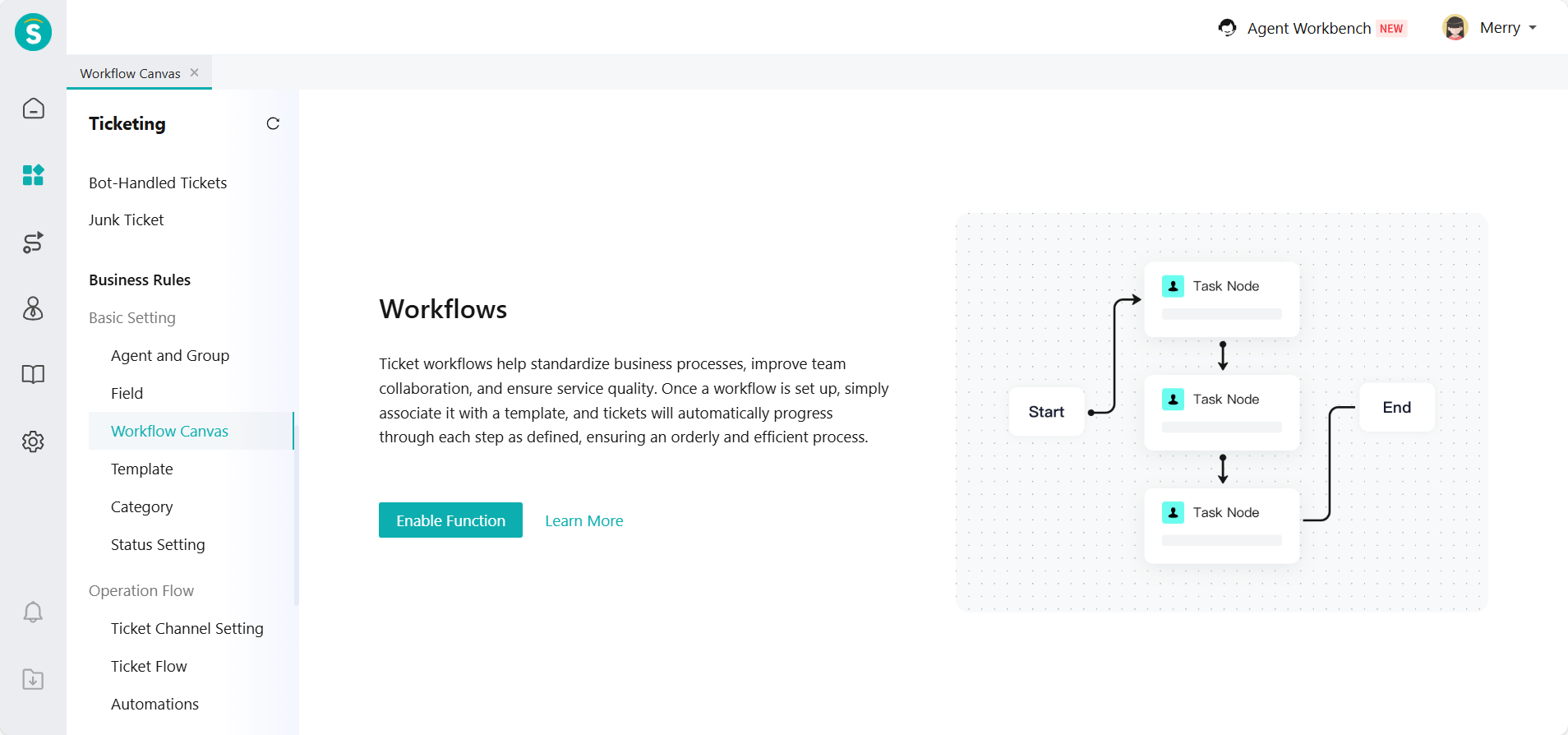
Ticket Workflow Canvas
Function Background
In ticket scenarios involving multi-department collaboration, hierarchical approvals, and conditional routing, traditional ticket flows often suffer from unclear responsibility boundaries, lack of internal collaboration metrics, and limited support for parallel processing. To help enterprises establish a more standardized, traceable, and optimizable ticket handling process, Sobot has launched the Ticket Workflow Canvas feature.
Feature Description
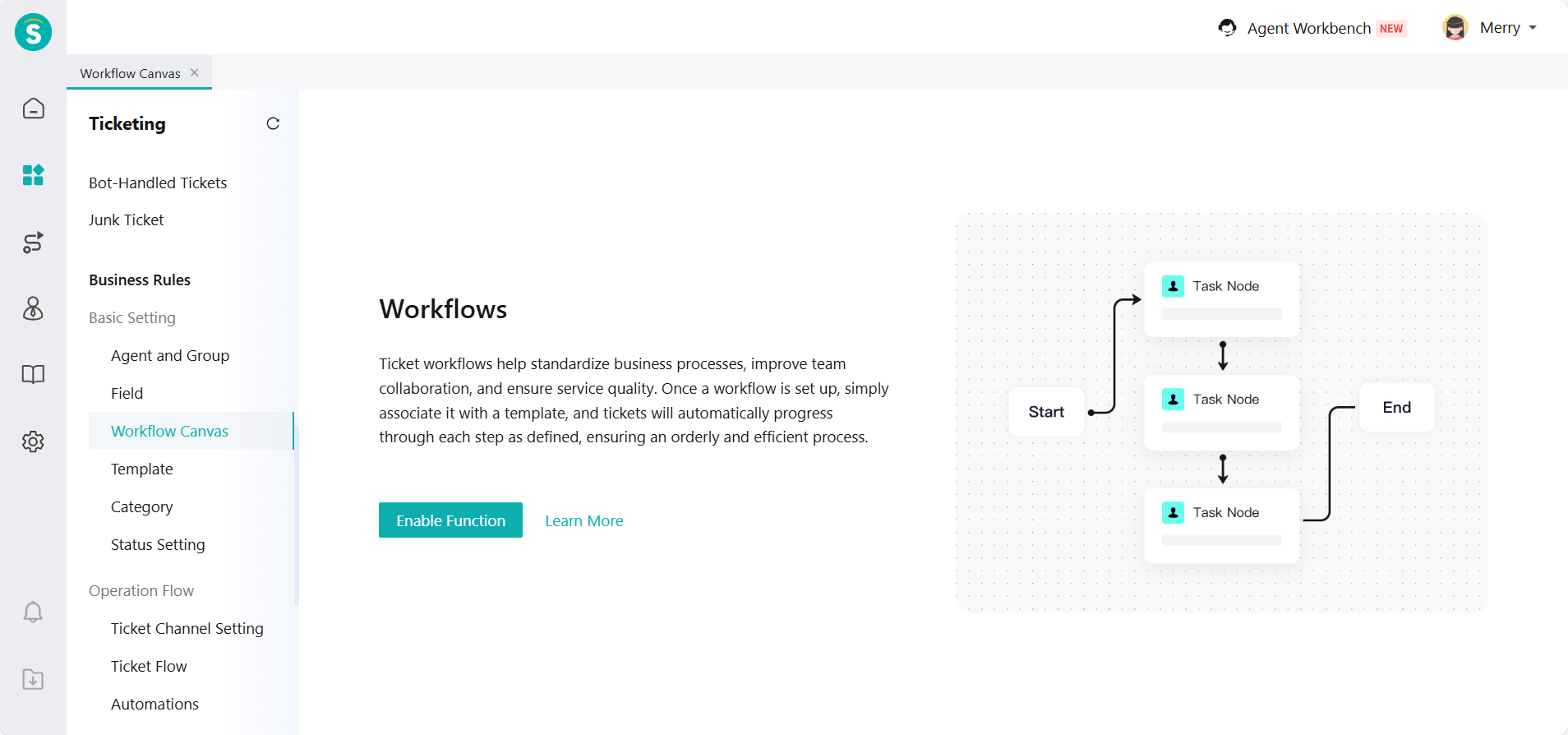
The ticket workflow canvas is a visual workflow orchestration engine. Using drag-and-drop, enterprises can design custom rules for a ticket's full lifecycle from creation to closure, turning complex business logic into a clear and automated workflow.
Applicable Scenarios: Refund approval, IT service management, maintenance inspection and other scenarios involving multi-department collaboration, to achieve clear tracking of ticket processing progress and define the processing time efficiency of each node.
For detailed feature introduction, please read the product documentation Ticket Workflow Canvas User Guide (to be released with version iteration).
Voice
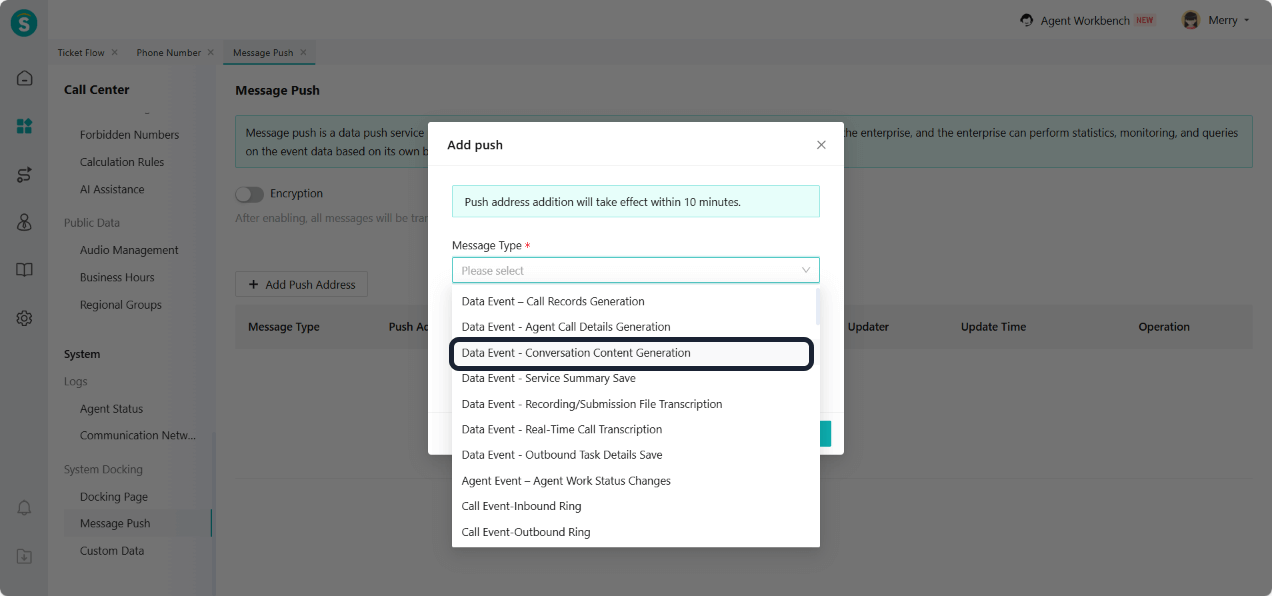
Push Conversation Content Generation
Feature Description
System - Message Push Added a new push message type "Data Event - Conversation Content Generation". After the call is completed, the system will push the text content that was transcribed in real-time during the current call.
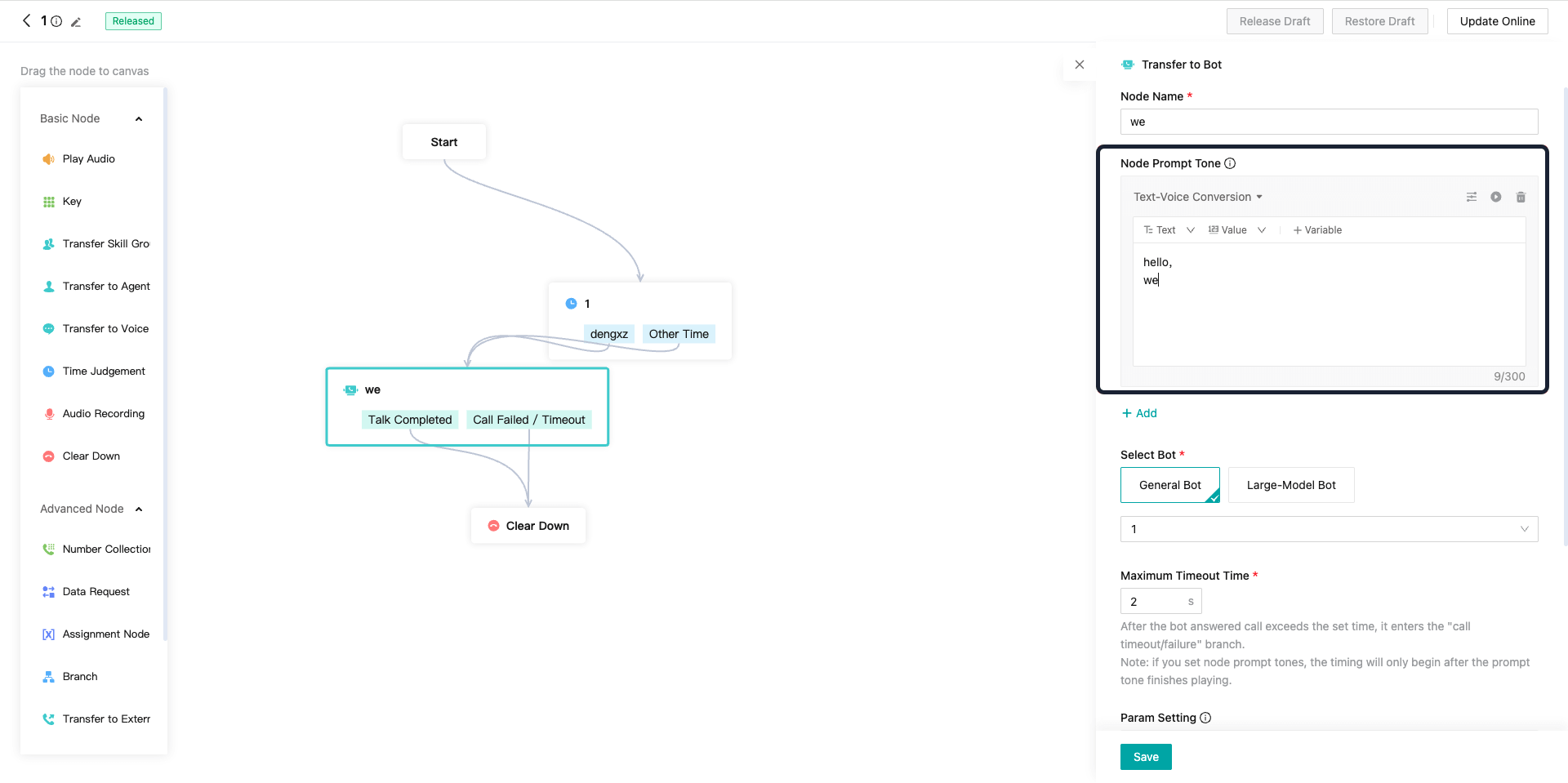
IVR Flow - Text-Voice Input Box Supports Line Break
Feature Description
The IVR flow text-voice input box now supports line breaks, making it easier to format multi-line content.
Outbound Voicebot (General Version)
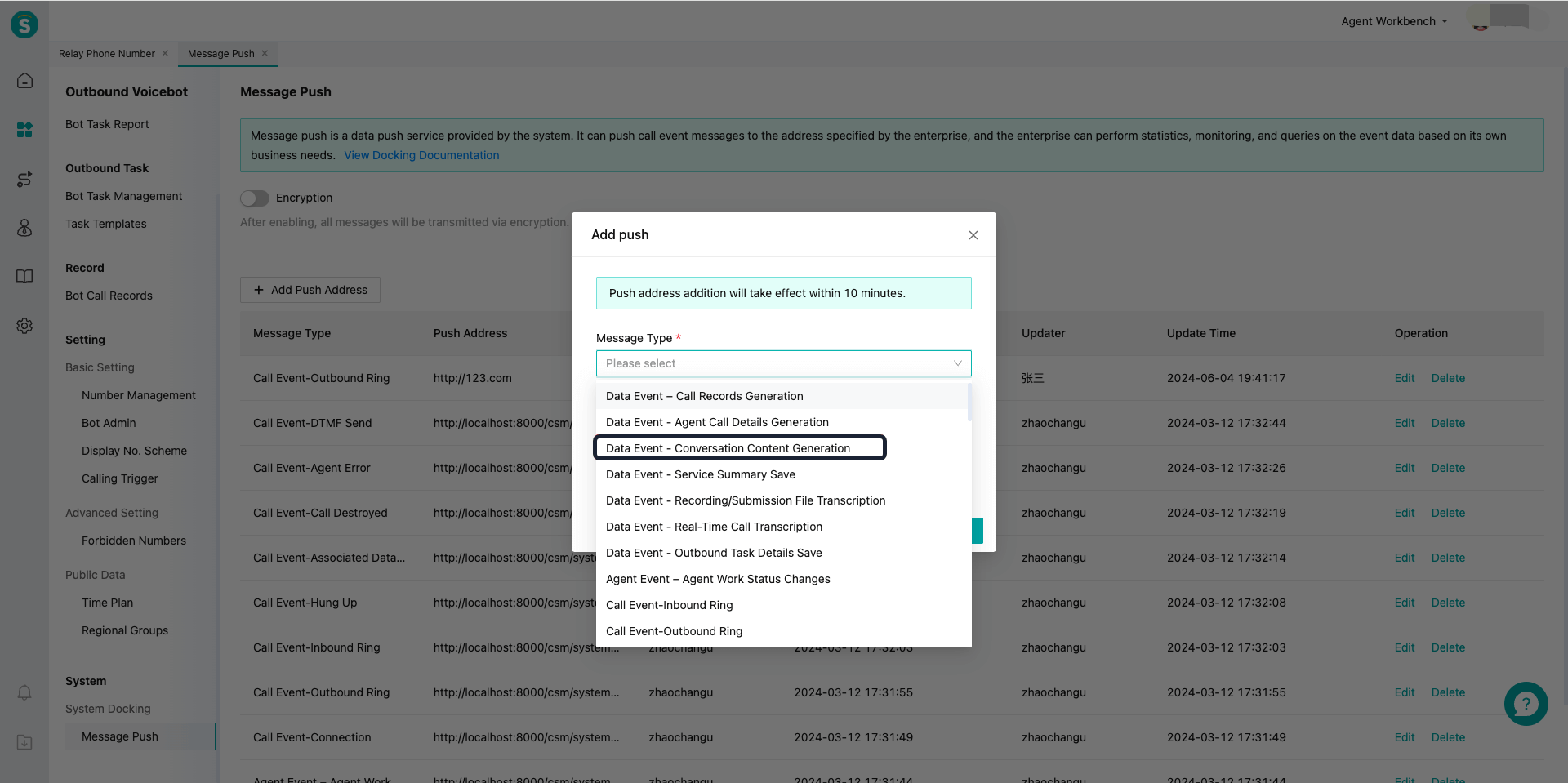
Push Conversation Content Generation
Feature Description
System - Message Push Added a new push message type "Data Event - Conversation Content Generation". After the call is completed, the system will push the text content that was transcribed in real-time during the current call.
Inspection
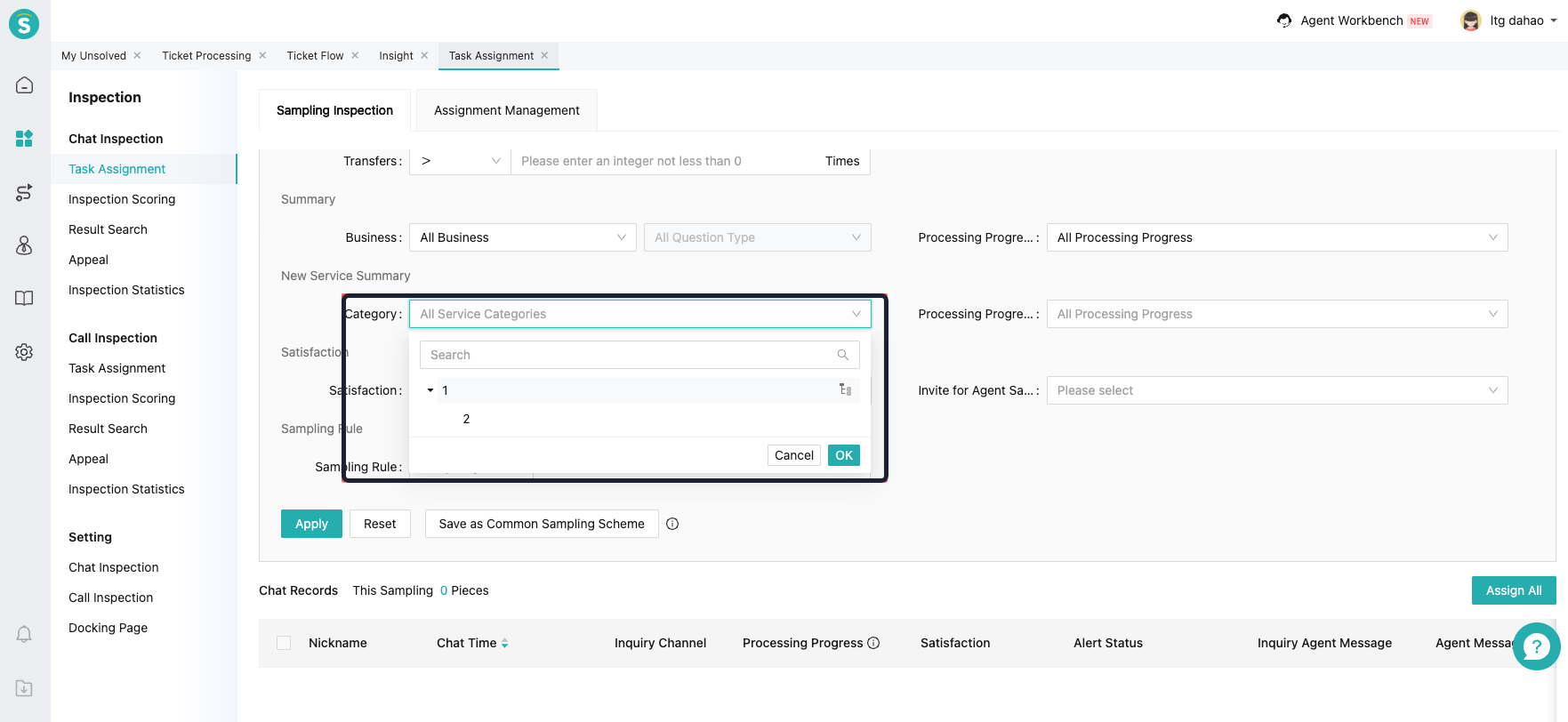
Query Conditions for Service Summary Categories
Feature Description
The inspection module now supports query conditions for service summary categories, making it easier to filter and find specific summaries.
APP
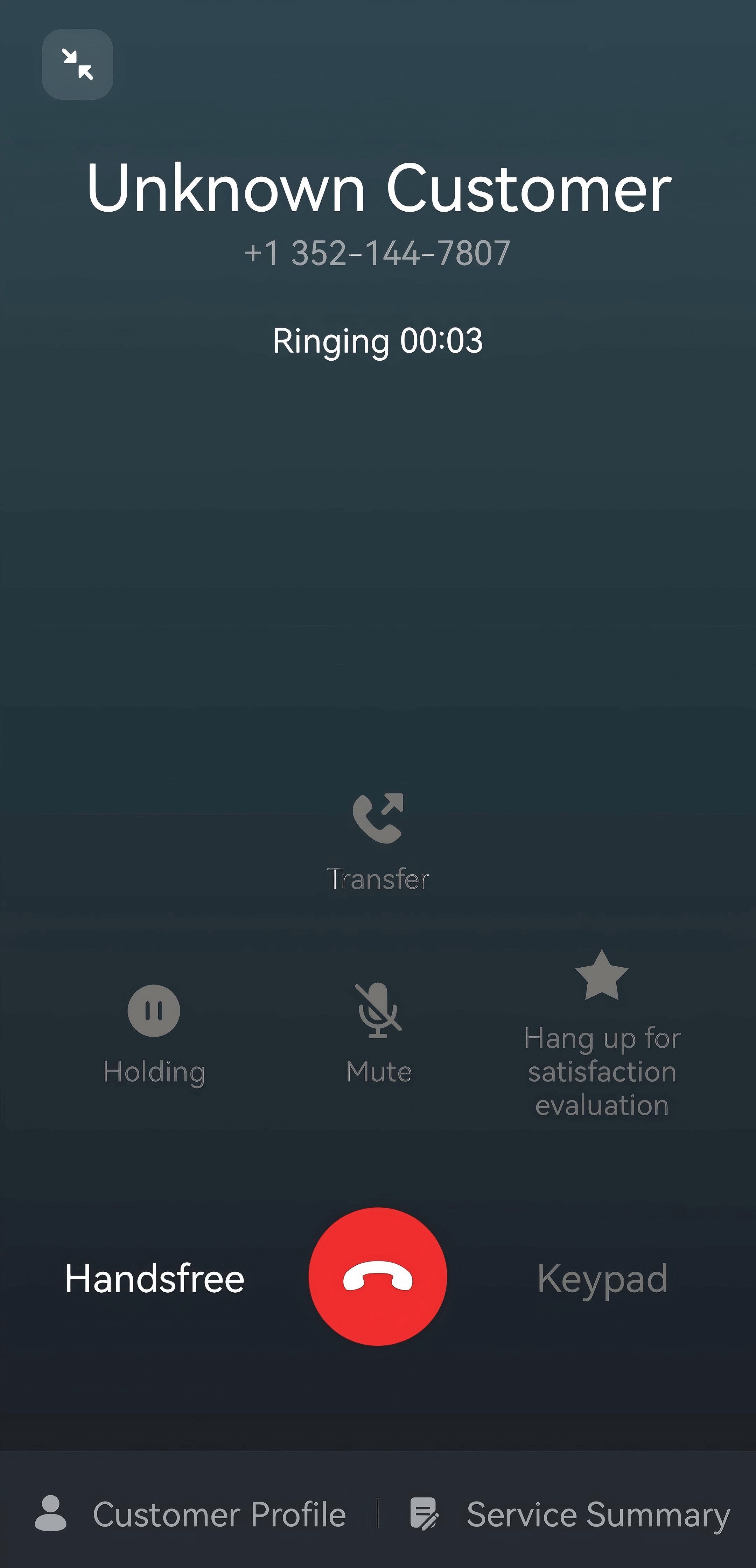
The Phone Bar Supports Transfer
Feature Description
The phone bar adds a transfer operation, which supports transferring to an agent or transferring to a skill group.