Appearance
Product Updates: December 25, 2025
Overview
This upgrade focuses on the product concept of "smarter, more efficient, and more flexible", emphasizing AI Agent, Knowledge Center, and Omnichannel Service capabilities. By enhancing the flexibility of intelligent reception and simplifying daily operation processes, it comprehensively improves service efficiency and system flexibility, helping enterprises build a more stable, efficient, and scalable customer service system.
Smart Reception Upgrade and More Flexible Bot Applications
Flexible Access Methods: Expand the access methods for AI Agents to meet the integration needs of enterprises' own intelligent platforms with the Sobot customer service system.
Upgrade Visitor Experience: Optimize the interaction performance of AI Agents on the visitor side, enhancing the conversational immersion.
Optimize Smart Reception Flow: Strengthen the configuration capability of reception strategies and enhance the controllability of collaboration between bots and human agents.
Knowledge Operations and Data Management Optimization for More Efficient Daily Maintenance
Smooth Knowledge Maintenance: Optimize knowledge management and maintenance processes, reduce repetitive operations, and improve daily operational efficiency.
Expand Bot Interfaces: Enhance interface and configuration capabilities to improve the system's overall connection flexibility and scalability.
Improve Management Visibility: Expand session logging and monitoring capabilities, support viewing and managing multi-state sessions.
Omnichannel Service Capability Enhancement for a More Stable Service Experience
Enhance Terminal Capabilities: Improve user experience for SDK and App scenarios, adapted to more business needs.
Handle Tickets More Flexibly: Enhance ticket flow and automation configuration capabilities to improve cross-team collaboration efficiency.
Strengthen Business Compliance: Add authorization for ticket information and the ability to reply with native email attachments, meeting compliance requirements across multiple industries.
Sobot is committed to empowering global enterprises with intelligent products, activating new service efficiency, and leading the new future of customer interaction.
Note: =Additions
 =Optimization
=Additions =OptimizationAI Agent
Third-Party Bot
Function Background
Some large enterprises have built their own knowledge bases or Agent platforms internally, which can perform intelligent Q&A. Based on this, these enterprises expect to use the visitor client, bot statistics, operation, and other related capabilities provided by Sobot to achieve a unified service entry and data management. Therefore, Sobot has added a third-party bot access function.
Function Description
Third-party bots can connect with three channels for bot reception: live chat, voice, and ticketing. They also support AI copilot (unable to view knowledge slice information).
Configuration and Usage Process
Bot Management
a. Create bot: Select "Third-Party Access Mode".
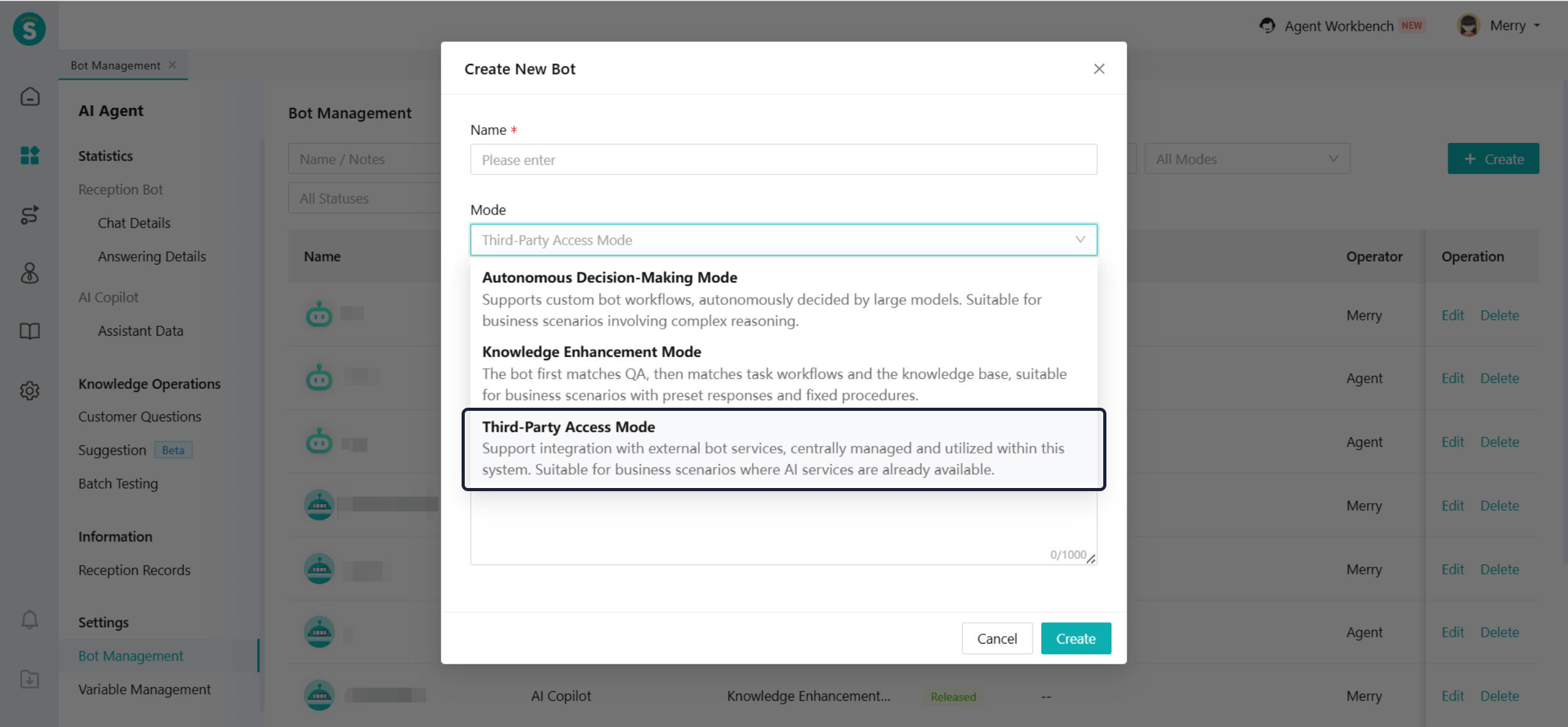
b.Configure the bot:
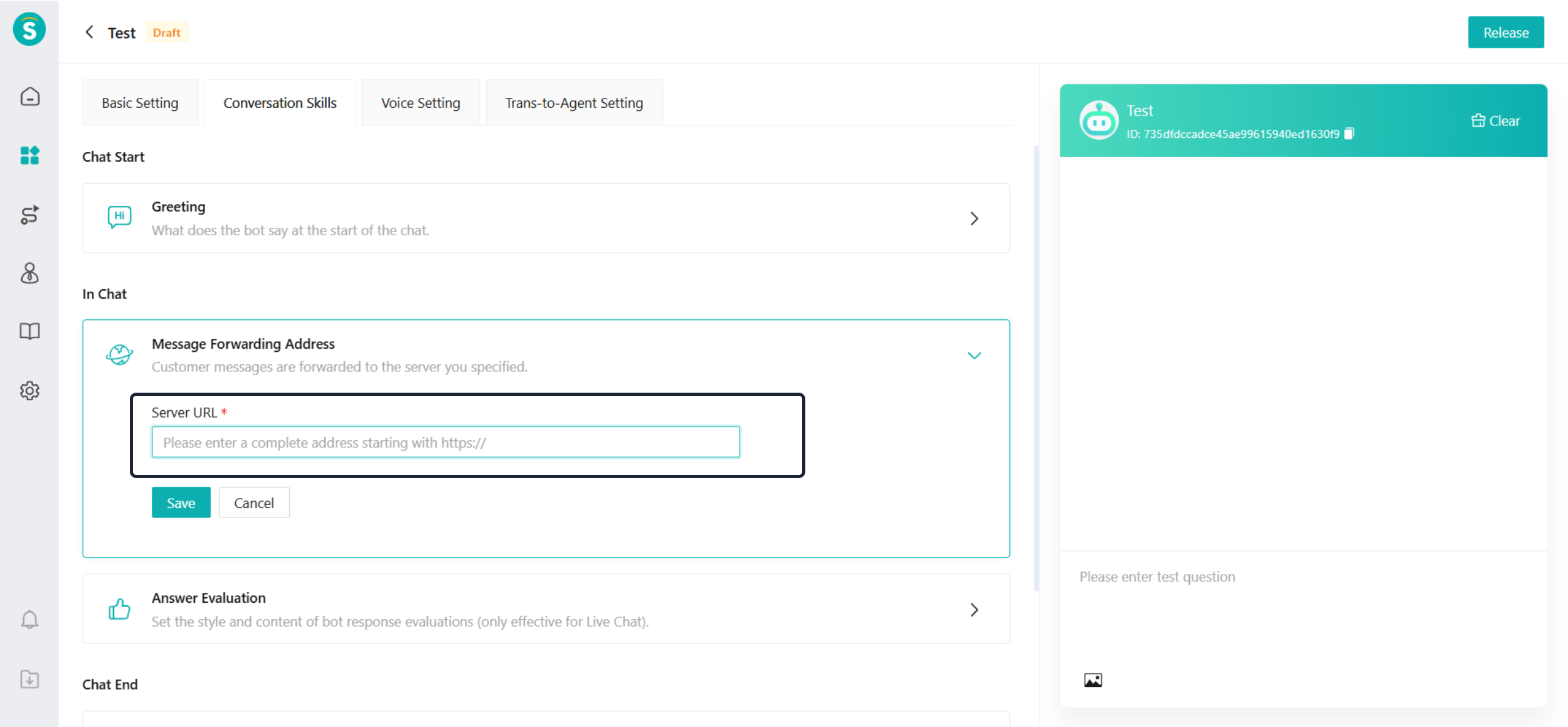
1、Configure the message forwarding address:
2、Sobot will forward customer messages to the address.Reply messages generated by the enterprise also need to be forwarded to the customer side through this address.
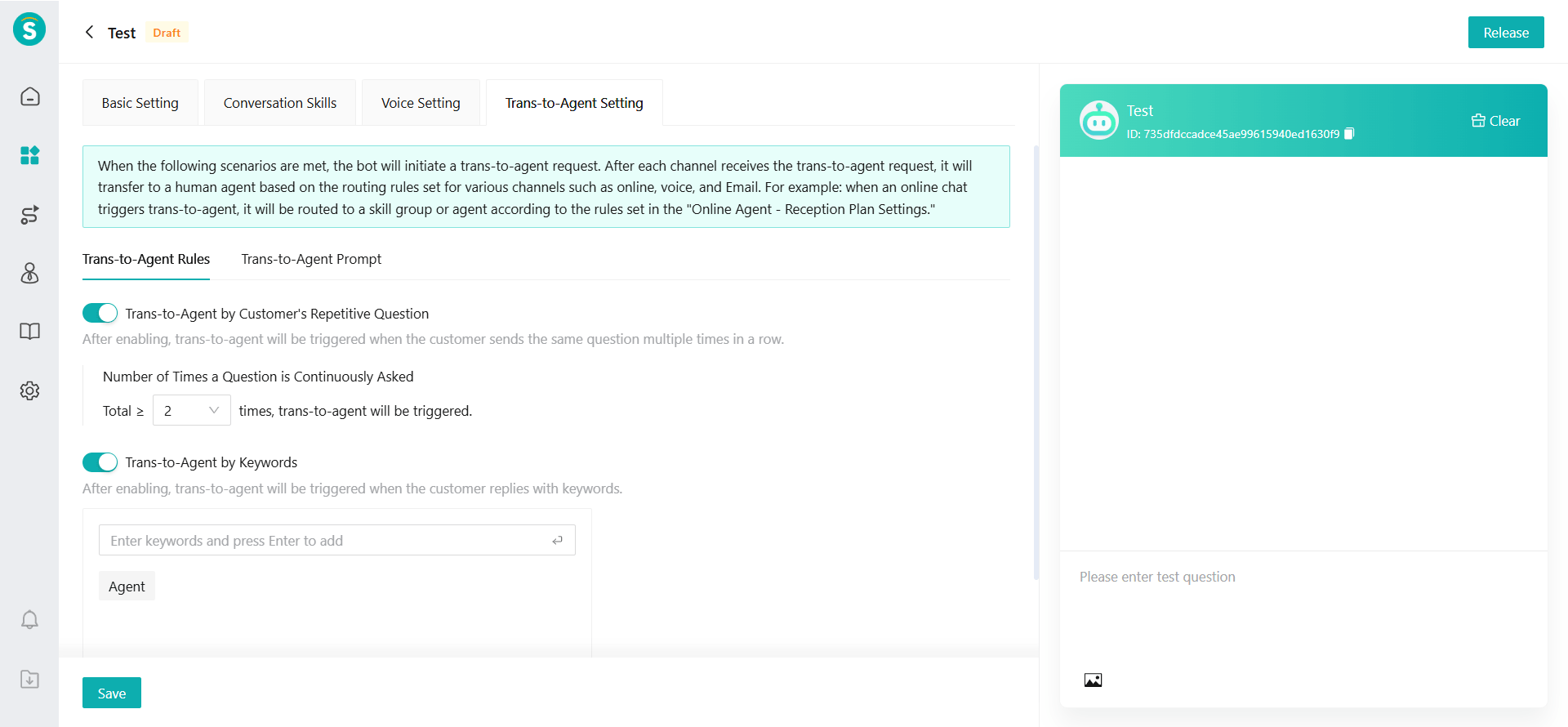
ii. Configure transfer-to-agent rules: After configuring the transfer-to-agent rules, if a customer matches the rules, a manual transfer message will be sent simultaneously.
Q&A Logic:
a. When a customer starts a conversation, Sobot will forward the customer's message to the message forwarding address.
b. The reply message generated by the enterprise will be forwarded by Sobot to the message forwarding address.
Statistics: The following statistical modules can be properly adapted to third-party bots.
a. Reception Bot - Chat Details
b. AI Copilot - Assistant Data
Knowledge Operations: Customer Questions can be normally adapted to third-party bots.
Records: Reception Records can be normally adapted to third-party bots.
Knowledge Center
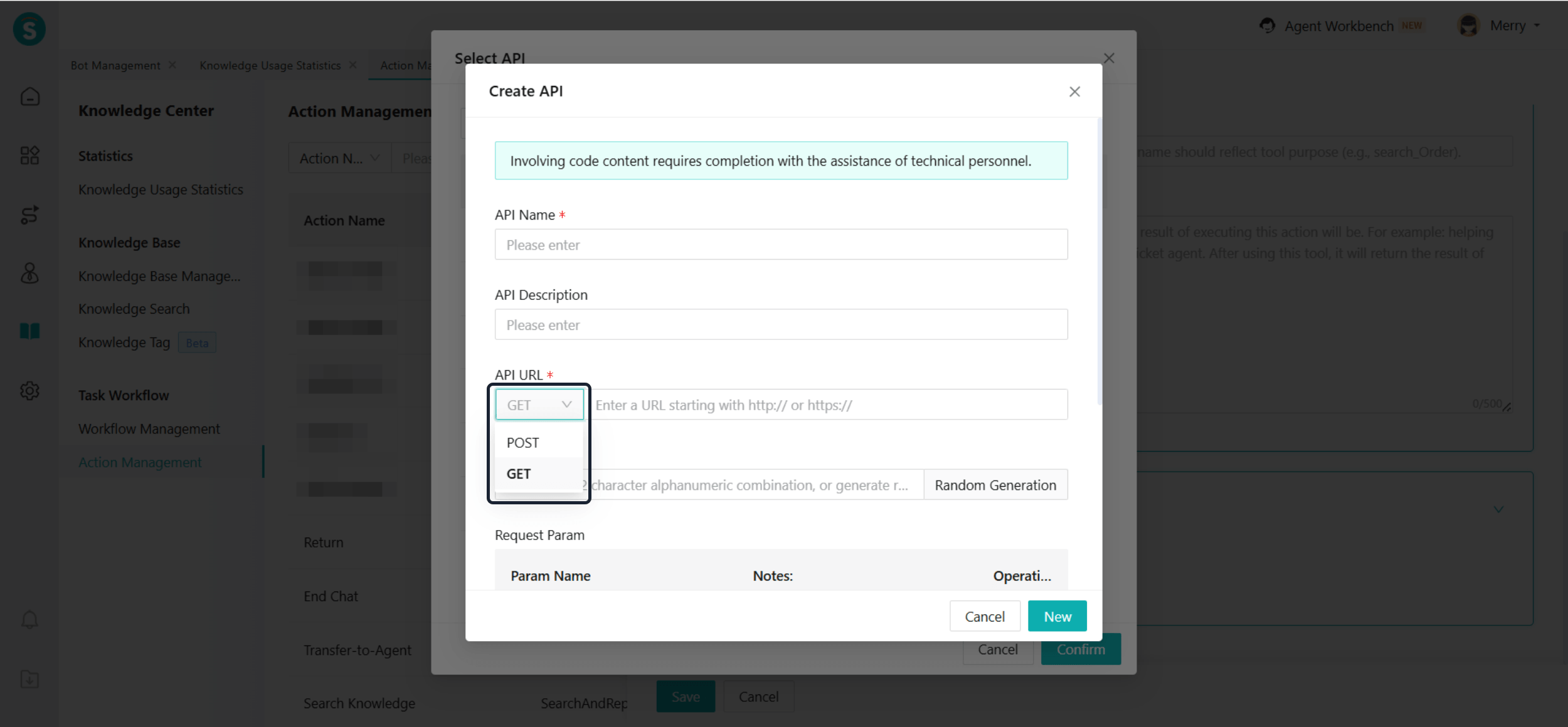
Bot APIs Support GET Requests
Function Background
The interface currently called by the bot only supports POST requests and does not support GET requests, which cannot meet the interface access requirements of some enterprises.
Function Description
To improve interface compatibility and docking flexibility, the bot's interface calling capabilities have been enhanced. The bot interface now supports GET requests.
Stay on the Original Knowledge List Page After Updating Knowledge
Function Background
After the product feature update, the administrator will page by page search for knowledge related to the new feature and update each one individually. However, every time the knowledge base publishes/saves knowledge, it automatically returns to the first page of the knowledge base list. This causes the administrator to repeatedly scroll through the list to find and re-locate the target knowledge before gradually modifying and updating the knowledge.
This process has high repetitiveness, large operation costs, and low overall efficiency, causing significant inconvenience for daily knowledge maintenance.
Function Description
After the administrator publishes/saves knowledge, the system stays on the current knowledge list page and does not return to the default first page after a refresh.
Support Importing Up to 1,000 Similar Q&A Items in Knowledge Base Templates
Function Description
When importing knowledge in bulk through templates, each knowledge item can have up to 1,000 similar questions.
Live Chat
Android SDK Supports Recording Silent Video When Microphone Permission Is Denied
Function Background
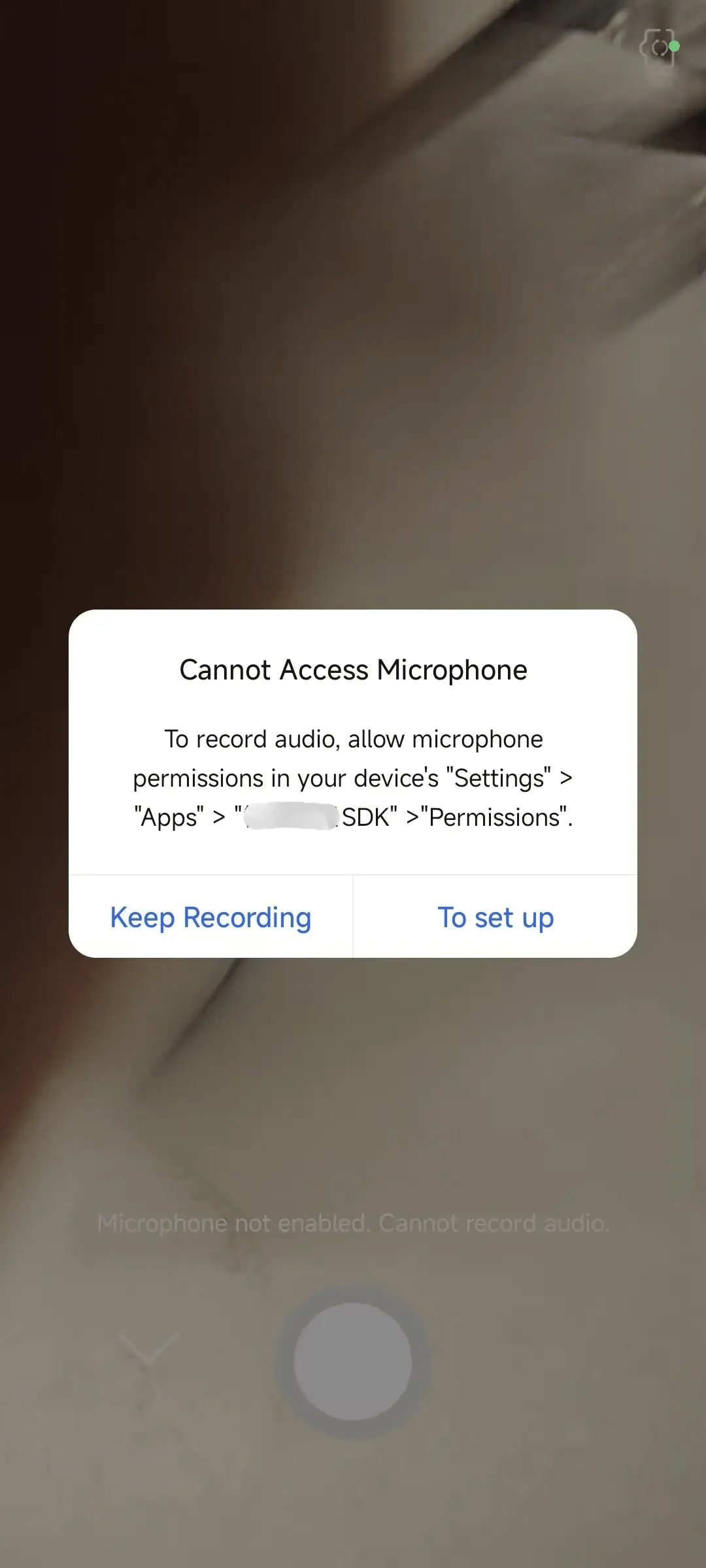
In the terminal services of enterprises, customers sometimes need to upload videos to show product fault details. This helps agents understand and handle issues. At this time, customers may want to record silent videos after refusing microphone permission for privacy protection or other reasons. Currently, when permission is denied, the video recording function of the SDK will be interrupted. This prevents customers from completing screen recording in a muted state, affecting the customer experience.
Function Description
Optimize the permission handling logic to ensure that video recording can still proceed normally when microphone permission is denied, and only the visual content will be recorded.
Sobot App Supports Always On Mode
Function Description
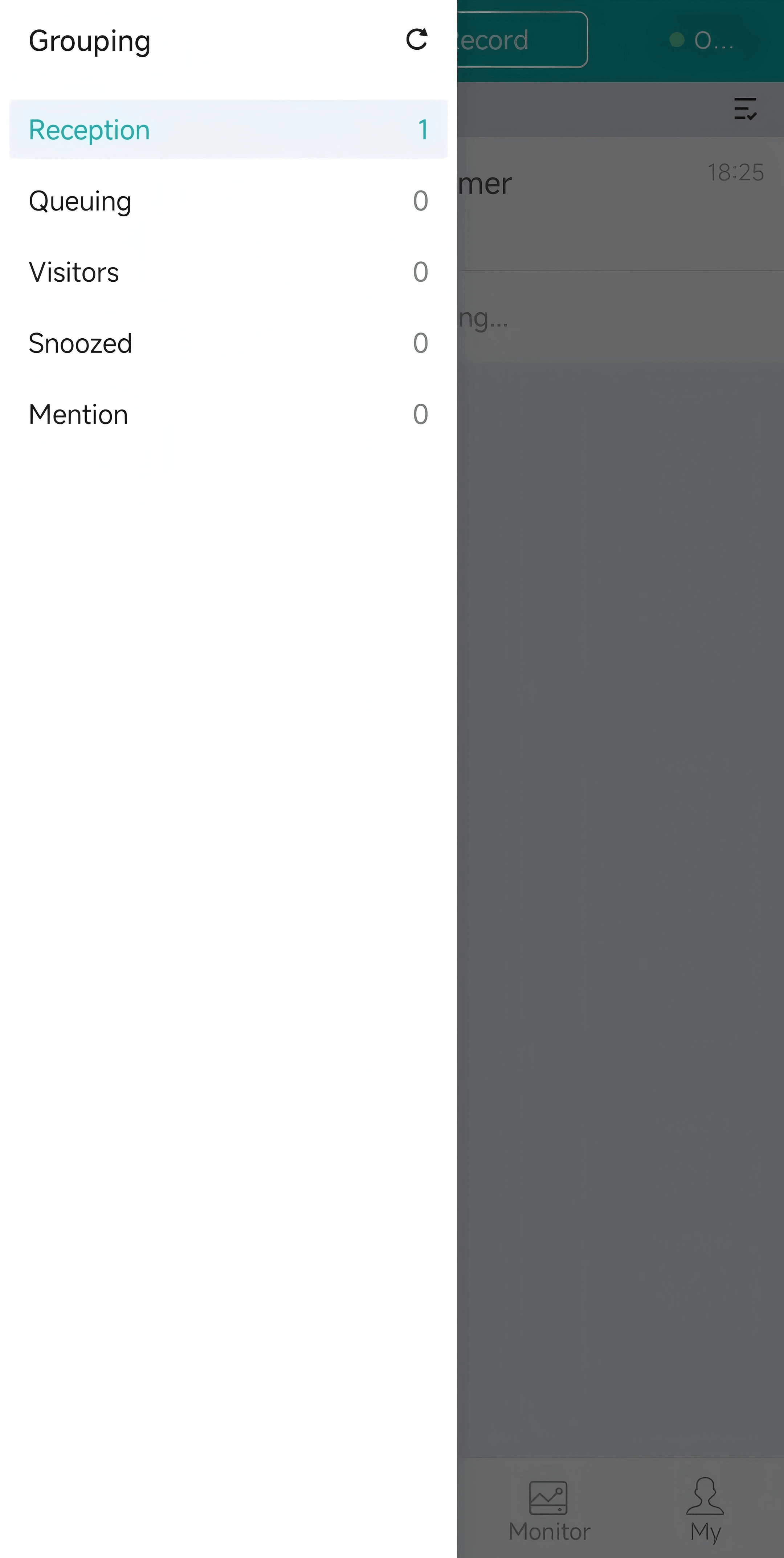
- Sobot App adds snoozed sessions and mention session grouping.
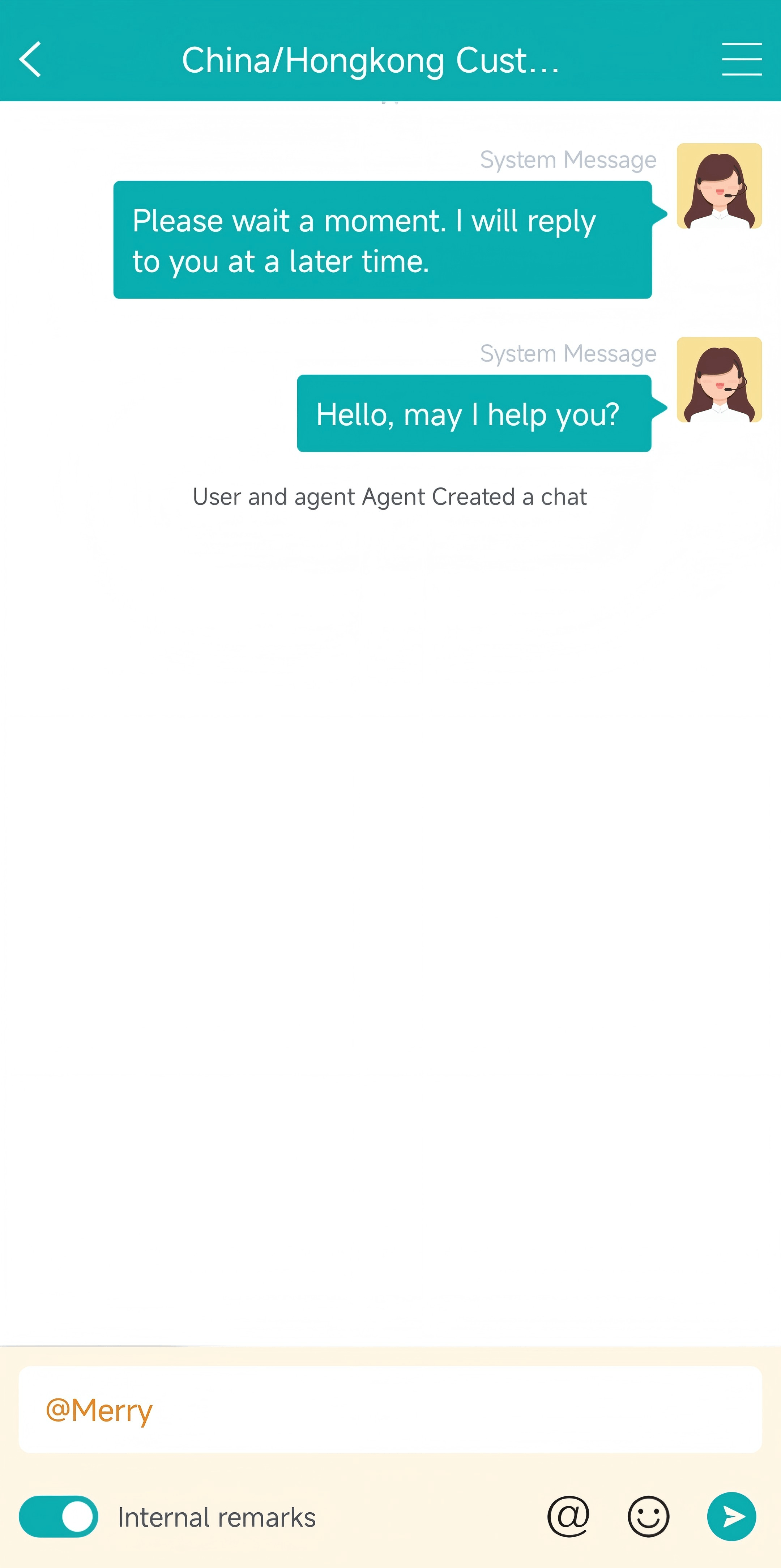
- Sobot App adds internal remarks and @others for assistance features.
SDK Unread Messages API Improvements
Function Background
After the gaming industry app integrates the SDK, it is expected that players will be notified of customer service replies even when they are not within the customer service system (offline, in-game, etc.), with unread message reminders.
Function Description
The SDK encapsulates the method. After the enterprise calls it, it polls once every 5 minutes and returns the latest data.
Please refer to the integration document for details:
https://developer.zhichi.com/pages/53f6b3/#_3-%E7%A6%BB%E7%BA%BF%E6%B6%88%E6%81%AF
Bot Exit Configuration During Queue or Pending Assignment Stage
Function Background
When the Agent Reception Mode in the Reception Scheme is set to Bot First, during actual reception, if a customer requests to be transferred to a human agent and no agents are available immediately, the customer will be placed in a queue or pending allocation status. At this point, if the bot continues to respond to the customer's messages, it may easily cause customer dissatisfaction and affect service continuity and customer experience.
Function Description
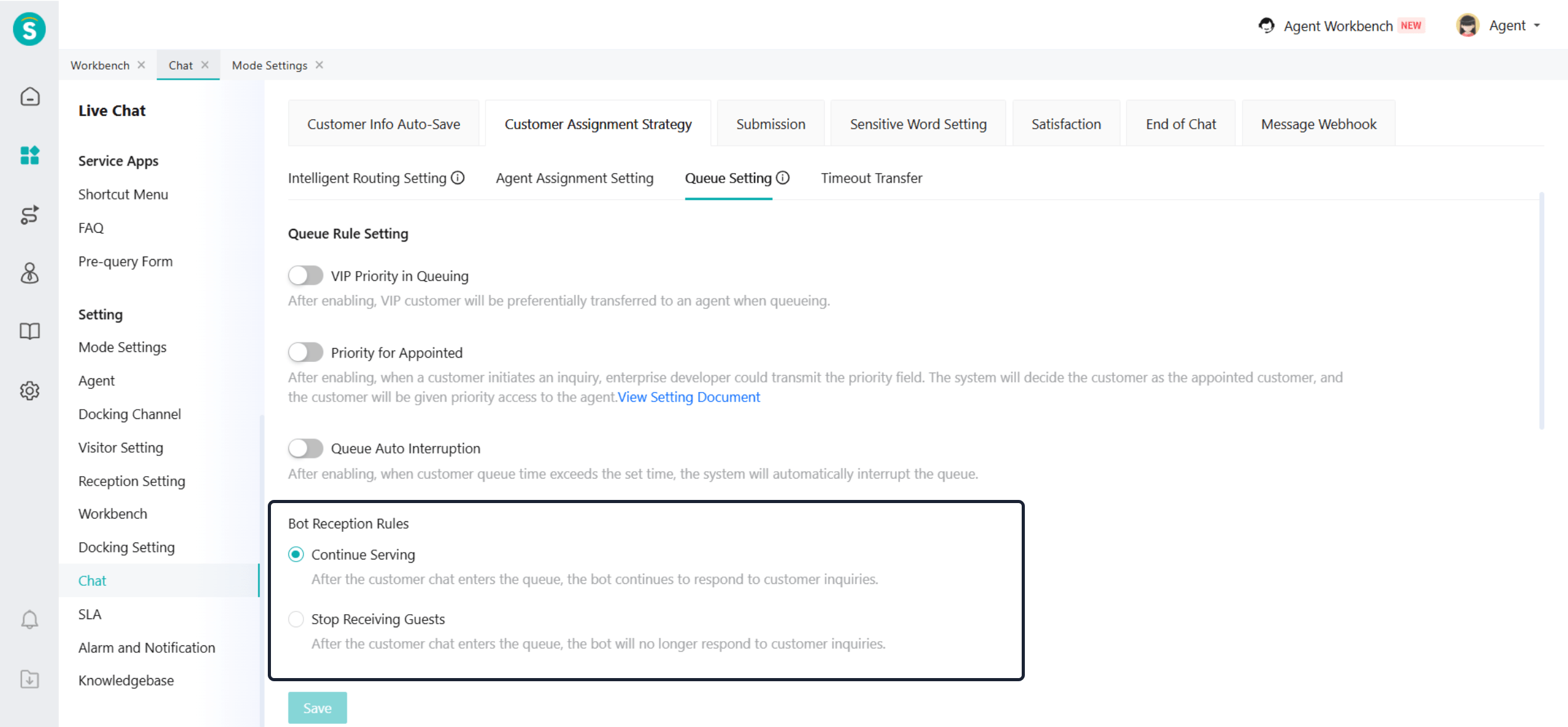
- When the Mode Setting is set to Real-Time Reception Mode, the Bot Reception Rules configuration is added under Chat - Customer Assignment Strategy - Queue Setting. By default, it is set to Continue Serving, and enterprises can switch it to Stop Receiving Guests based on their actual needs.
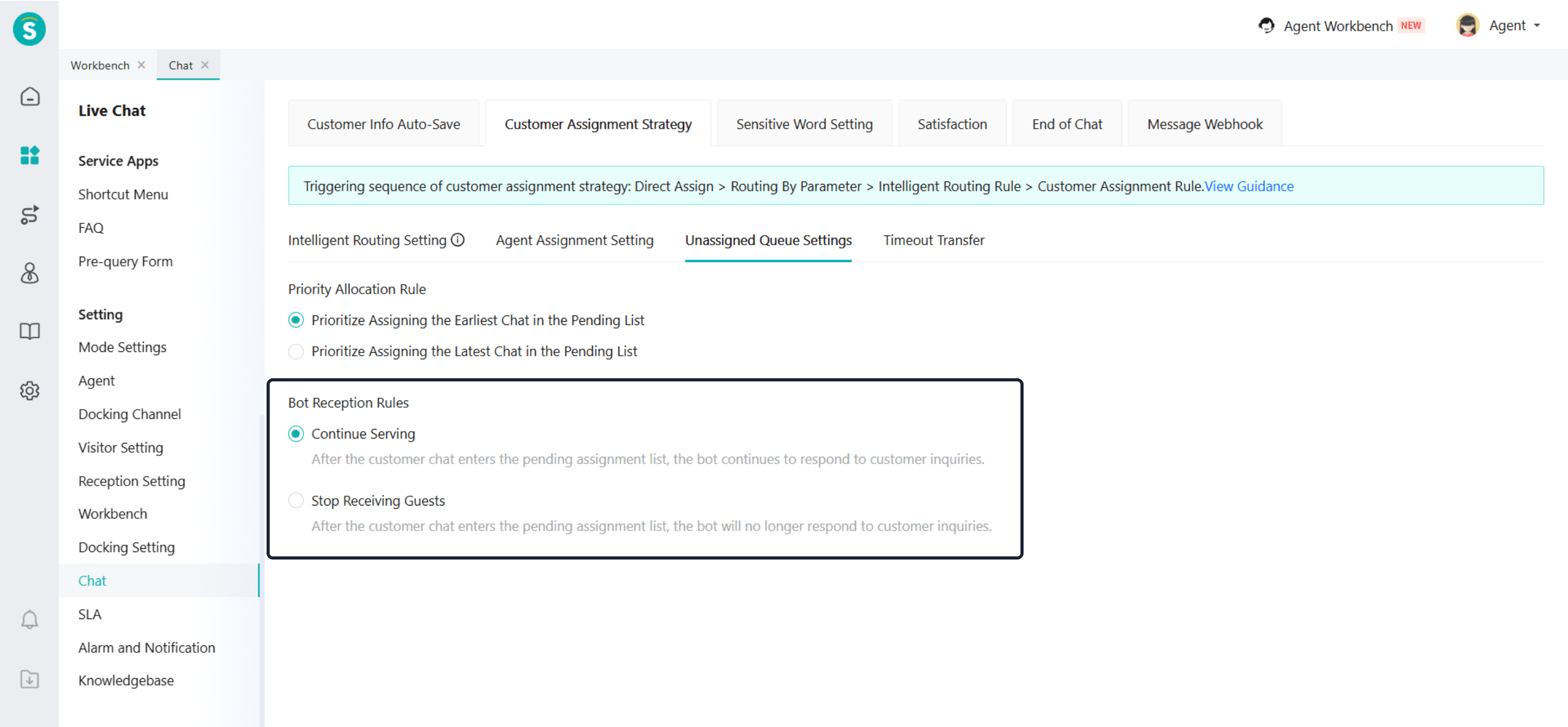
- When the Mode Setting is set to Always On Reception, the Bot Reception Rules configuration is added under Chat - Customer Assignment Strategy - Unassigned Queue Settings. By default, it is set to Continue Serving, and enterprises can switch it to Stop Receiving Guests based on their actual needs.
Real-Time Monitoring for Always On Mode
Function Background
After the launch of the always on mode, there is a lack of related monitoring functions. The managers of the enterprise (such as customer service supervisors) cannot monitor abnormal working indicators in real time. This update adds a monitoring function for the always on mode, allowing enterprises to monitor abnormal situations in a timely manner based on dynamic data, and assist in adjusting shifts or temporarily increasing staff, etc.
Function Description
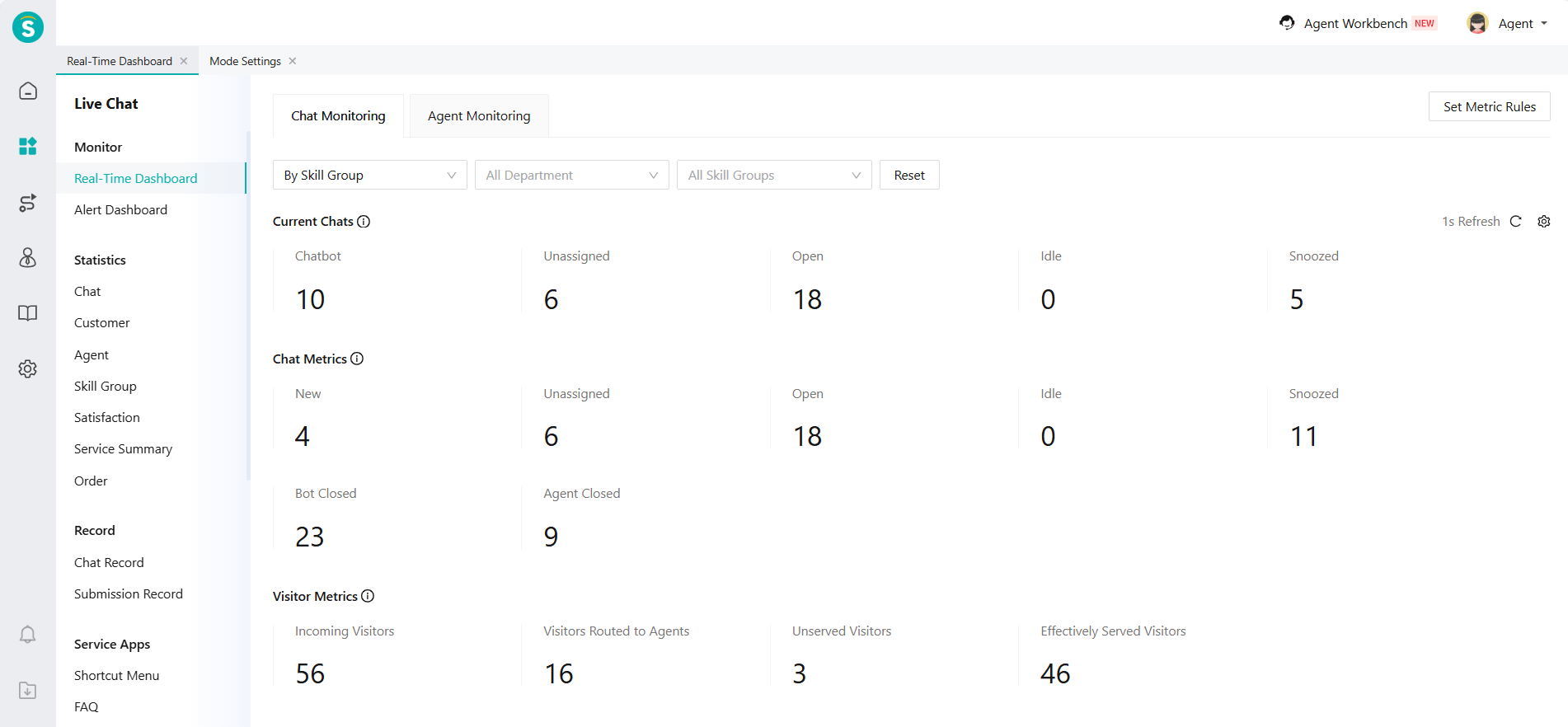
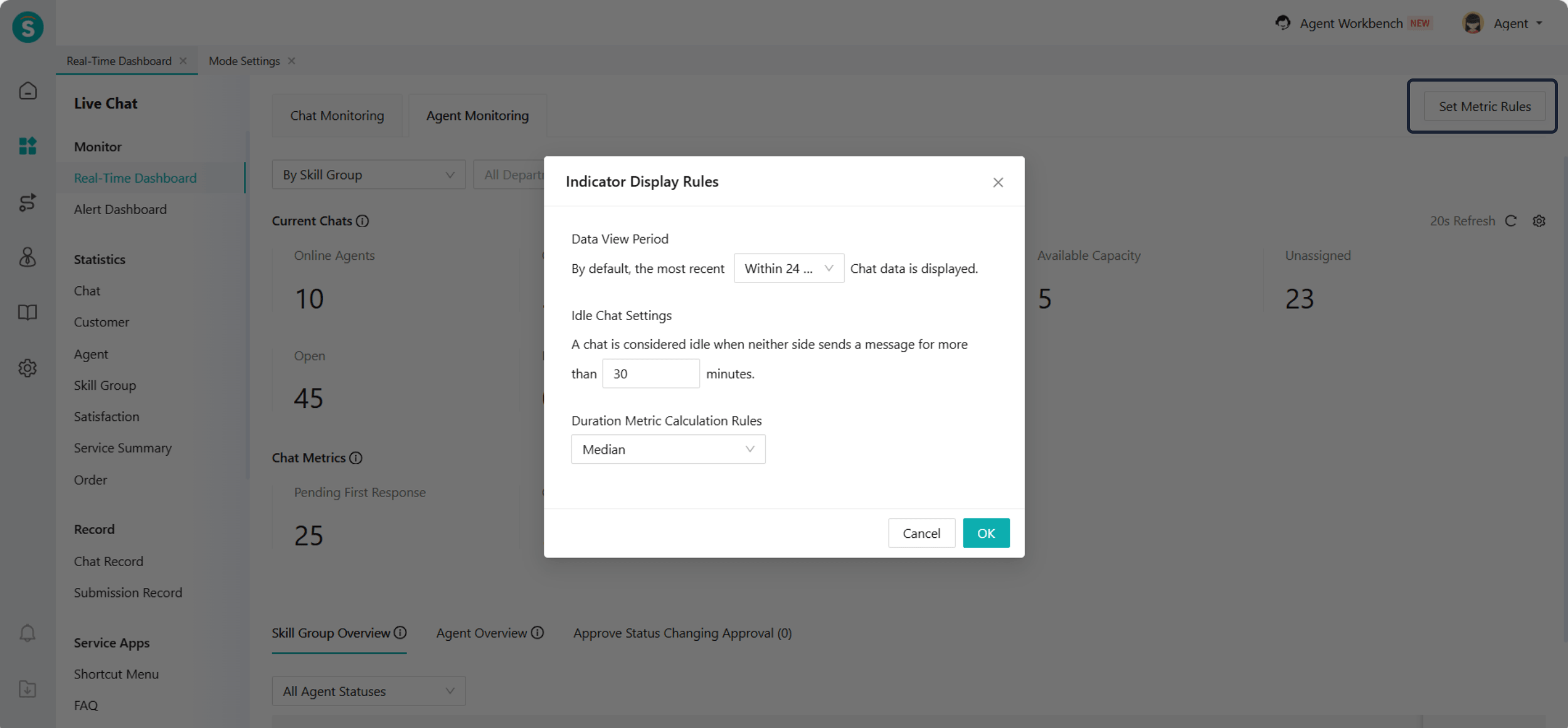
- New Chat Monitoring: Current Chats, Chat Metrics, Visitor Metrics, Satisfaction Metrics, Metrics Trends, Channel Comparison.
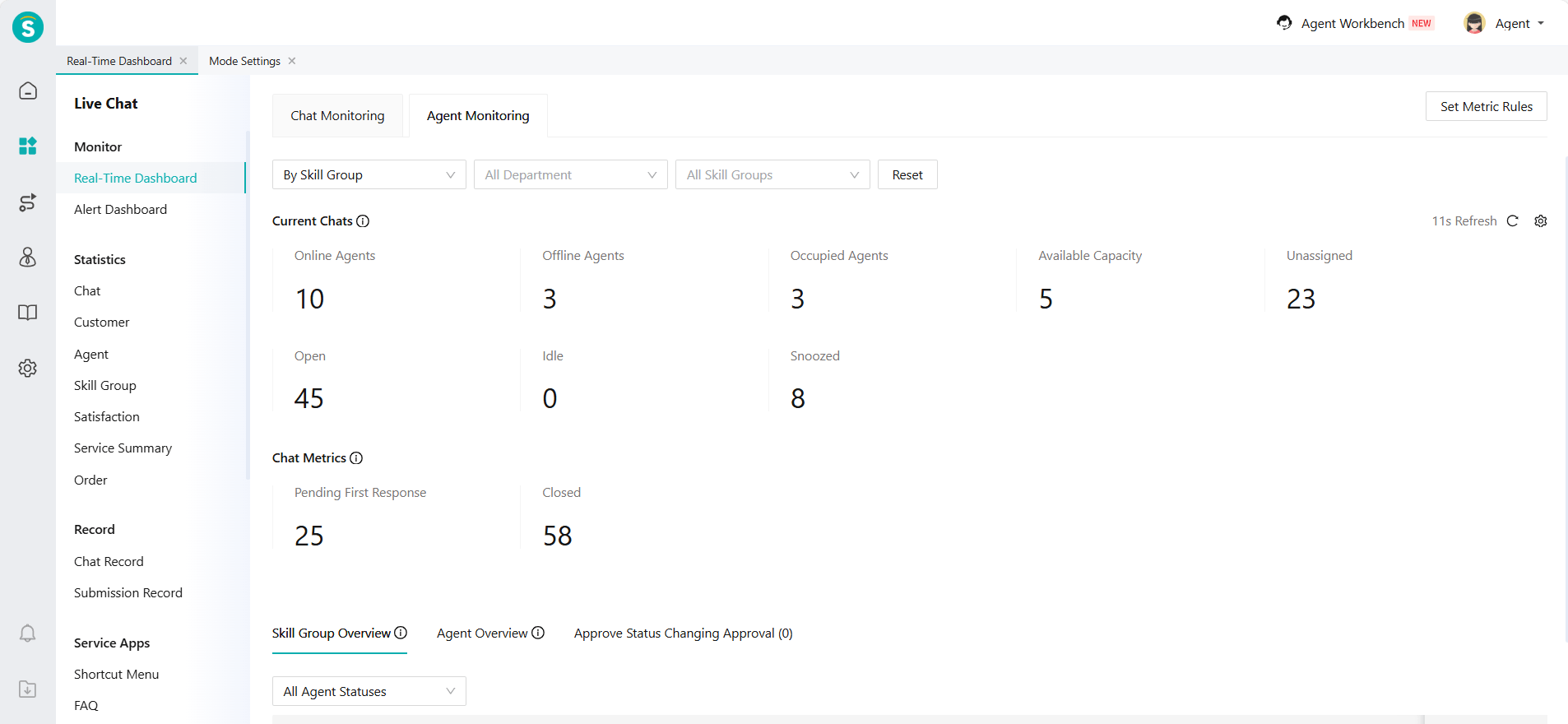
- New Agent Monitoring: Current Chats, Chat Metrics; skill groups and agent both add new metrics such as unassigned sessions, snoozed sessions, and idle sessions.
- New Rules Configuration: Data View Period, Idle Chat Settings, and Duration Metric Calculation Rules.
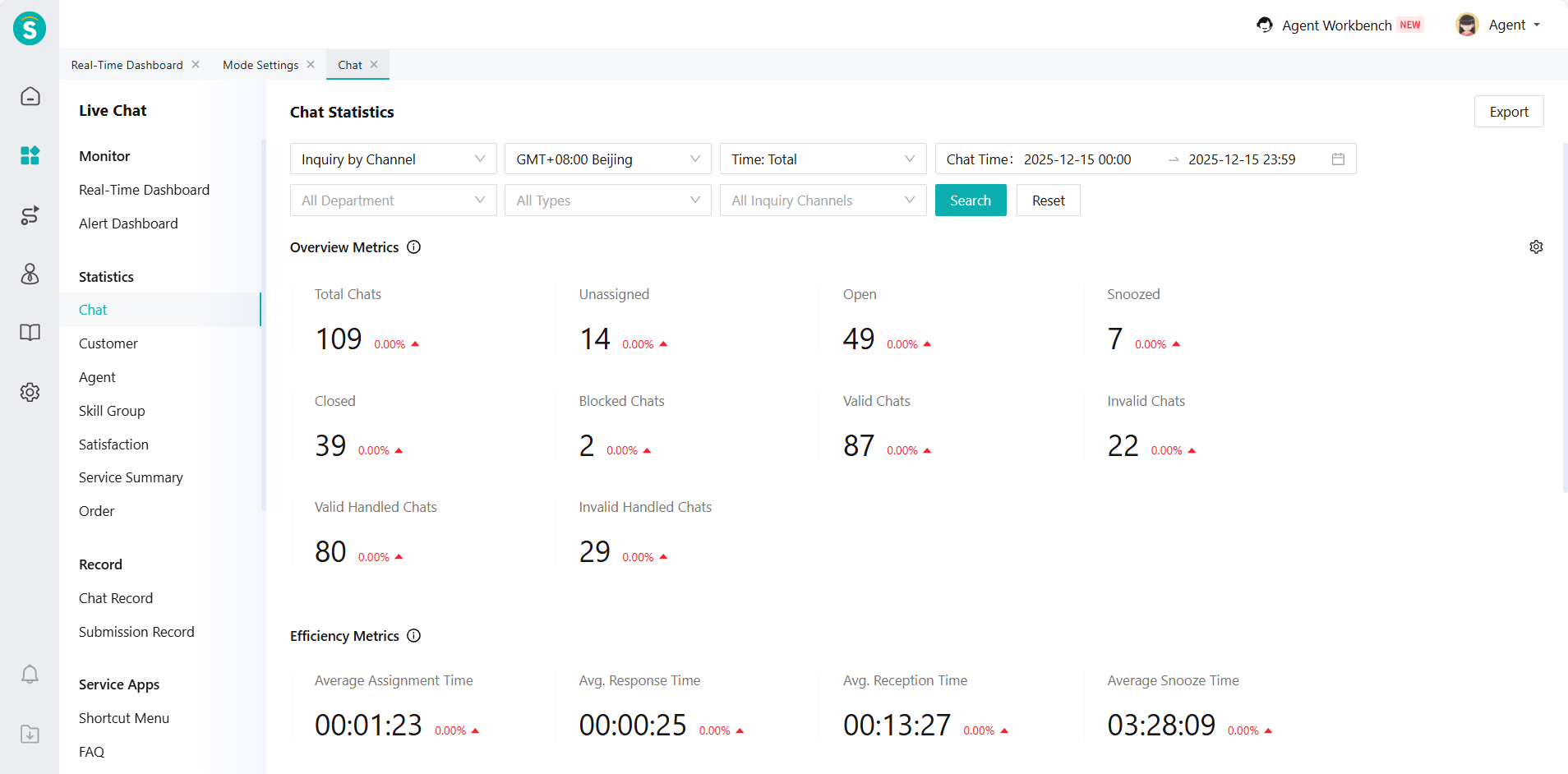
Chat Statistics for Always On Mode
Function Background
The current system's session statistics module only summarizes data for sessions that have ended. With the launch of the always on mode, there will be some sessions in the system that are snoozed or have not ended for a long time. These sessions have significantly longer durations, which means that before they end, administrators cannot obtain relevant data metrics. This affects the enterprise's data insights into service quality, agent workload, and other aspects.
Function Description
Add overview metrics and efficiency metrics. Among the overview data, the number of unassigned sessions, the number of open sessions, and the number of snoozed sessions are metrics during the session process. Other data will only be included in the statistics after the session ends.
Chat Records Now Include Chatting and Other Conditions
Function Background
The current system's session record module only supports displaying ended session records. With the launch of the always on mode, there will be some sessions in the system that are snoozed or have not ended for a long time. In the scenario of such long-term sessions, the existing session records cannot display these unfinished sessions, making it difficult for enterprises to trace session content, manage sessions, or provide support.
Function Description
Admin Workbench:
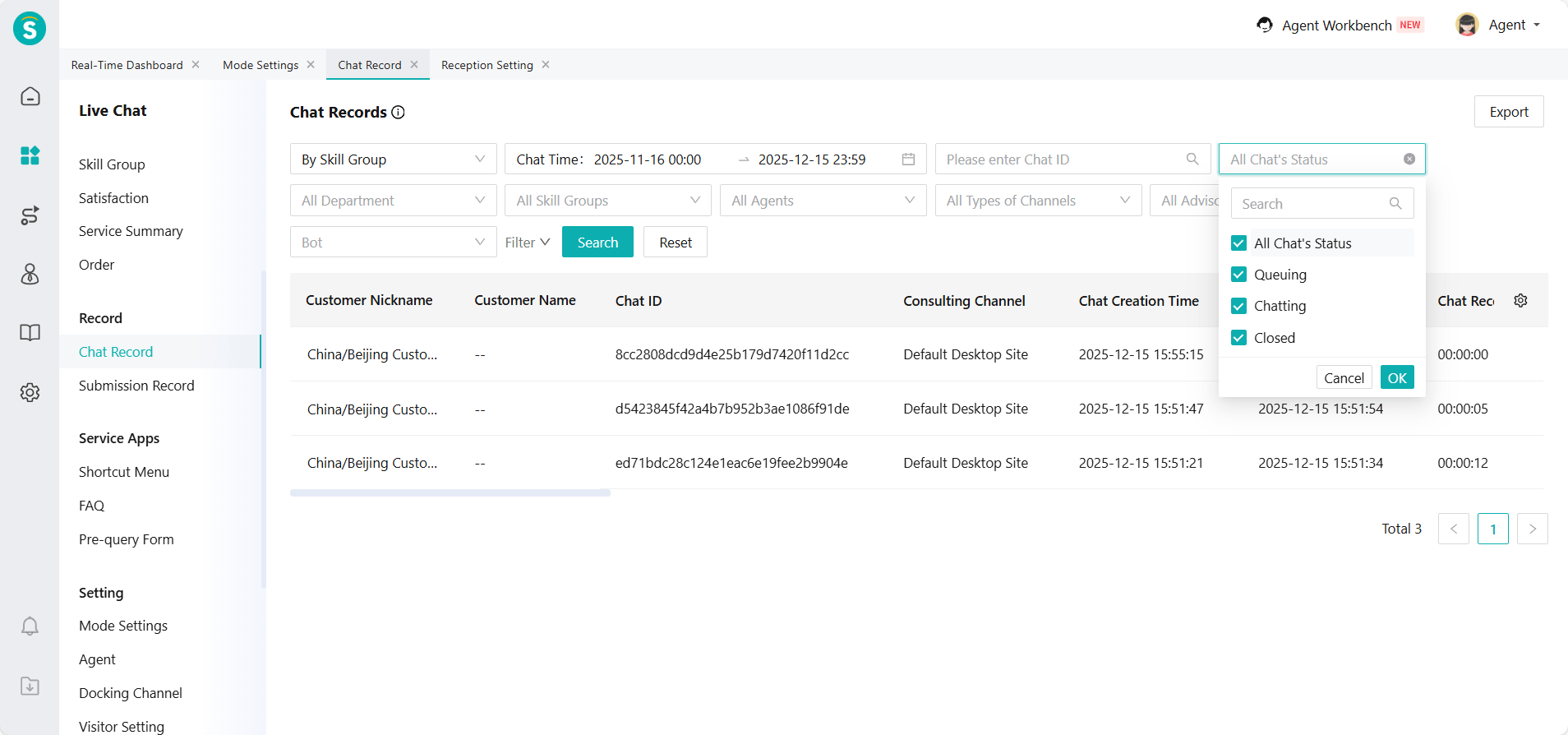
a. When the Mode Setting is set to Real-Time Reception Mode, the Chat Records add a new session status filter. It supports querying records of sessions that are queuing, chatting, and closed.
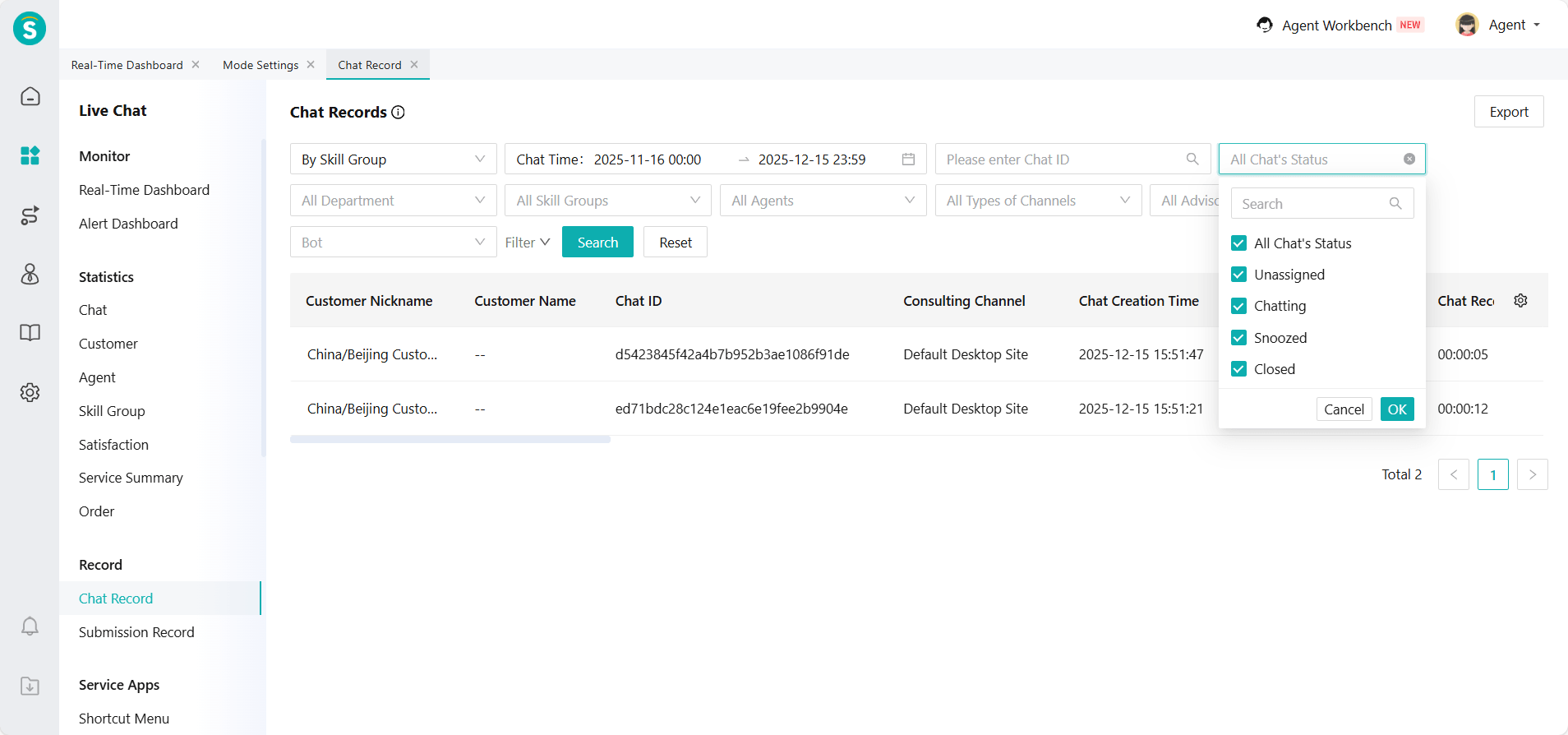
b. When the Mode Setting is set to Always On Mode, the Chat Records add a new session status filter. It supports querying records of sessions that are unassigned, chatting, snoozed, and closed.
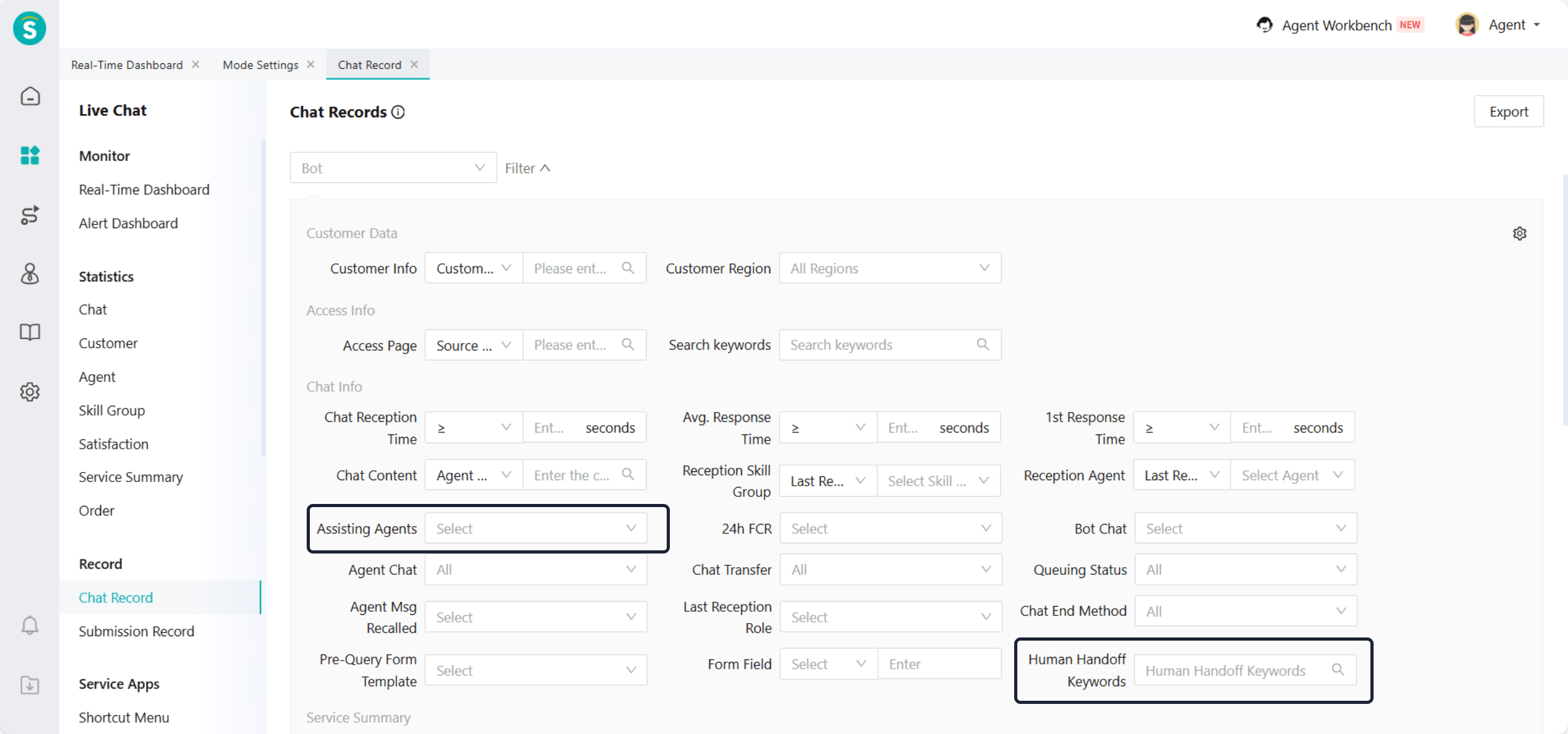
c. Chat Records add assisting agents and human handoff keywords (excluding AI Agent) search.
Agent Workbench:
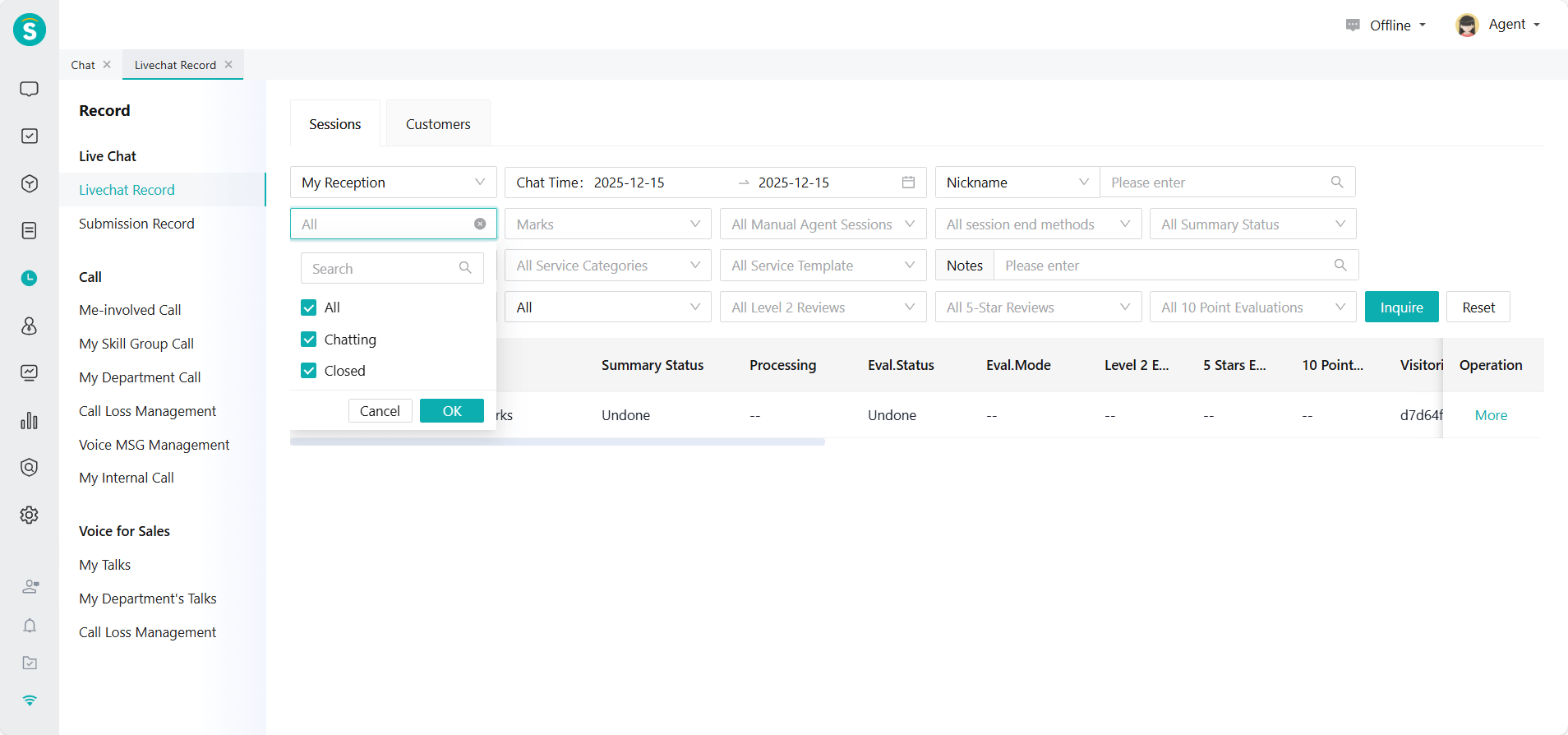
a. When the Mode Setting is set to Real-Time Reception Mode, the Record - Sessions add a new session status filter. It supports querying records of sessions that are chatting and closed.
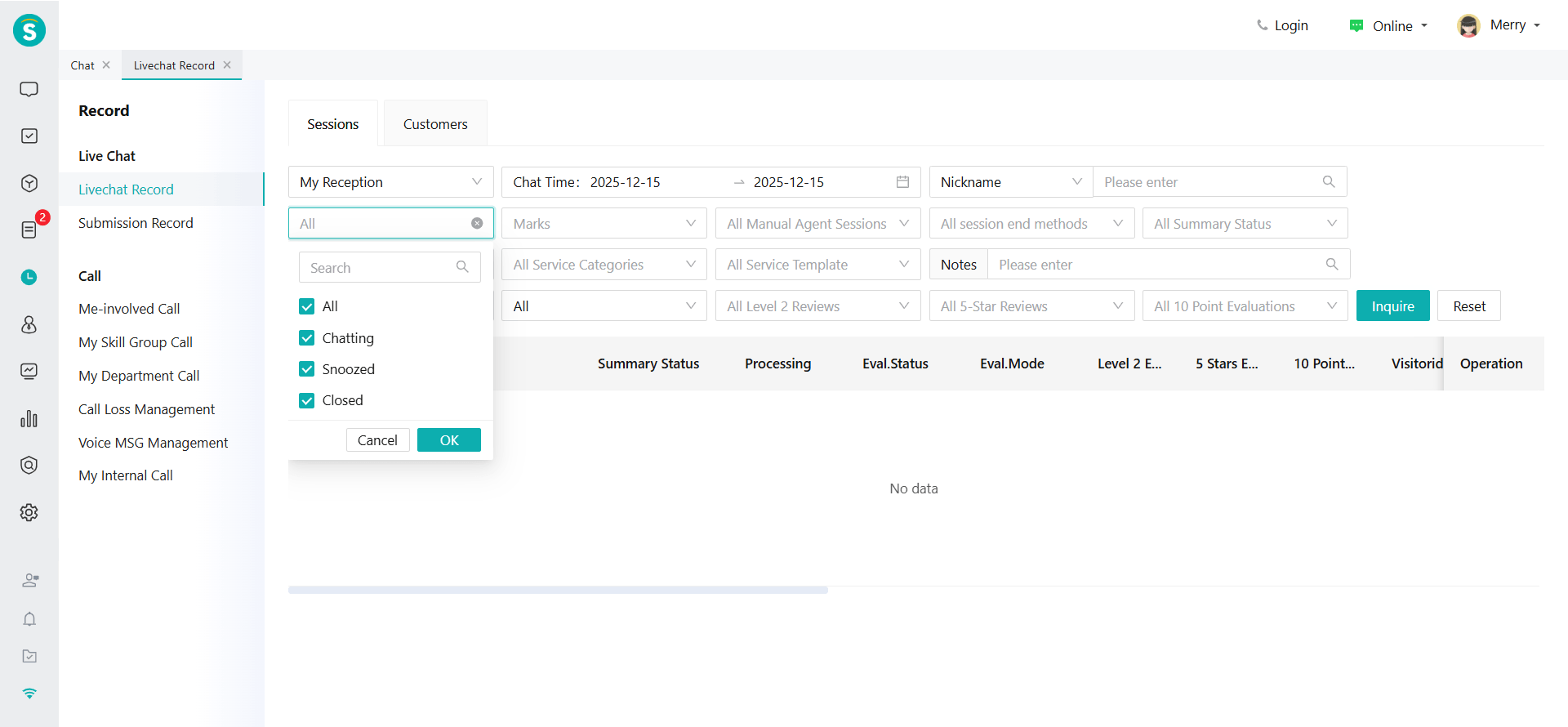
b. When the Mode Setting is set to Always On Mode, the Record - Sessions add a new session status filter. It supports querying records of sessions that are chatting, snoozed, and closed.
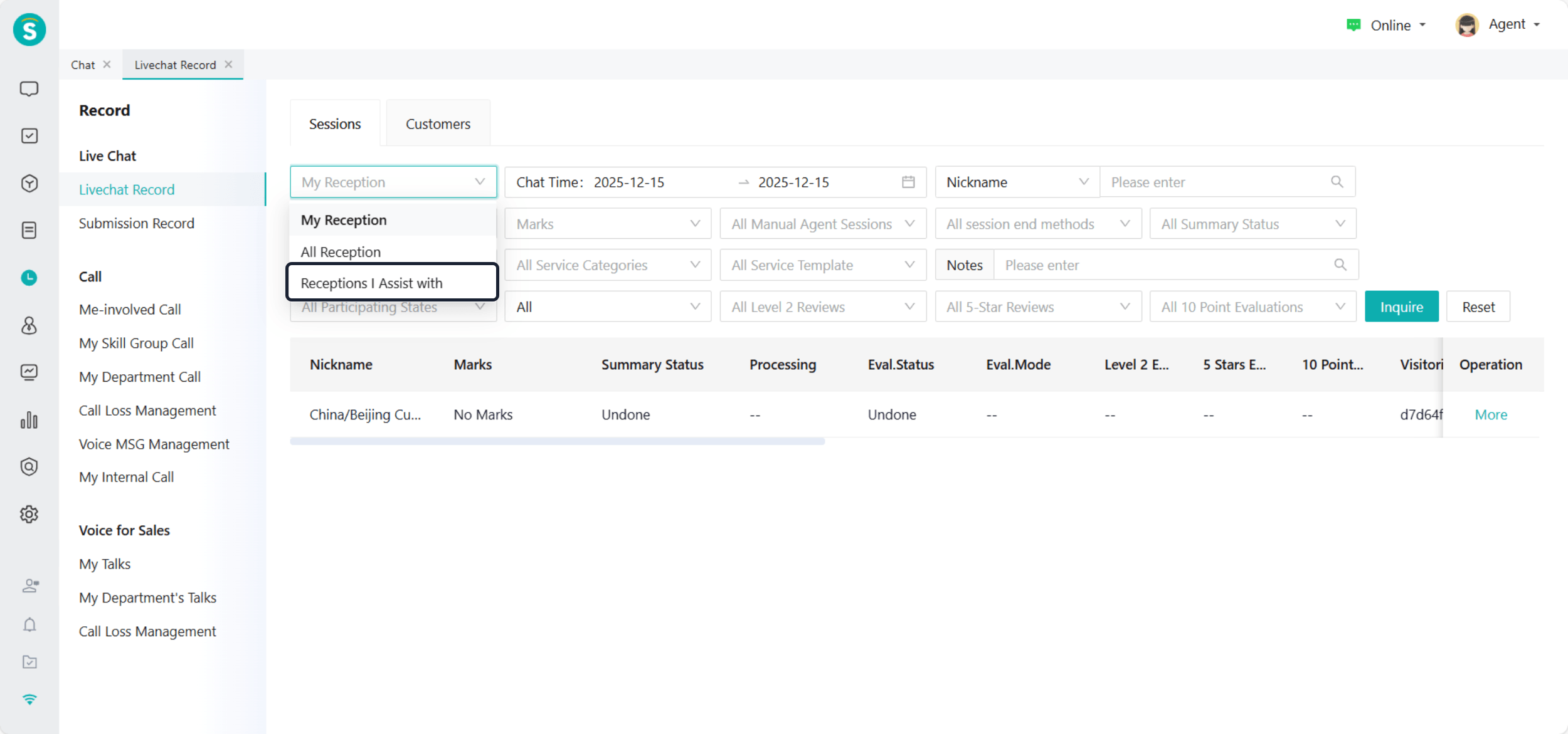
c. Record - Sessions add the receptions I assisted with, which refer to sessions where others @mentioned me and I participated in replying, but the reception person is not myself.
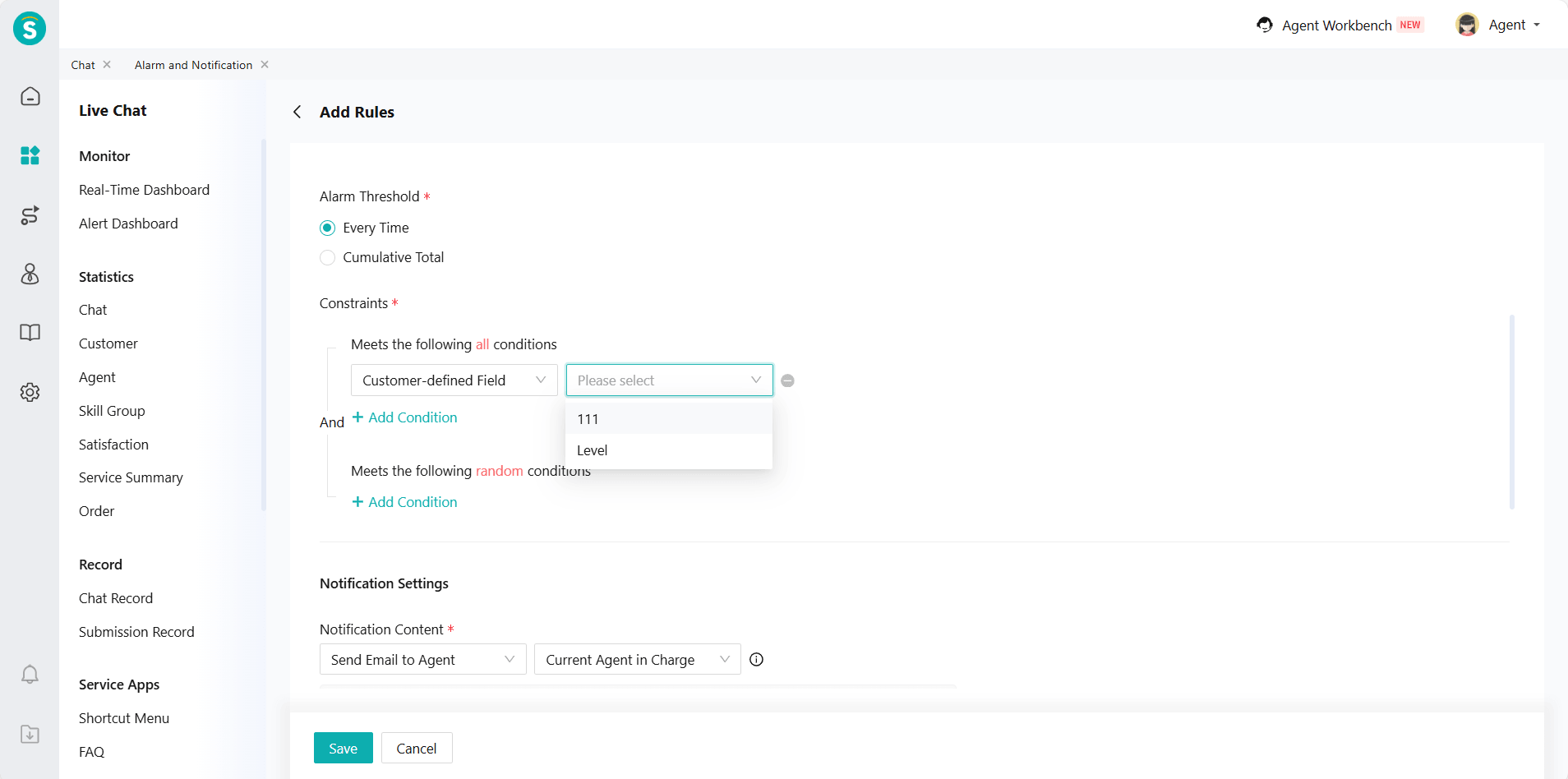
Alarm and Notification Add Conditions for Customer-defined Fields
Function Description
Alarms and Notifications - Rules - Constraints, add constraint conditions for customer-defined fields.
Alert Dashboard and Configuration
Function Description
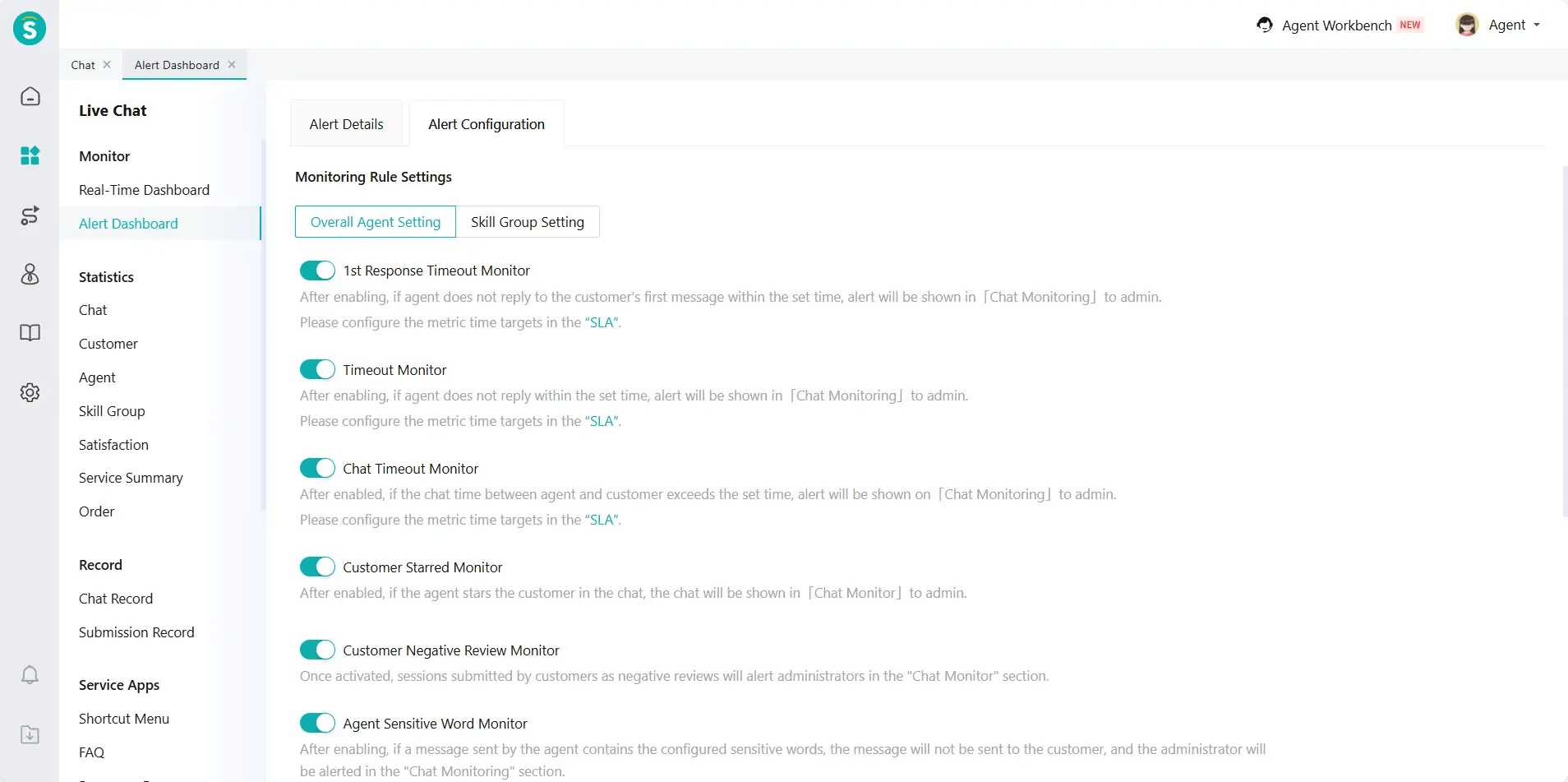
- Change the name of Chat Monitor to Alert Dashboard.
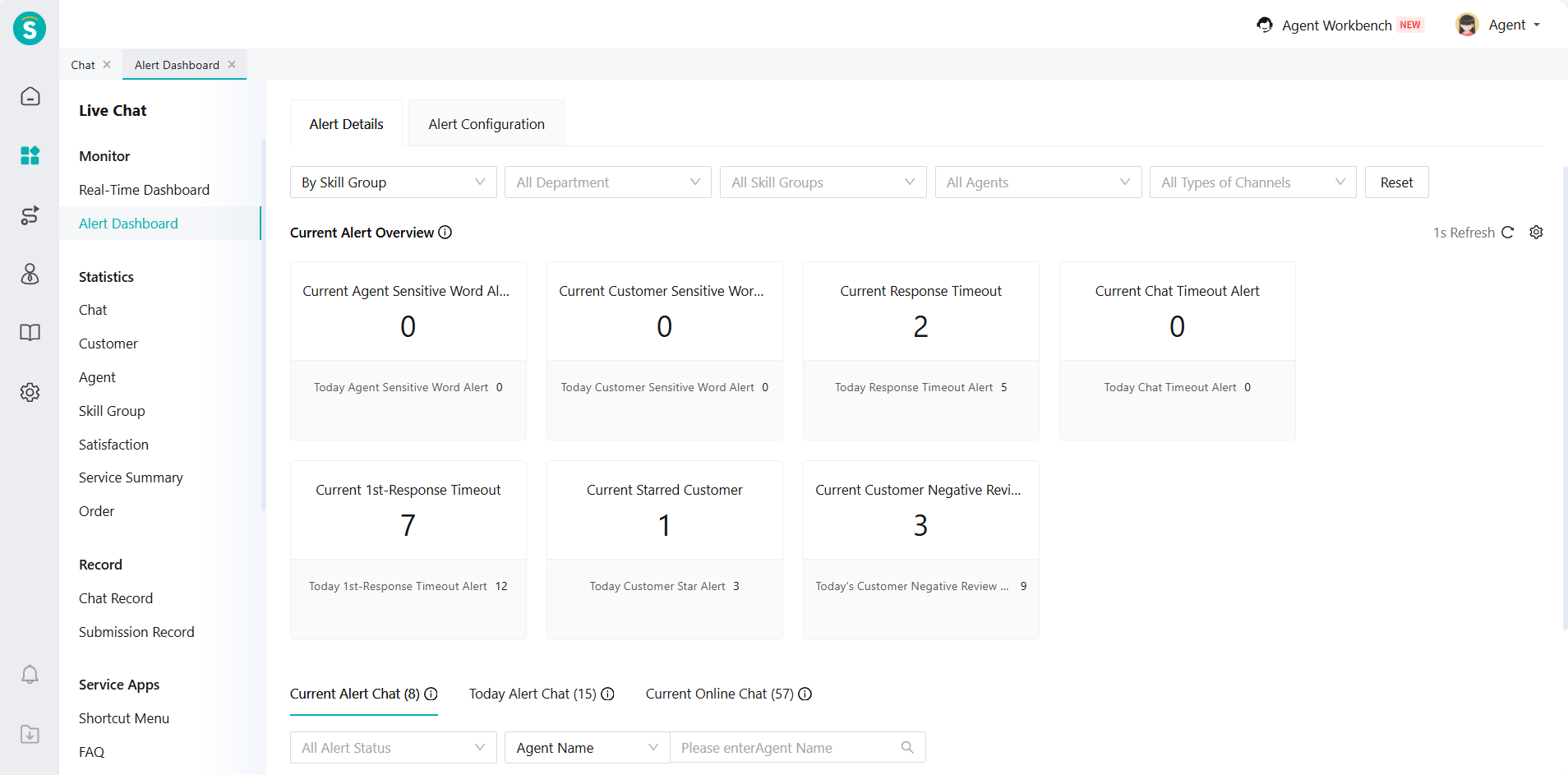
- The relevant configuration for Alert Dashboard has been migrated from the Chatting to Alert Dashboard - Alert Configuration.
Highlight Customer Sensitive Words When Not Encrypted
Function Background
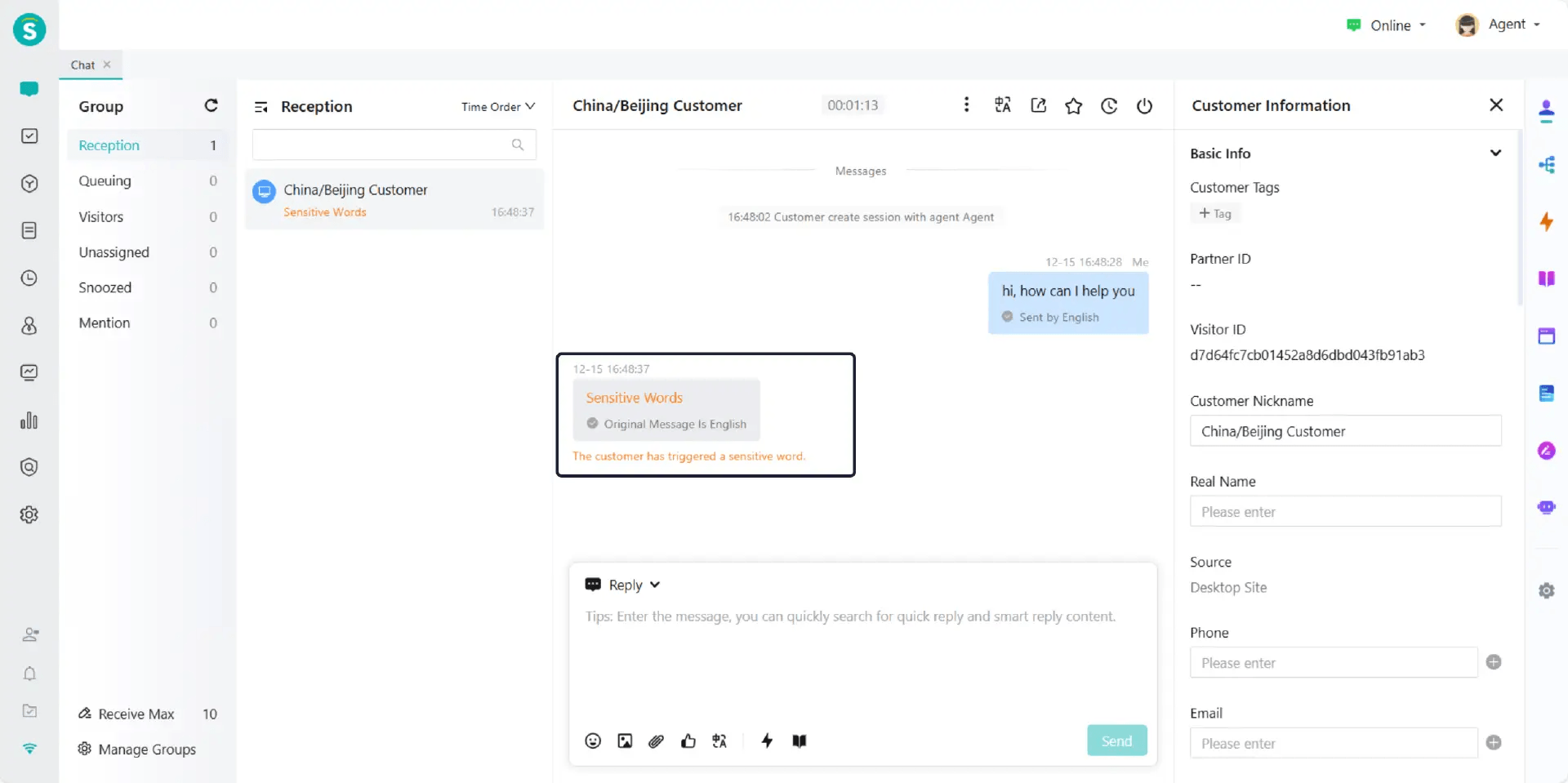
In the current system, unencrypted customer sensitive words have no special marks in the chat records. Agents cannot directly know whether customer sensitive words are hit during the service process, which may affect the service quality.
Function Description
Customer sensitive words are highlighted in the chat when not encrypted. This helps agent perceive relevant information more clearly and promptly.
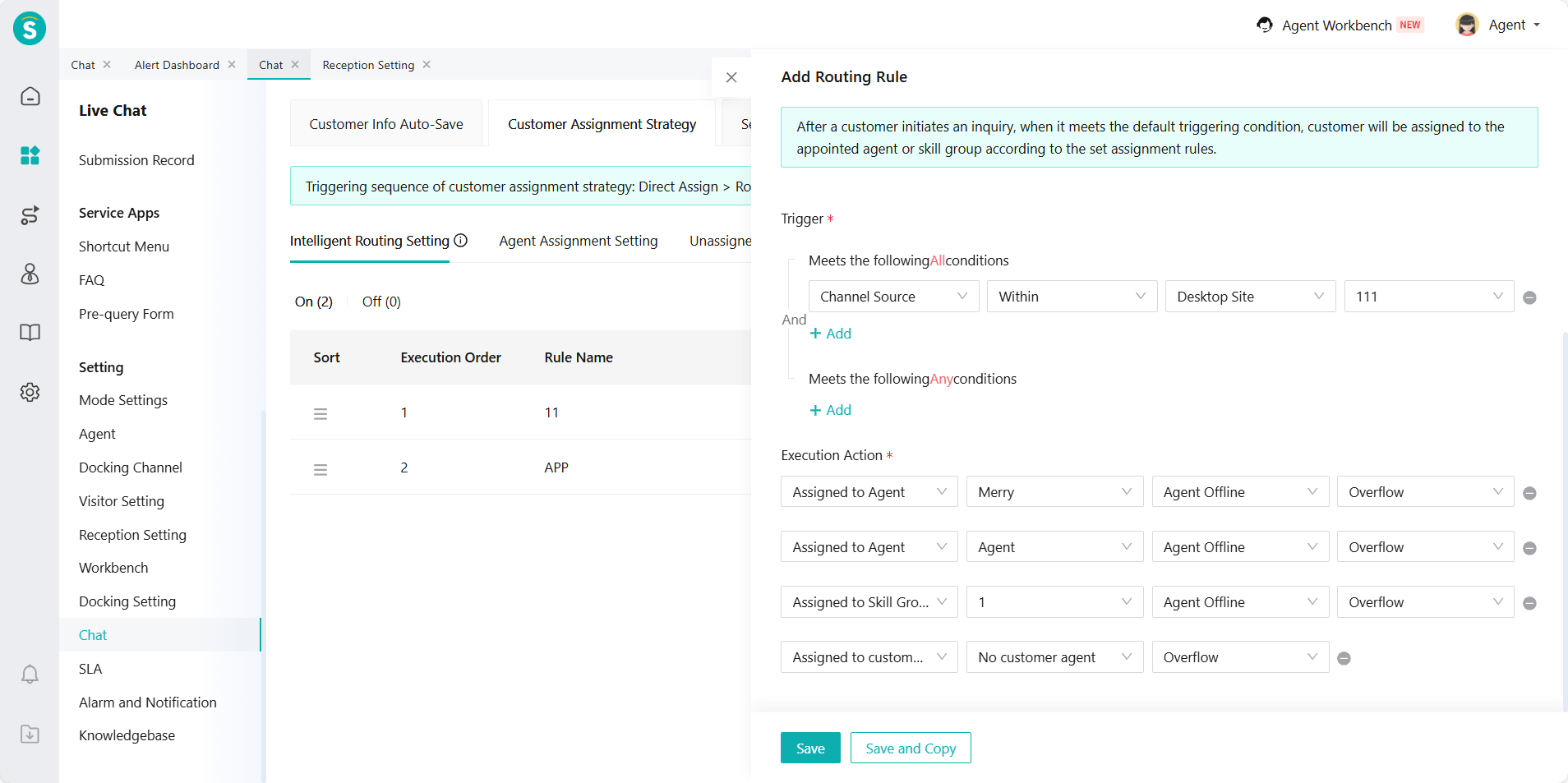
Increase the Limit of Intelligent Routing Actions to Four
Function Description
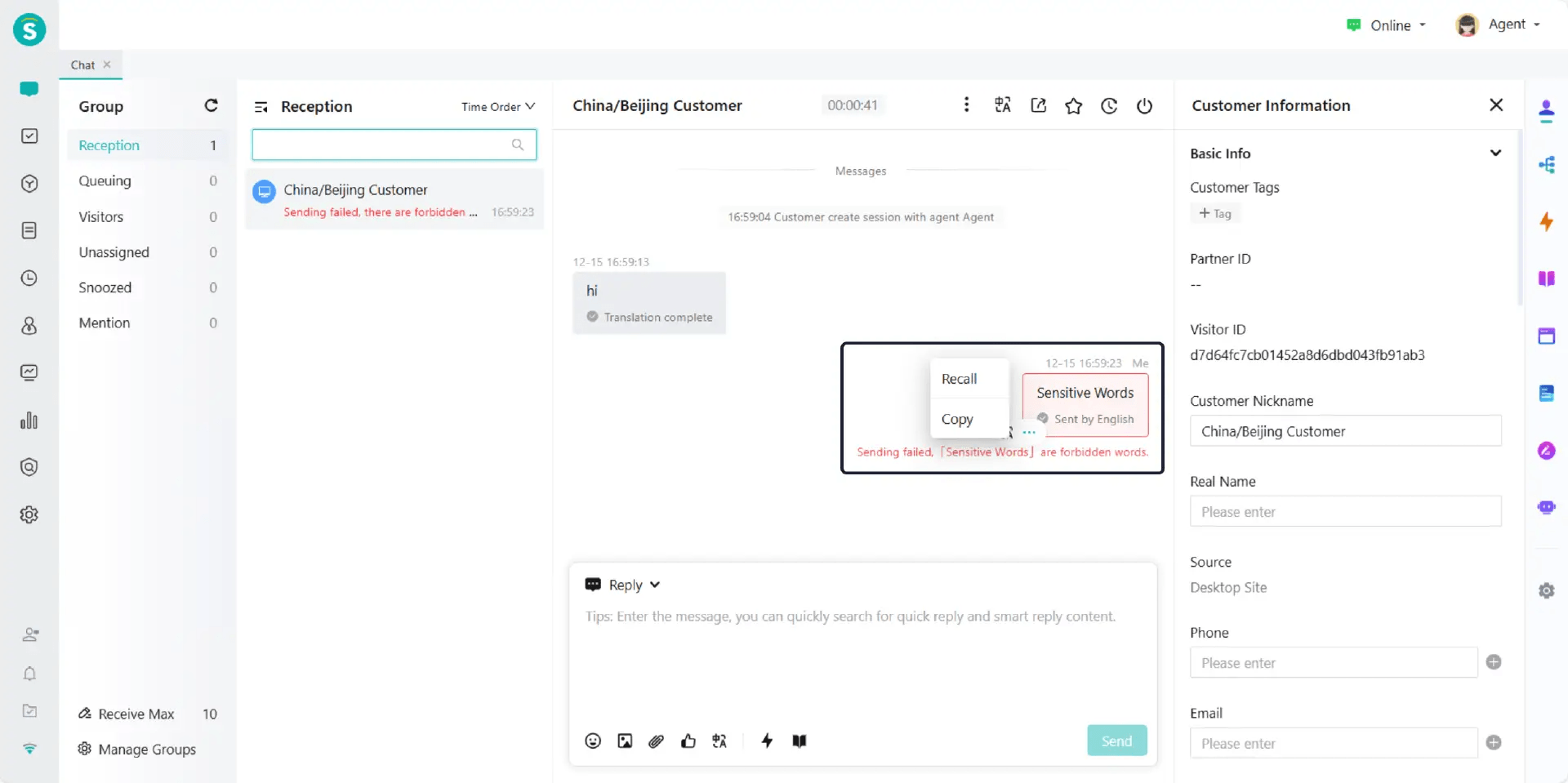
Disable Quoting for Agent Messages That Failed to Send
Function Description
AI Agent Reception API for Customer Inquiry Session Creation
Function Background
Some enterprises expect to prioritize using AI Agent for reception in online channels and through API integration.
Function Description
Add an interface for AI Agents to receive customer inquiries and create sessions.
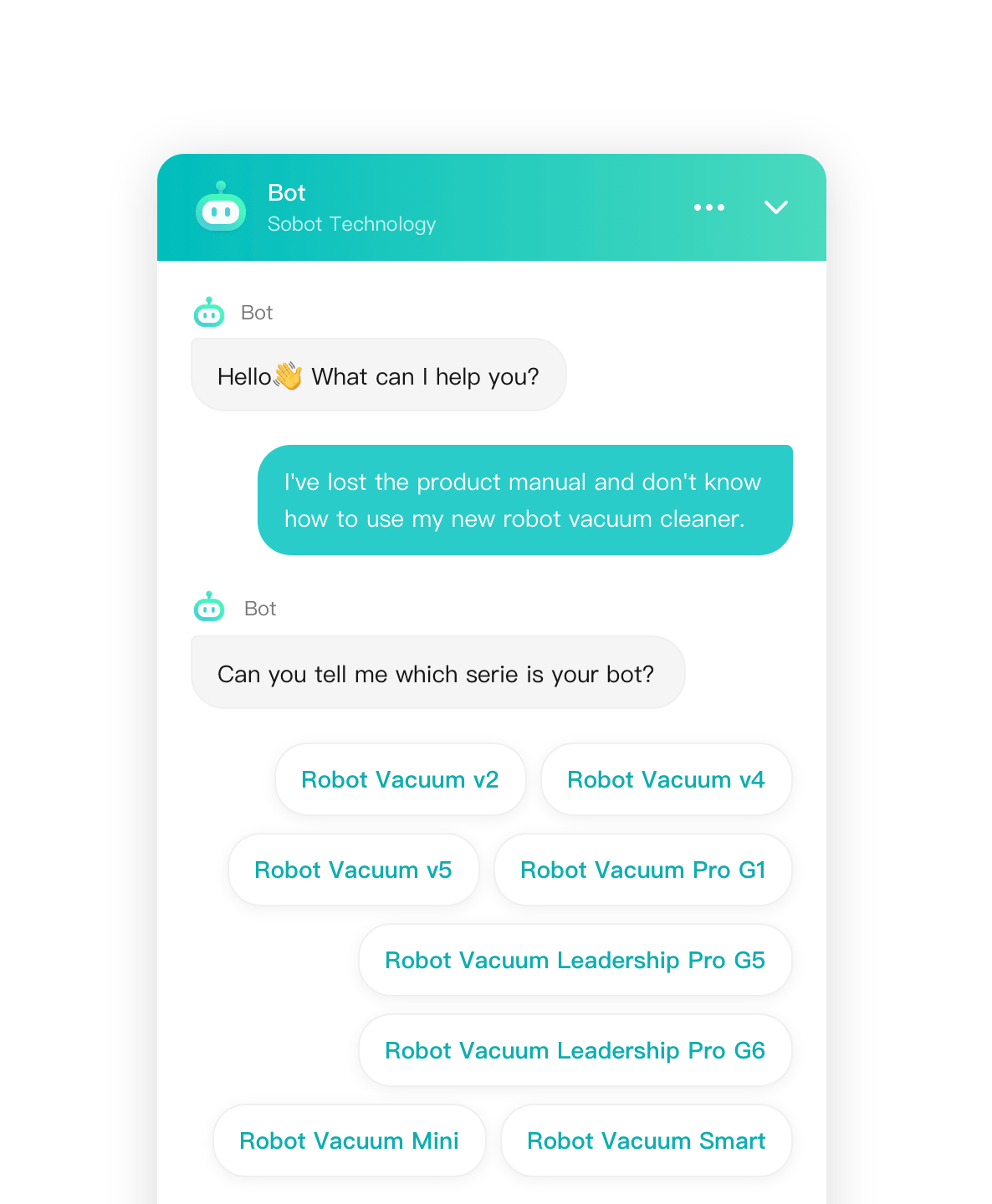
Visitor SDK (iOS) Task Flow Button Style Improvements
Function Background
To improve the customer's interactive experience and immersion in chat scenarios, optimize the button styles that require customers to make selection operations in the task flow.
Function Description
Optimize the display format of button messages in the task flow, and adjust it to a button group style that pops up on the customer side.
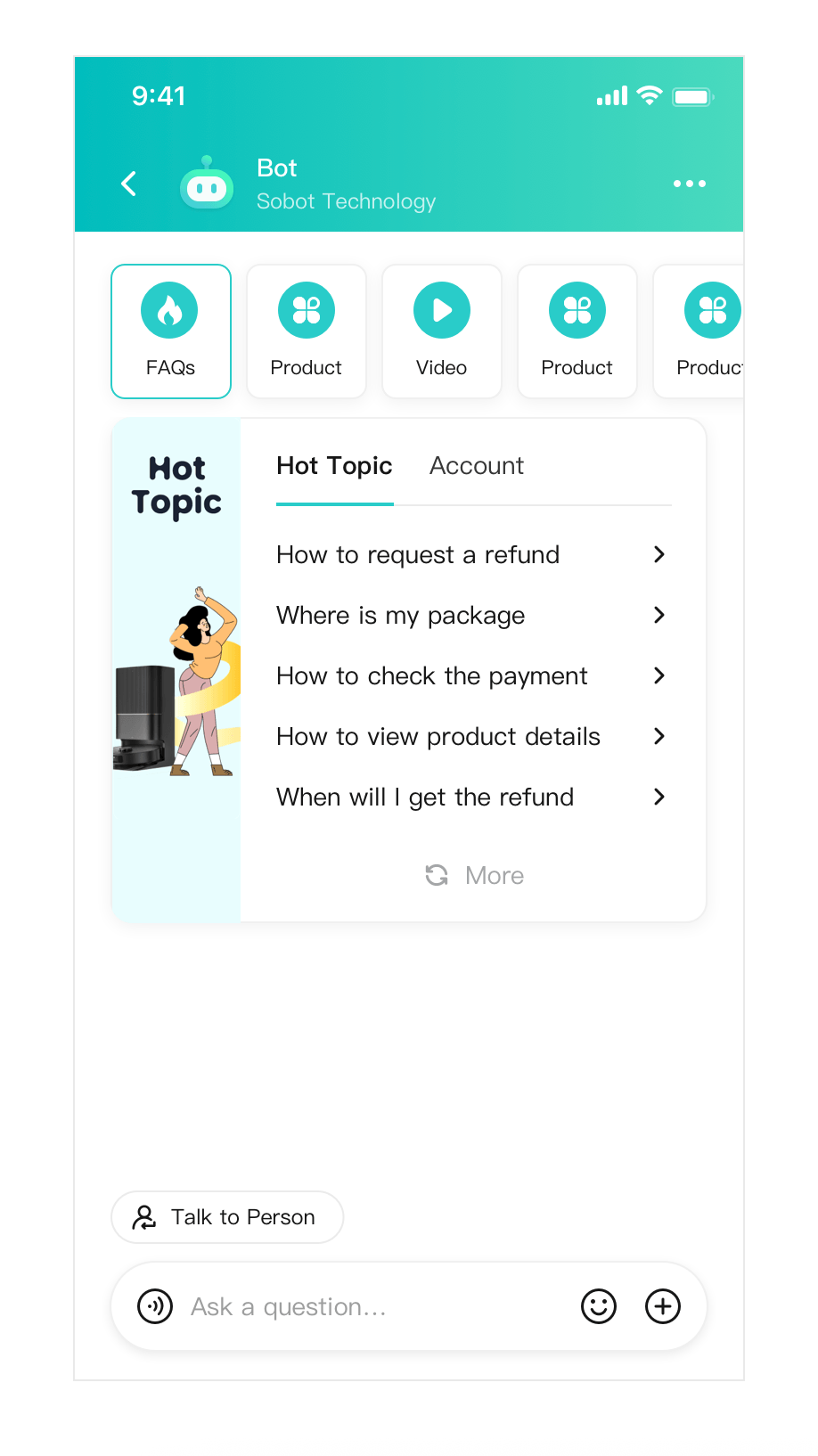
Visitor Side Popular Questions Style Improvements
Function Background
The current system's popular issues business entry size is relatively large. This causes customers to see fewer entries on their first screen when there are many entries.
Function Description
Adjust the size of the entry points so that nearly 5 entry points can be displayed on the first screen. This will improve the efficiency of message browsing.
Visitor Side Trans-to-Agent Interaction Improvements
Function Background
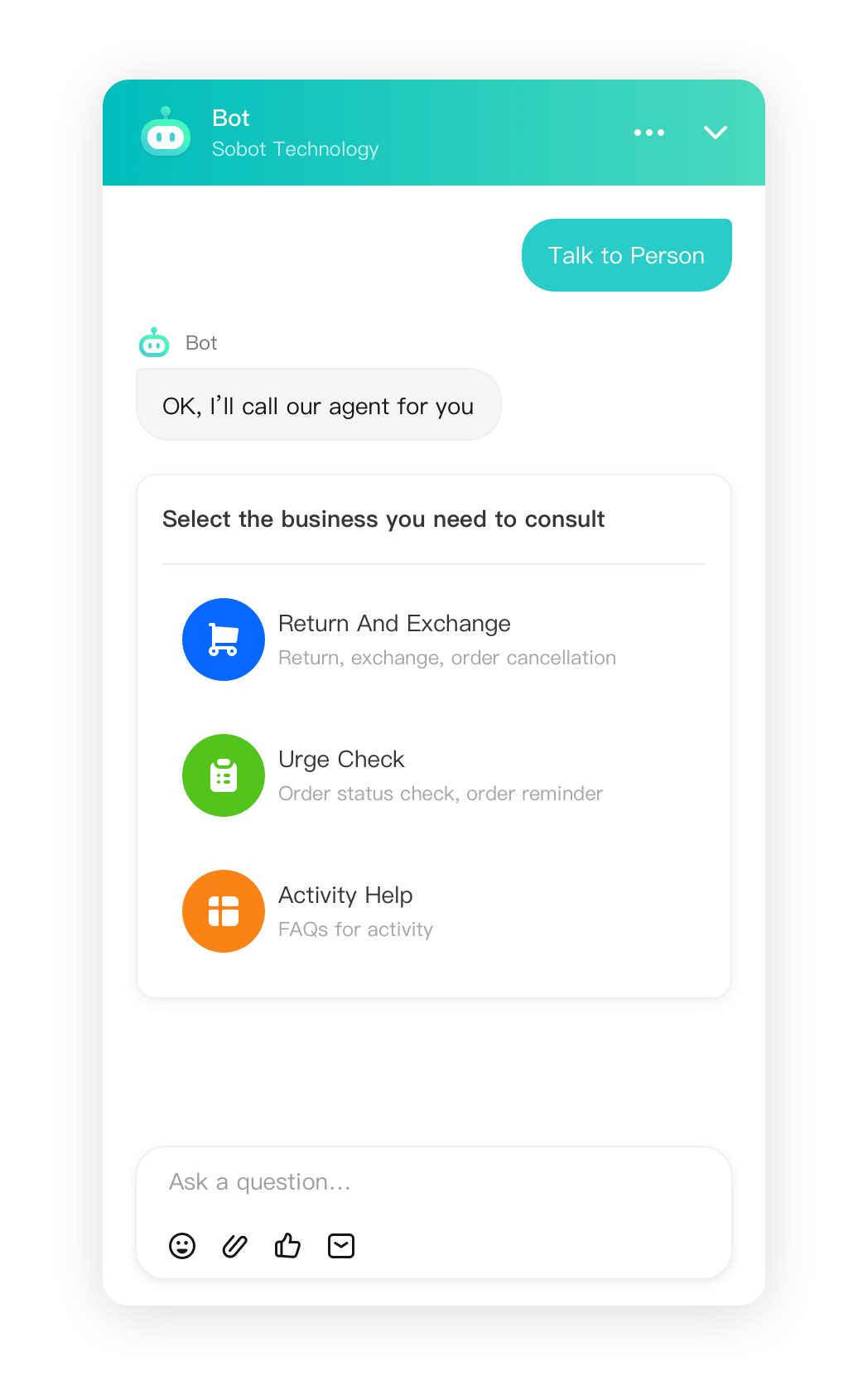
After the current system enables Group Reception, when the bot automatically triggers a transfer to agent, a pop-up window for selecting a skill group suddenly appears. This interrupts the conversation, causing an inconsistent communication flow and making customers feel confused.
Function Description
Adjust the bot's automatic transfer to agent interaction after enabling group reception. Change from a pop-up window to a message push format. Improve the continuity of the customer experience.
Ticketing
Email Tickets Support Replying with Native Attachments
Function Background
For financial institutions, public service units, and other enterprises with high system security requirements, if the email attachment is an external link, it often involves access restrictions and security controls. This prevents the recipient from viewing or downloading the attachment directly, affecting collaboration efficiency.
Function Description
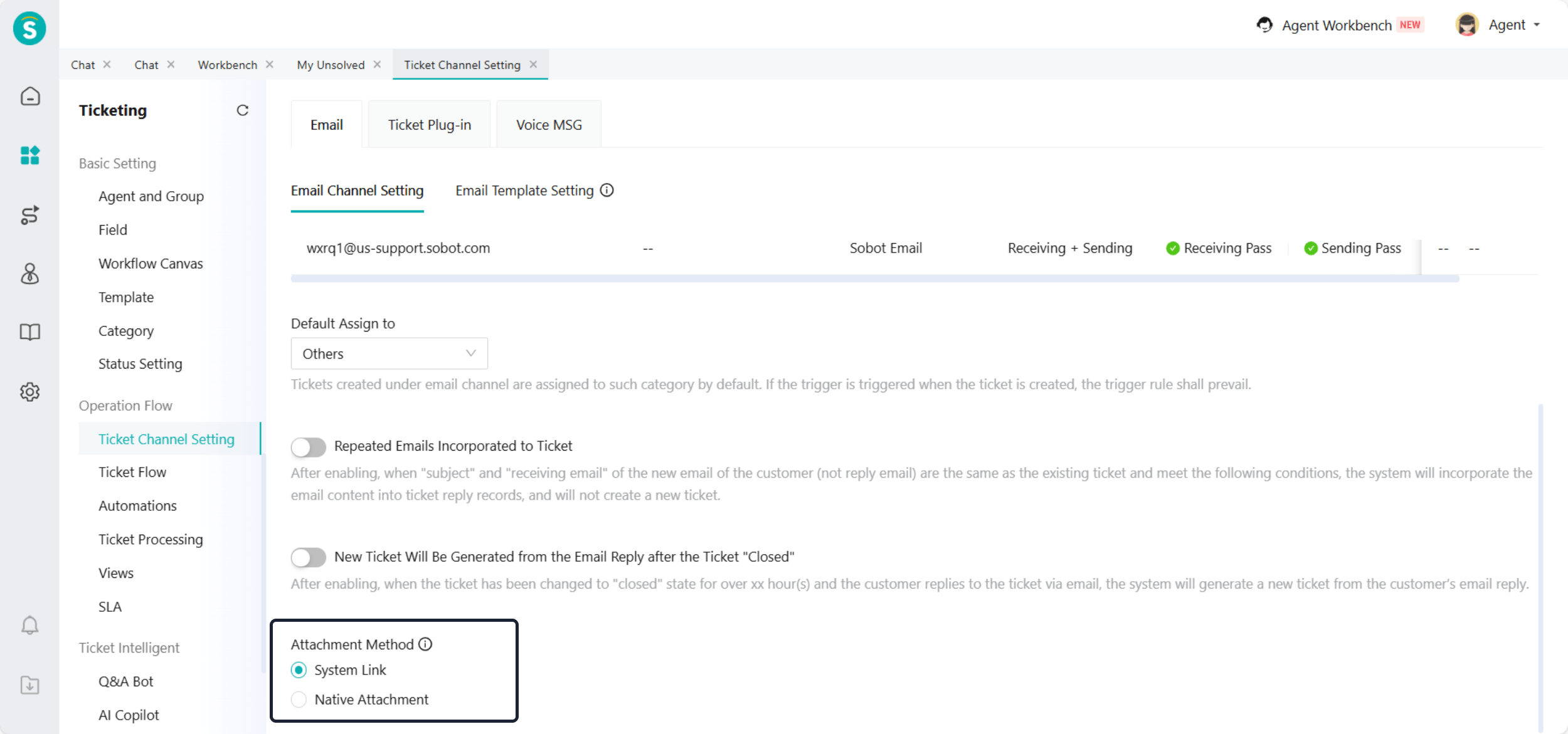
Ticket Channel Setting - Email, supports selecting email attachment methods, including:
System Link: Faster email delivery, no mailbox space used.
Native Attachment: Convenient and reliable for recipients. You can download and view them without accessing external links.
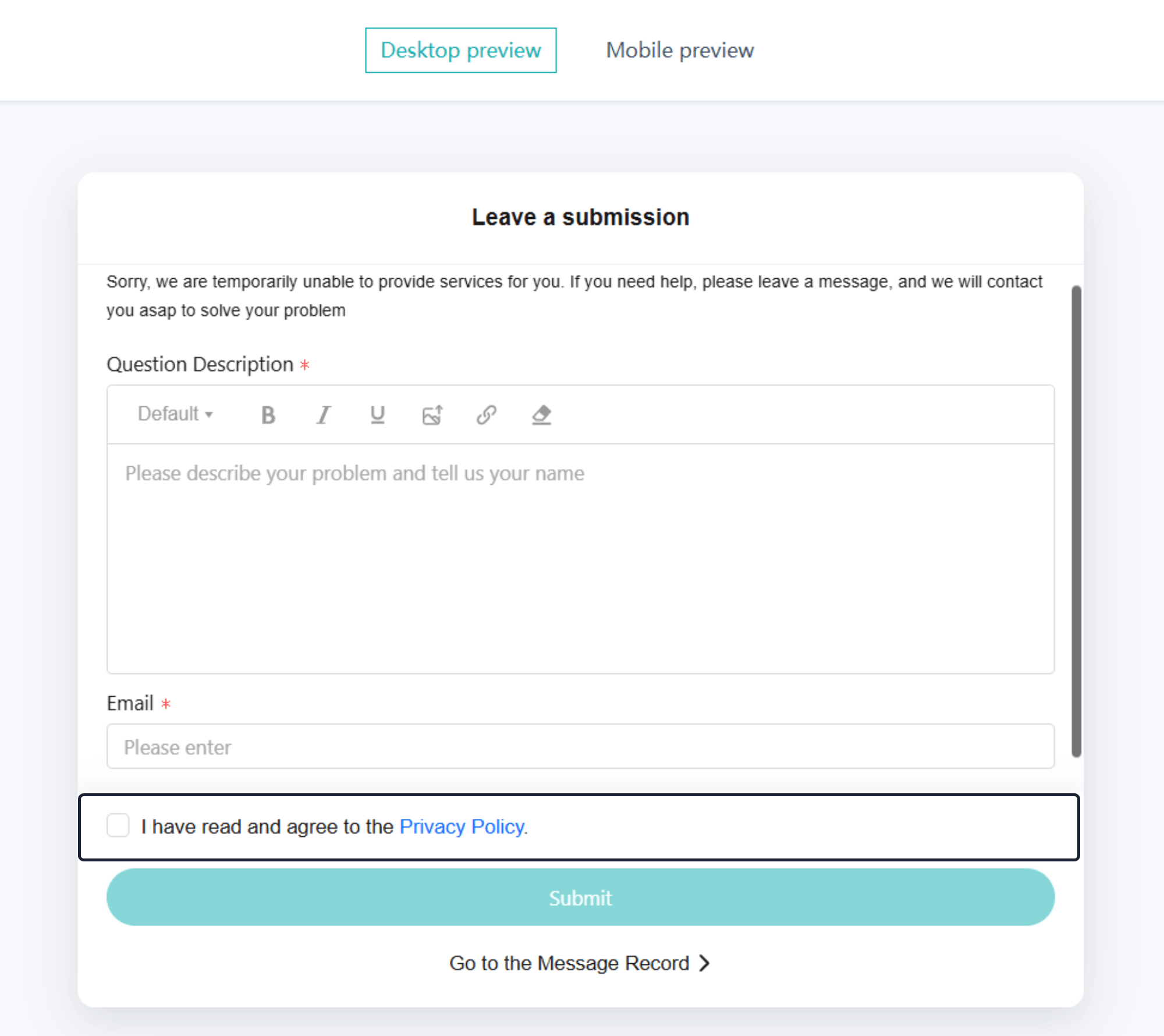
Ticket Plug-in Supports Customer Information Authorization
Function Background
When enterprises use the ticket plug-in and need to collect sensitive information such as customer bank card numbers or ID card numbers, the current system lacks a clear information authorization process. This may lead to customers submitting sensitive data without full knowledge or explicit consent, affecting their perception of control over personal information. It may also pose compliance risks.
Function Description
Enterprises can configure customer information authorization for the ticket plug-in along the following path:
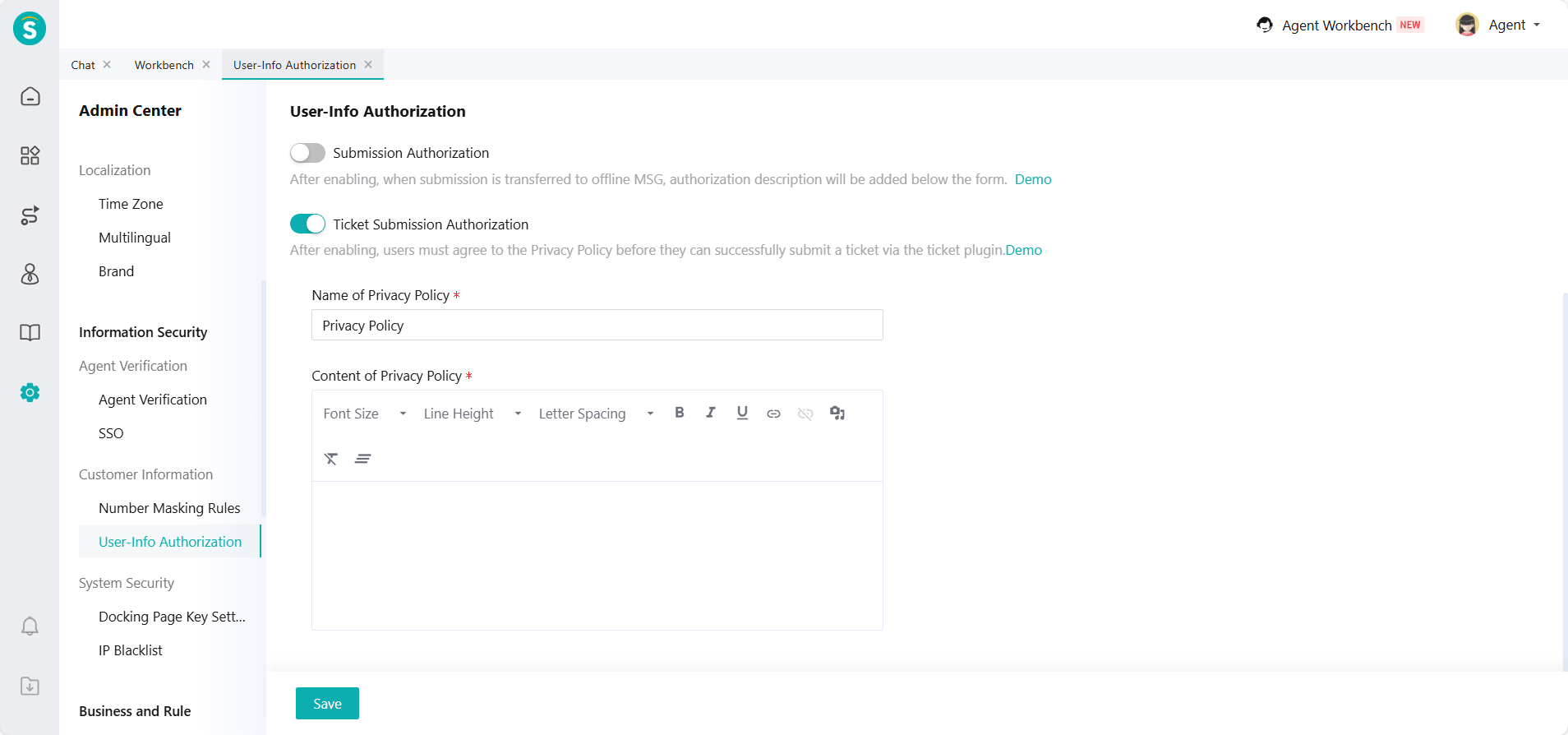
- In the Admin Center - Information Security - Customer Information - User-Info Authorization, fill in the relevant authorization agreement.
- In the Ticketing - Business Process - Ticket Channel Settings - Ticket Plug-in - Configure Submission Template, enable User-Info Authorization.
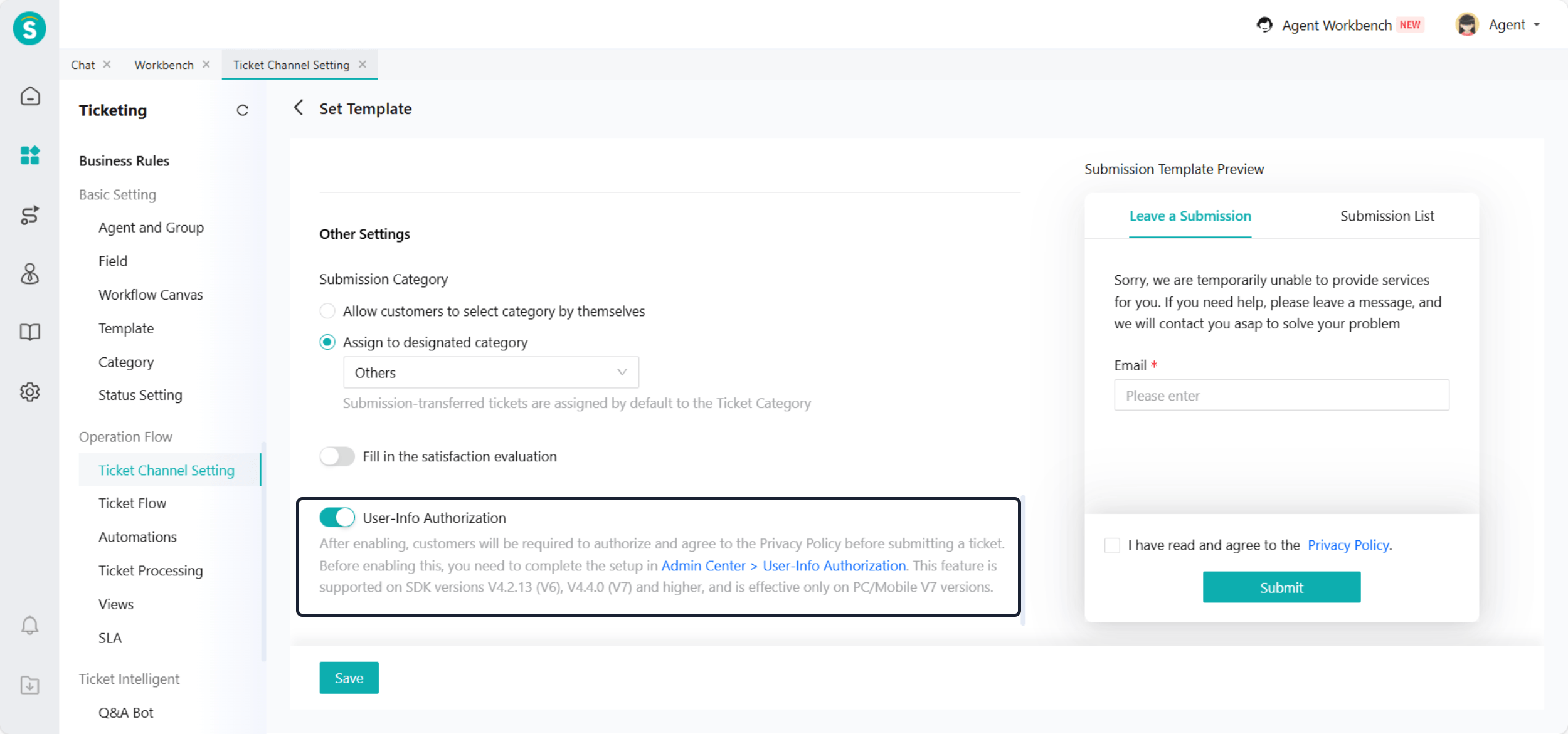
- Customers cannot submit tickets using the ticket plug-in if they do not agree to the authorization.
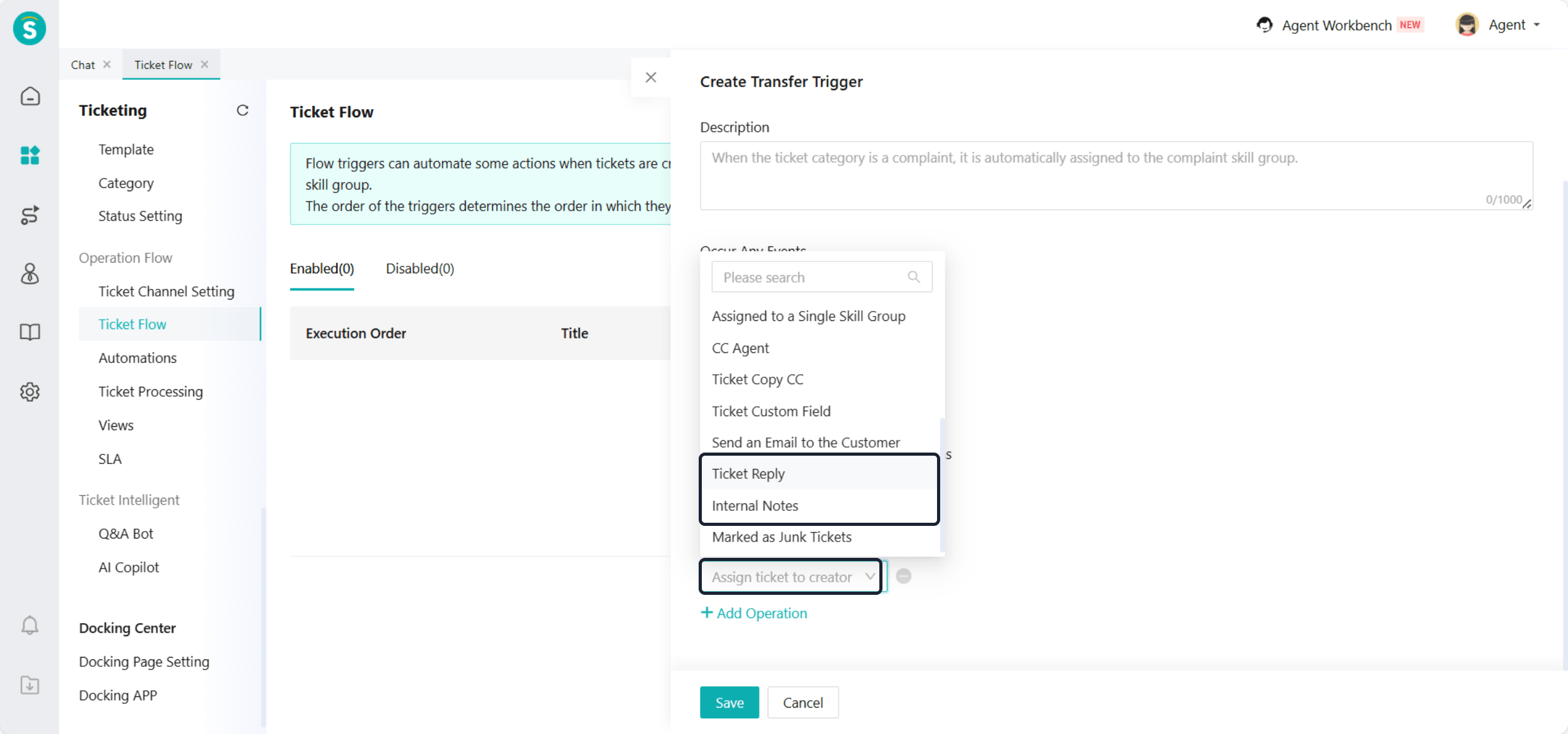
Add Execution Actions in Ticket Flow and Automations
Function Description
Ticket Flow / Automations - Perform Following Operation, add ticket reply, internal notes, assign ticket to creator actions.
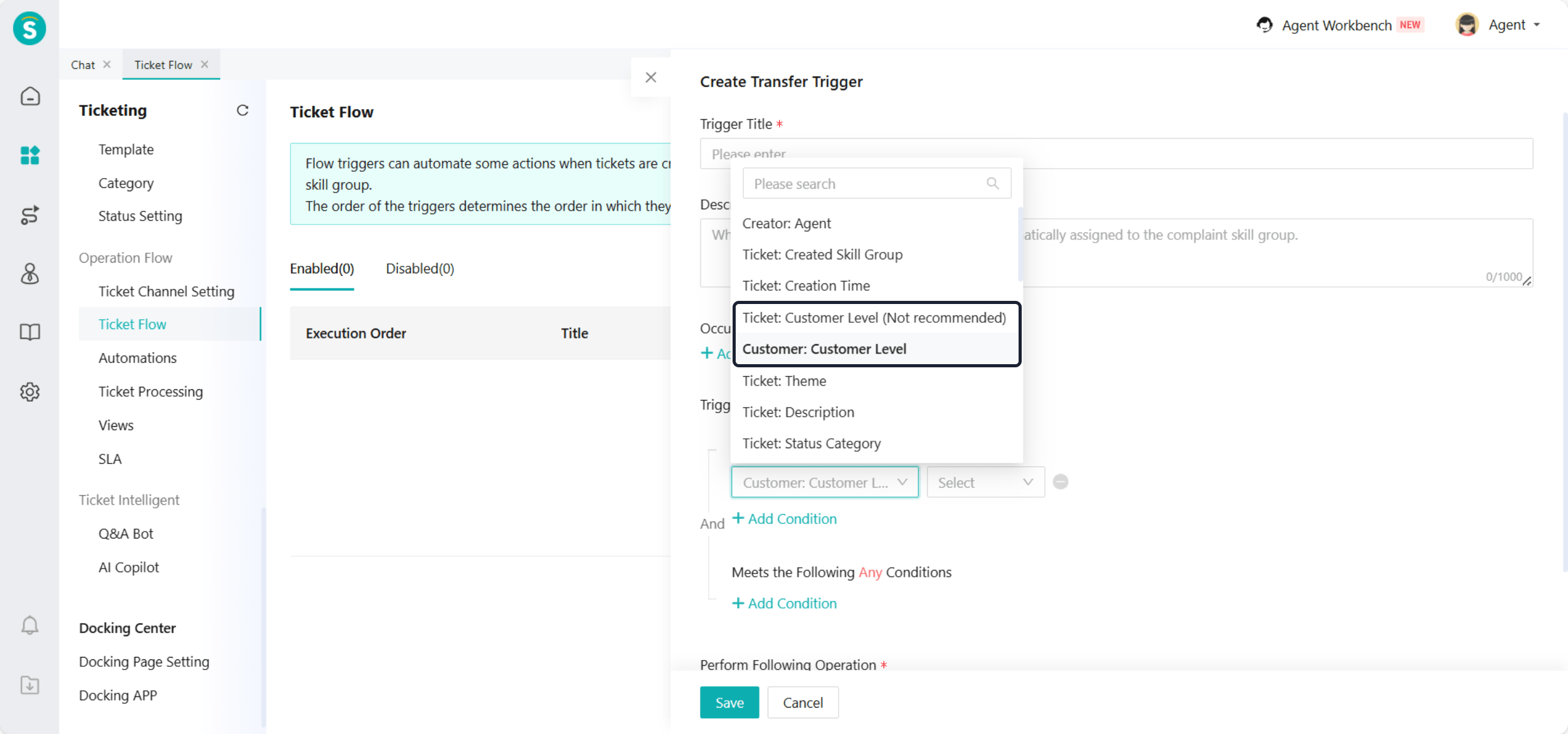
Add Customer Level Condition in Ticket Flow, Automations, and Views
Function Description
In the Ticket Flow, Automateds, and Views settings, a new trigger/view condition for customer level has been added. The original condition "Ticket: Customer Level" is not recommended for use by enterprises.
Email Channel Supports Addresses Containing "-", "--", and "+" Symbols
CRM
Customer Email Supports Addresses Containing "-", "--", and "+" Symbols
Admin Center
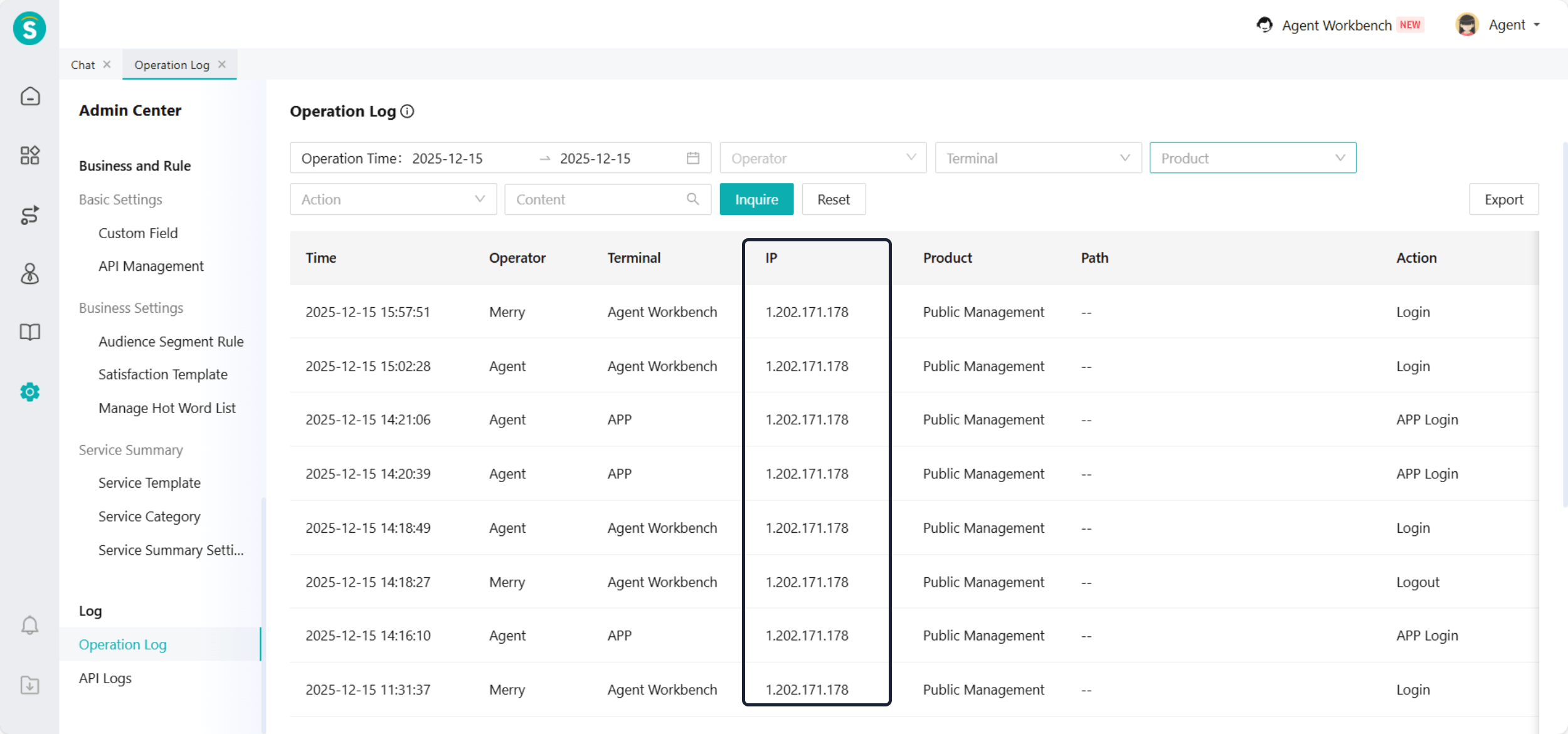
Add IP Field for Login and Logout in Operation Logs
Function Description
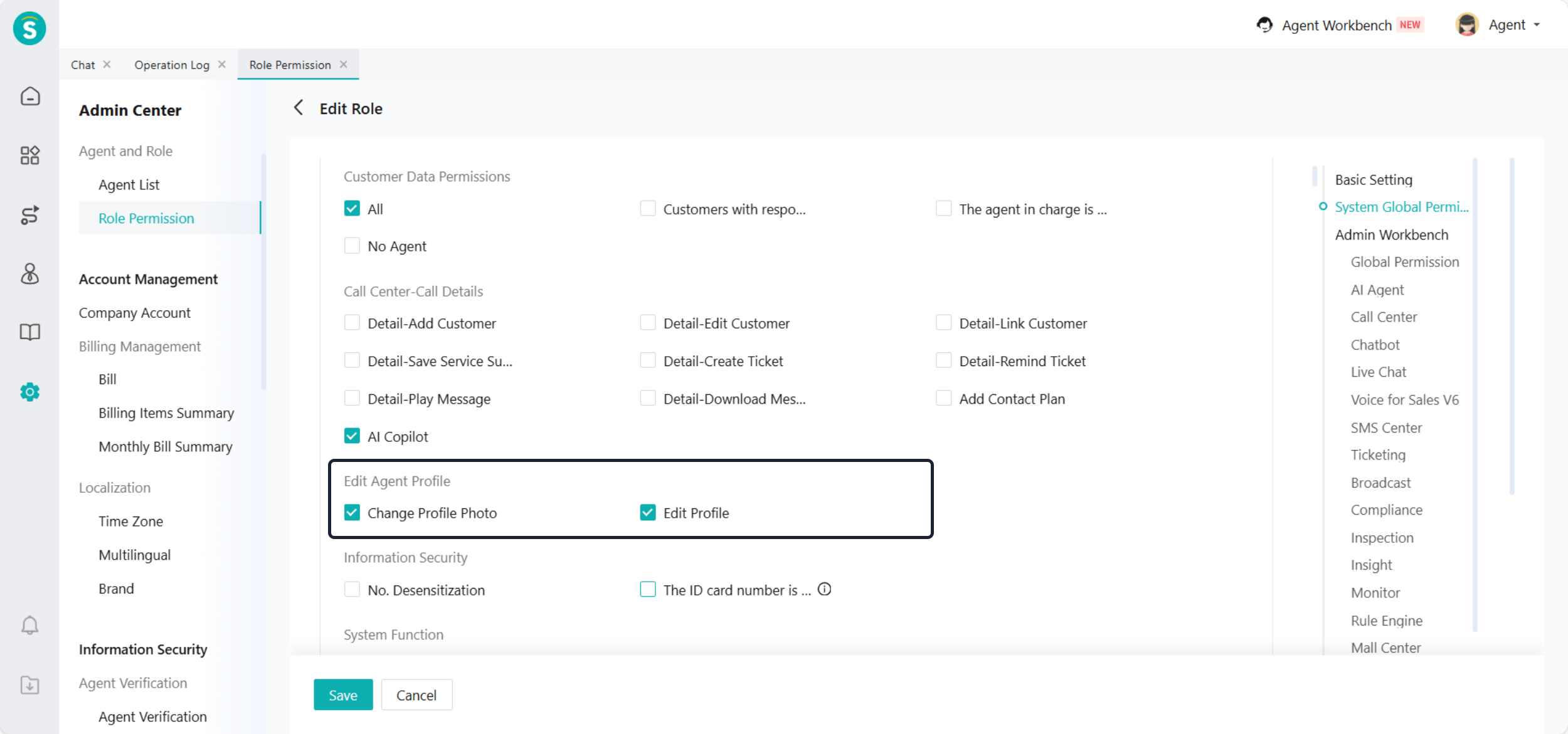
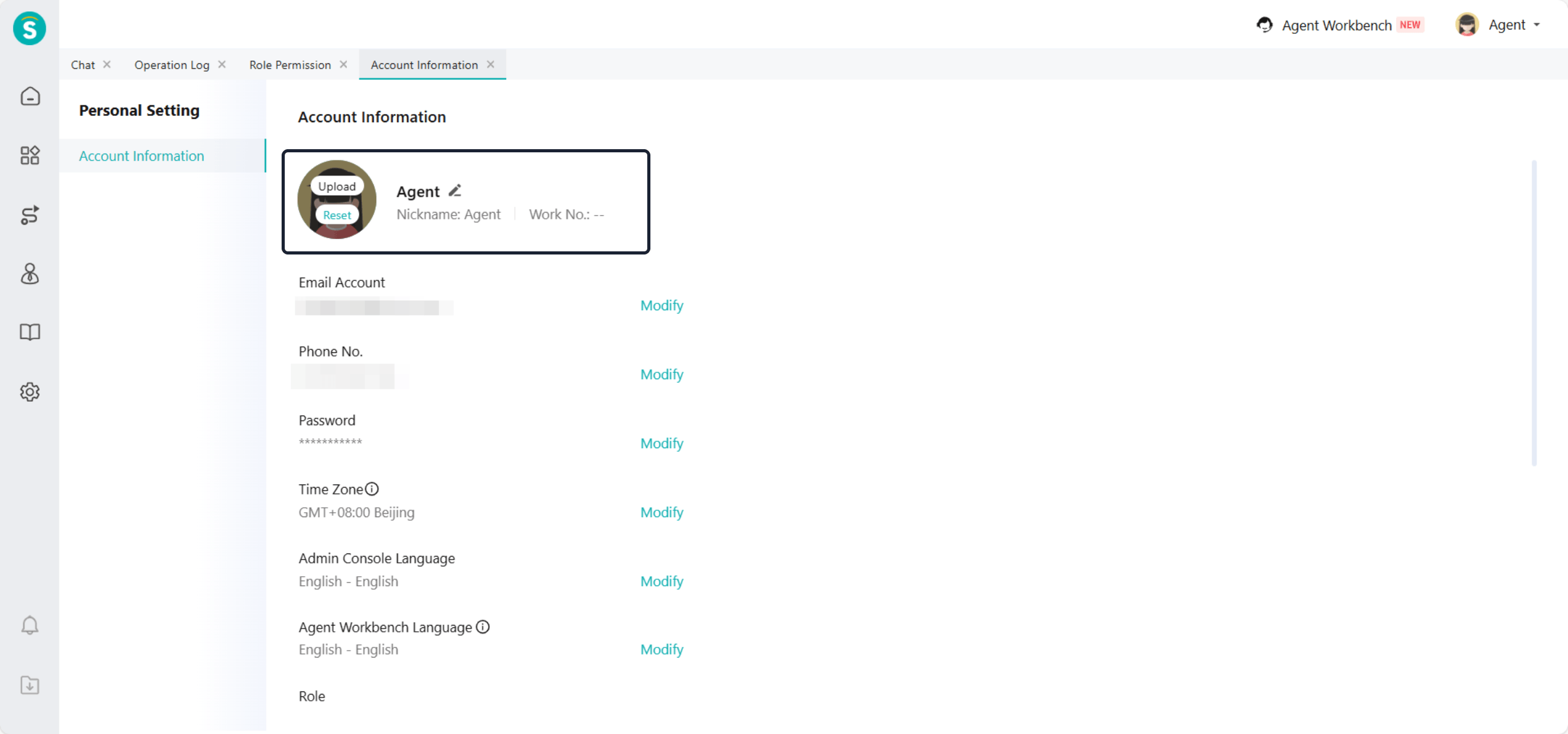
Allow Updating Profile Photo and Info via Permissions
Function Description
Inspection
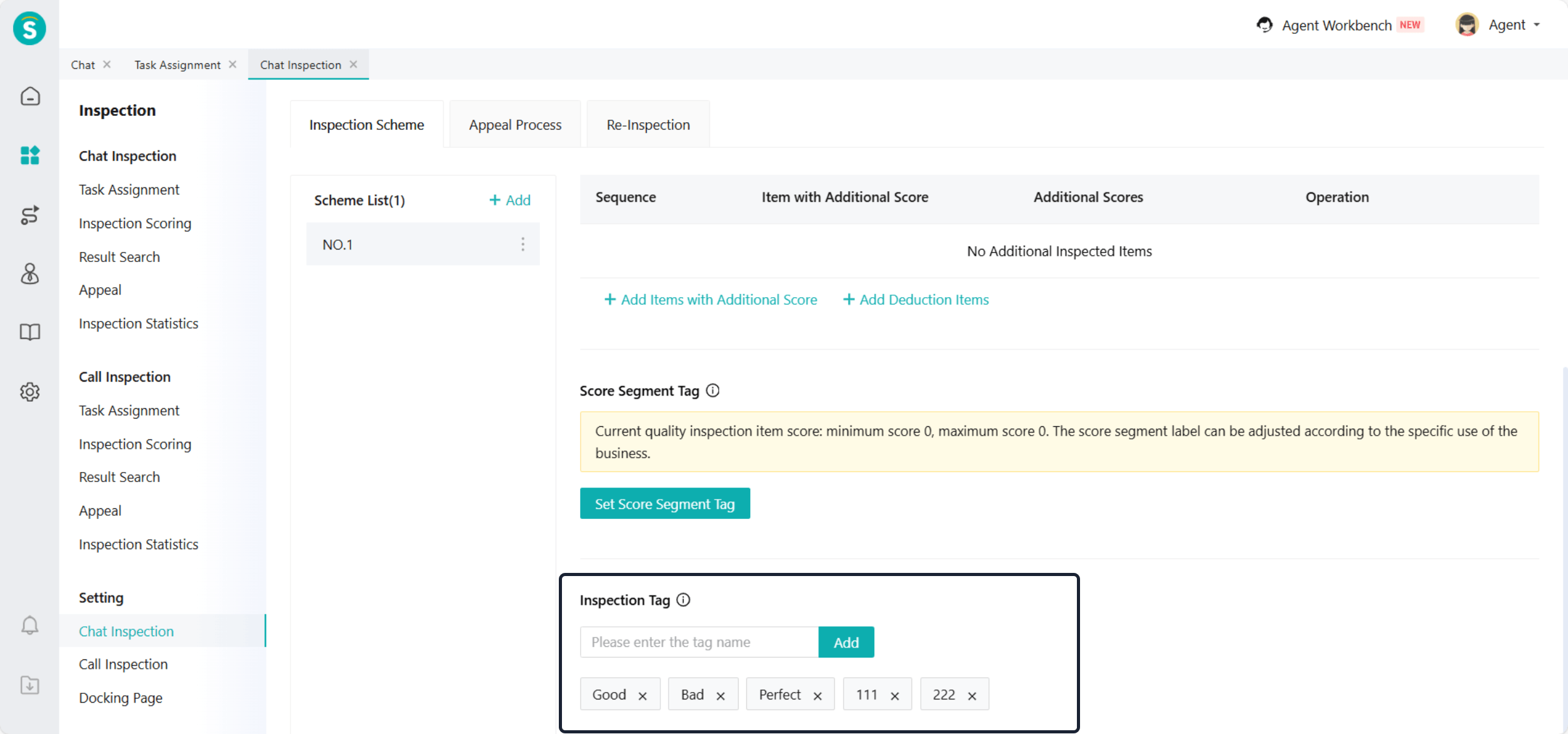
Increase Label Limit to 100 in Quality Inspection Schemes
Function Description