
Records
# Records
——This article helps you understand what Records does, along with how to use list filtering, field configuration, conversation details, the match chain, tuning and mark-as-wrong, and data subscription.
Entry: Data › Details › Records.
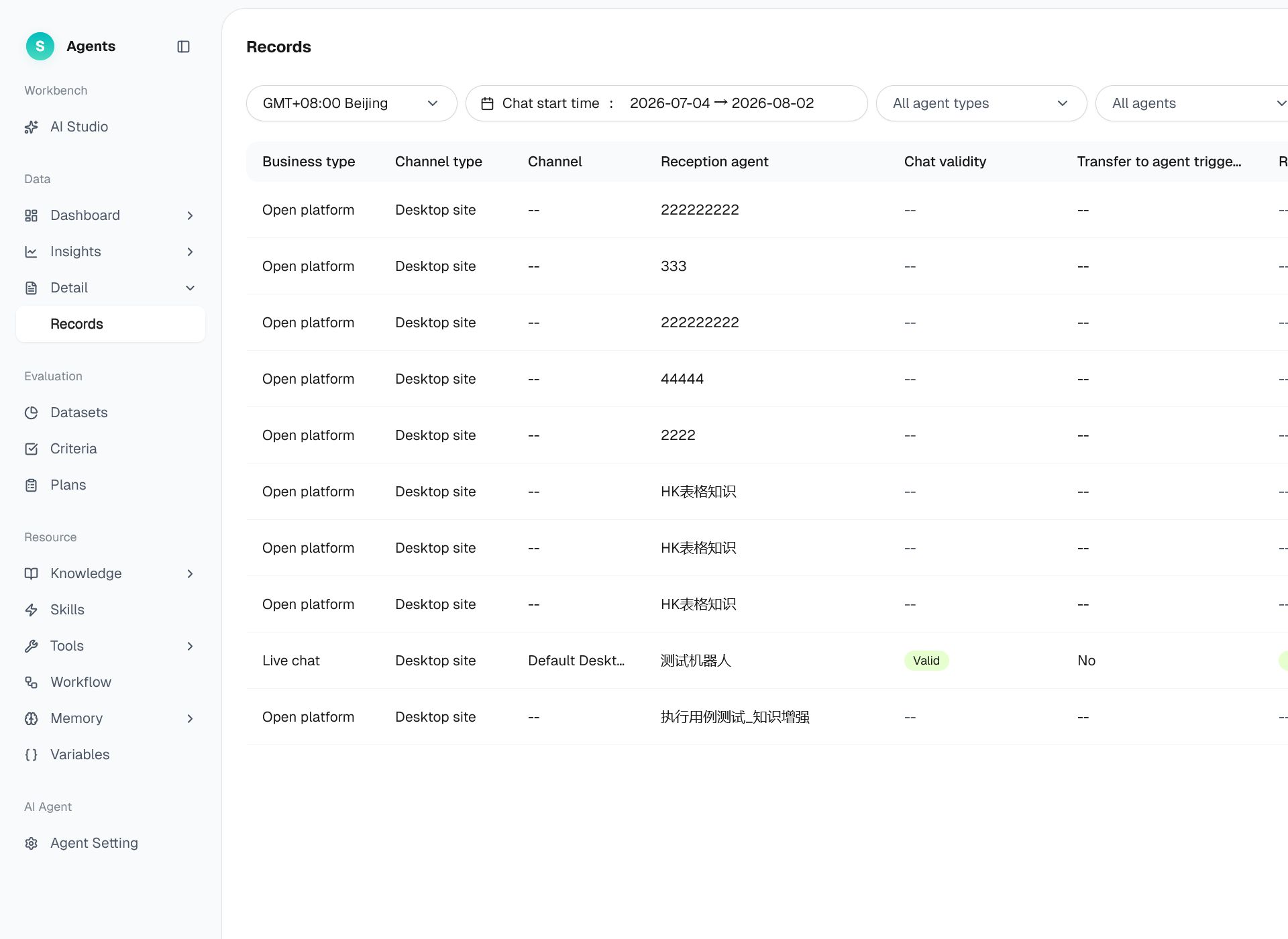
Figure 1: Records
# Records Overview
Before using Records, familiarize yourself with its use case and purpose:
- Use case: Administrators can review the details and full content of every conversation handled by a bot.
- Purpose: Preserve the details of each conversation and provide its complete execution chain, helping you investigate individual issues and initiate optimization.
# How to Use Records
# • List and Filtering
Filter by time zone, conversation start time, Agent type, Agent, and other conditions. Click Filter to display additional options. Common columns include business type, channel type, handling Agent, conversation effectiveness, whether a transfer to a human was triggered, resolution status, conversation creation time, and conversation end time.
# • Field Configuration and Export
- Display field configuration: Customize the columns displayed in the list.
- Export: Click Export in the upper-right corner to export the filtered results.
# • Conversation Details
Click a record to open its conversation details and review the complete conversation and the processing behind each AI response.
# • Match Chain
In the conversation details, review the match chain for an AI response. It shows the complete sequence of execution steps, including skill matching, tool calls, knowledge retrieval, variable injection, and prompt rendering, helping you understand why AI produced that response.
# • Tuning and Mark-as-Wrong
- Click Optimize below an AI response to send the response and its execution chain to AI Studio for diagnosis.
- When you mark a response as incorrect, its message ID and execution chain are also sent to the optimization workflow, where AI performs six-dimensional root-cause analysis.
# • Data Subscription
Create a scheduled subscription using specified conditions to have Records sent automatically.