
Datasets
# Datasets
——This article explains evaluation datasets and how to create single-turn or multi-turn datasets using manual entry, batch import, or AI generation.
Entry: Evaluation › Datasets.
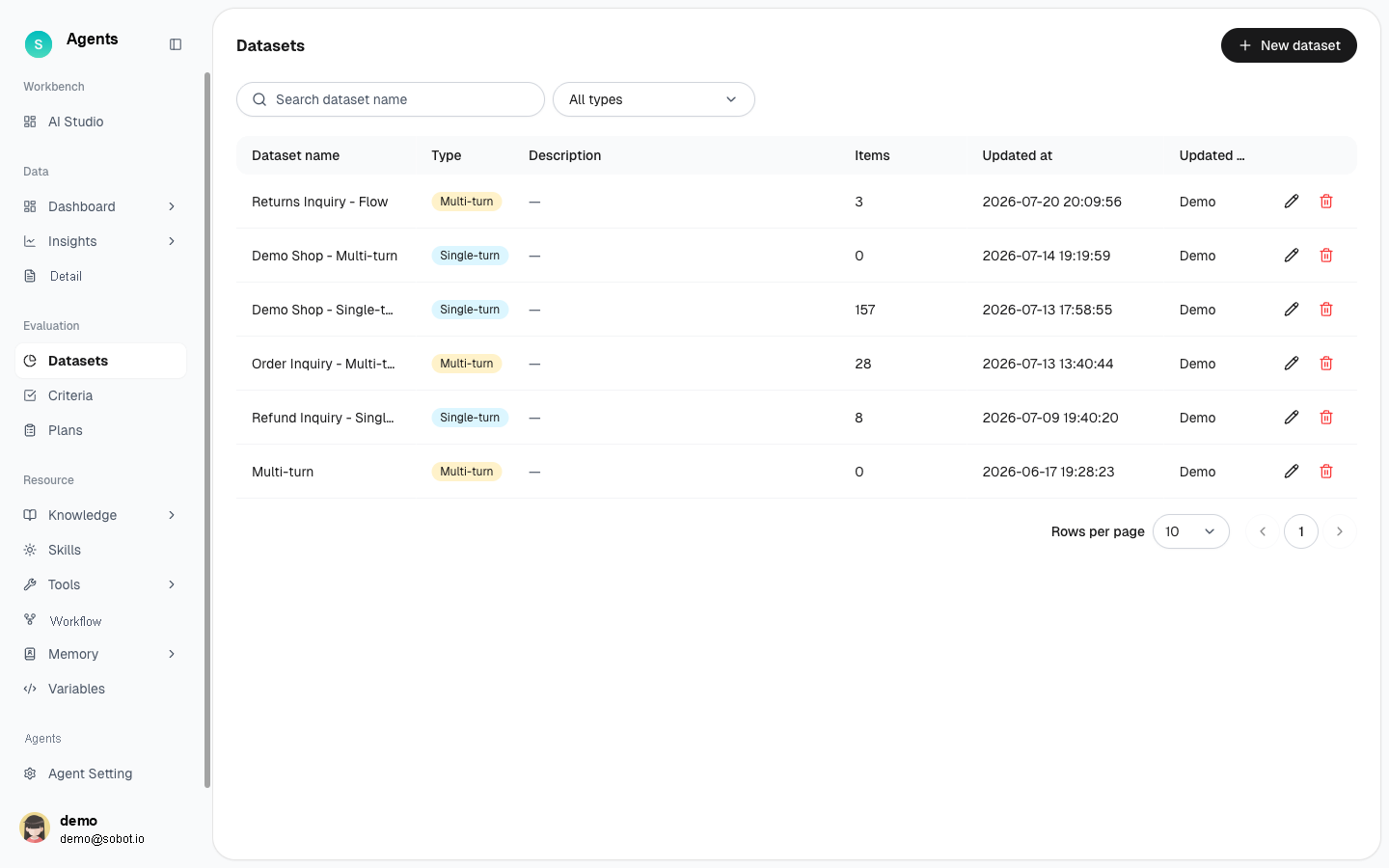
Figure 1: Evaluation dataset list
# Datasets Overview
- Use case: Prepare a set of questions for testing a bot before running an evaluation.
- Purpose: Centrally manage test question sets that can be used by evaluation plans. Questions can be prepared quickly through manual entry, batch import, or AI generation.
# How to Use the Datasets
# • List
The list displays all datasets, including the dataset name, type, description, number of items, update time, and updated by. Search by name or filter by type, and click New Dataset in the upper-right corner to create a dataset.
# • Single-Turn vs. Multi-Turn
Click New Dataset, enter a name, and select a dataset type. The type cannot be changed after the dataset is created.
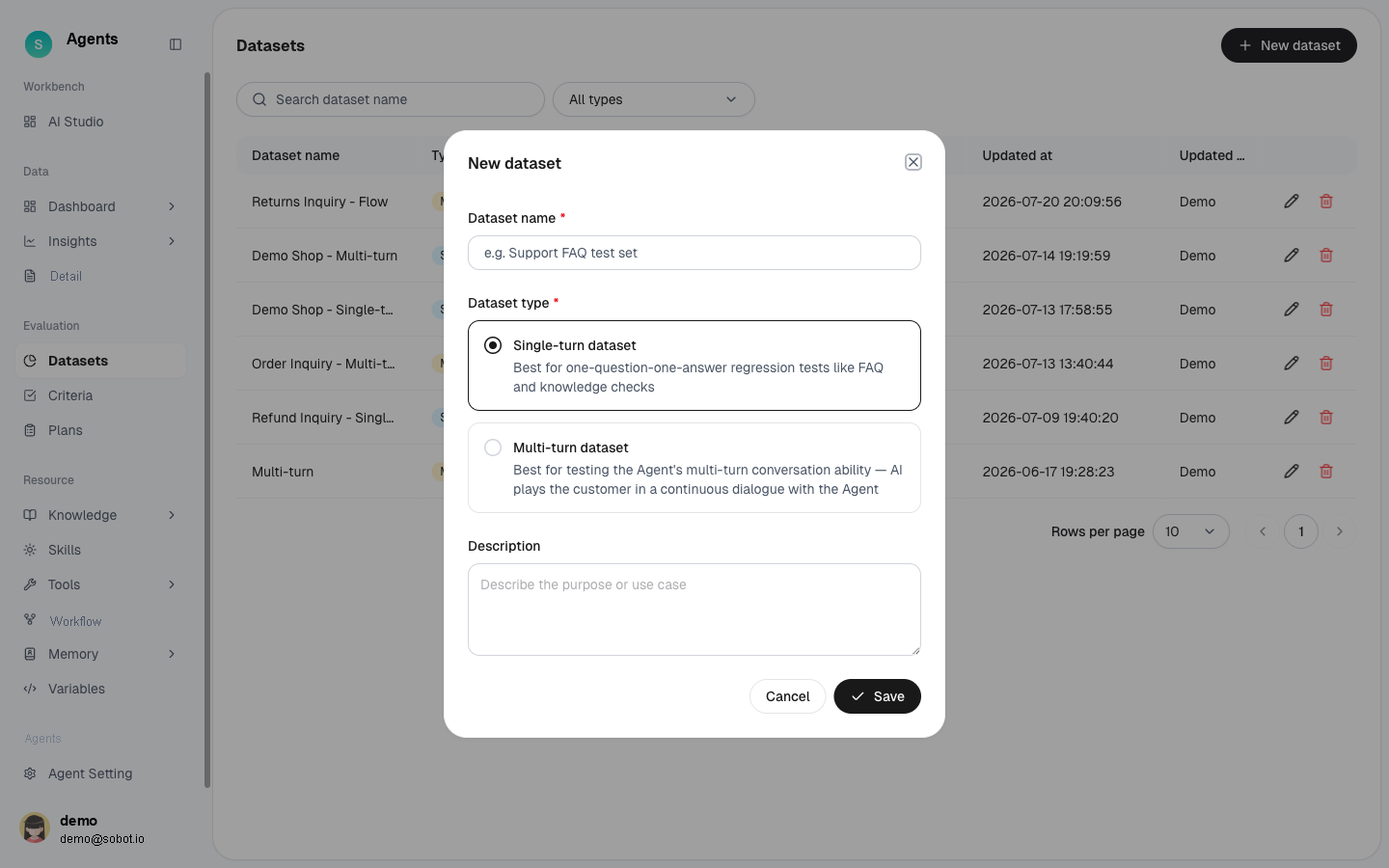
Figure 2: New dataset — choose single-turn / multi-turn
- Single-turn dataset: Each item is an independent question. Use this type for regression tests involving one question and one answer, such as FAQ or knowledge verification.
- Multi-turn dataset: Each item is a multi-turn conversation scenario in which AI acts as the customer and holds a continuous conversation with the Agent. Use this type to evaluate an Agent's multi-turn conversation capabilities.
# • Three Ways to Add
- Manual entry: Enter questions individually using a multi-row form.
- Batch import: Download and complete the XLSX template, then import it. The system validates the data against the template columns.
- AI generation: Automatically generate test questions from a knowledge base or historical conversations.
# • Steps
- Click New Dataset, select Single-turn or Multi-turn, and enter a name and description.
- Open the dataset details and add questions using one of the three methods above.
- After batch import or AI generation is complete, the results dialog displays the number of successful and failed items.
Last Updated: 8/6/2026, 4:27:14 PM