
Plans
# Plans
——This article explains evaluation plans and how to create and run plans, review reports, compare results, perform regression testing, and continue to optimization.
Entry: Evaluation › Plans.
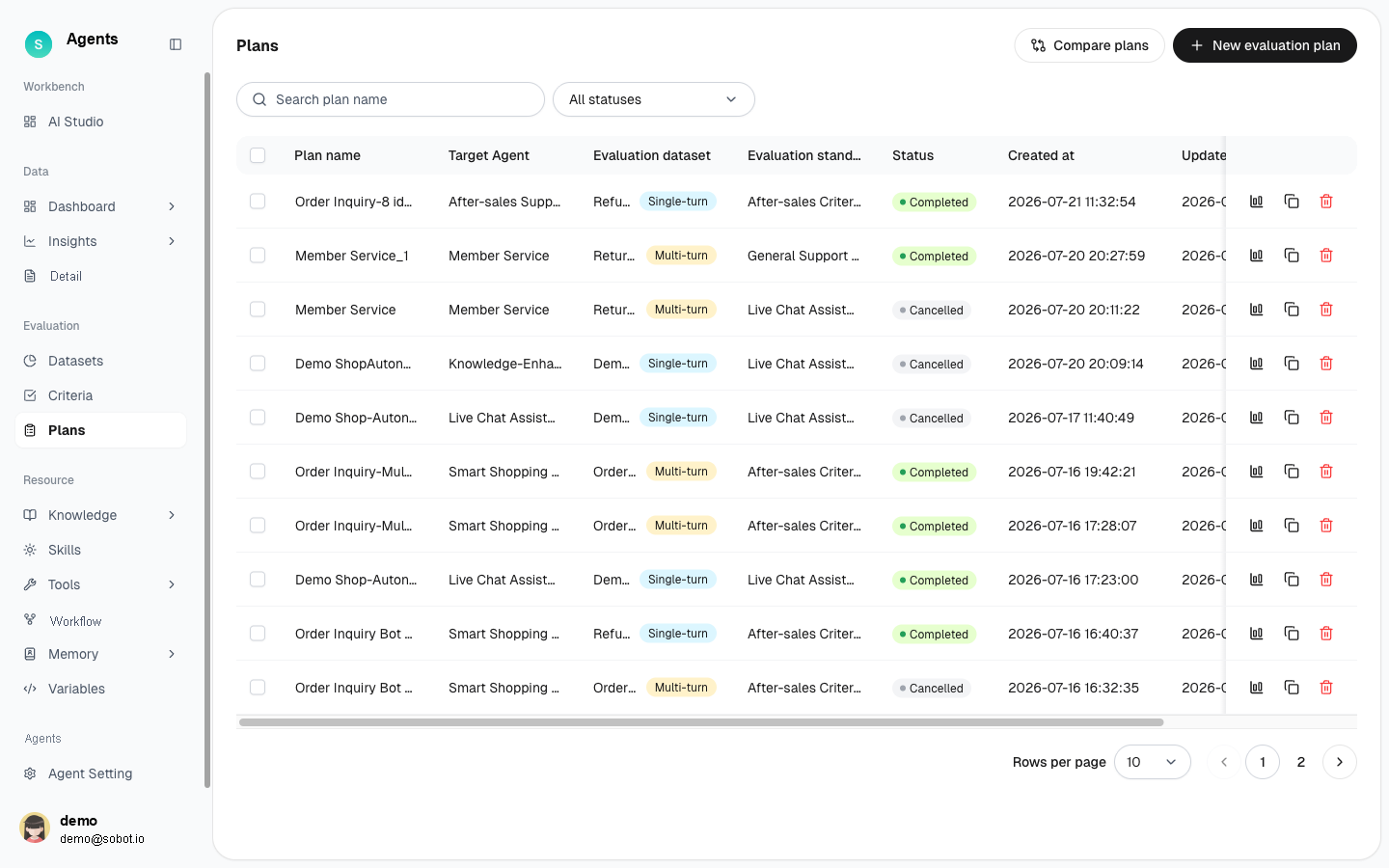
Figure 1: Evaluation plan list
# Plans Overview
- Use case: Combine a dataset, evaluation criteria, and a target bot to run an evaluation and generate a report.
- Purpose: Run evaluations, generate evaluation reports, compare versions, and perform regression testing to complete the evaluation workflow.
# How to Use the Plans
# • List
The list displays all plans, including the plan name, target Agent, evaluation dataset, evaluation criteria, status, creation time, update time, created by, and available actions. Search by name or filter by status. Click New Plans or Compare Plans in the upper-right corner.
# • Create a Plan
Click New Plans, then select an Agent, dataset, and evaluation criteria to create and run an evaluation.
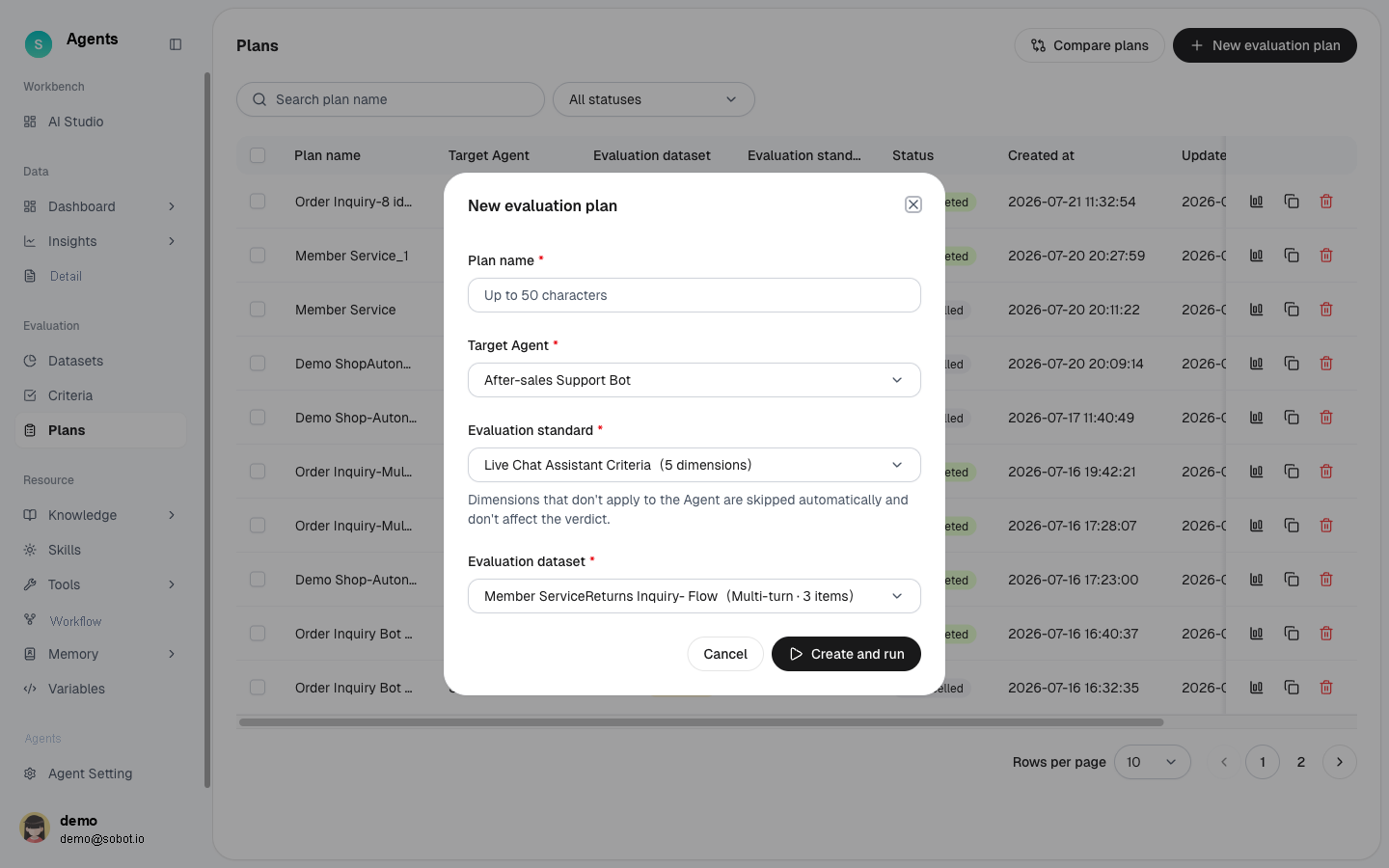
Figure 2: New evaluation plan — choose target Agent + criteria + dataset
- Enter the plan name.
- Select the target Agent to evaluate.
- Select the evaluation criteria and evaluation dataset.
- Click Create and Run to start the evaluation. You can also click Copy as New Plan in the list to reuse an existing configuration.
# • Run and Report
- Execution progress: While a plan is running, its details page displays the execution progress.
- Plan details: After completion, review the overall score and item-level results in the report.
- Item details: Expand single-turn or multi-turn items to review each question, answer, and dimension score.
- Manual review and calibration: Manually review and calibrate AI-generated scores to correct individual judgments.
# • Comparison and Regression
- Plan comparison: Select multiple plans and click Compare Plans to compare their metrics and items side by side.
- Regression testing: After updating a configuration, rerun the same dataset and compare the results item by item.
# • Continue to Optimization
For a failed case in the report, click Optimize to send the case to AI Studio. AI analyzes the cause and provides recommendations.