Product Documentation Product Documentation
Developer Documentation (opens new window)
  • Docking Channel Settings

  • Diversified Reception Scheme

  • Mode Settings

  • Agent Settings

  • Chat Settings

  • SLA

  • Agent Workbench

  • Online Monitoring

    • Overall Introduction to Online Monitoring
      • Real-Time Dashboard Guide
      • Alert Dashboard Guide
    • Data Statistics

    • WhatsApp

    • Line

    • Live Chat
    • Online Monitoring
    Sobot
    2022-05-25
    Menus

    Overall Introduction to Online Monitoring

    # Overall Introduction to Online Monitoring

    ——Help you keep track of the overall status of agent operations at any time

    # The Role Of Online Monitoring

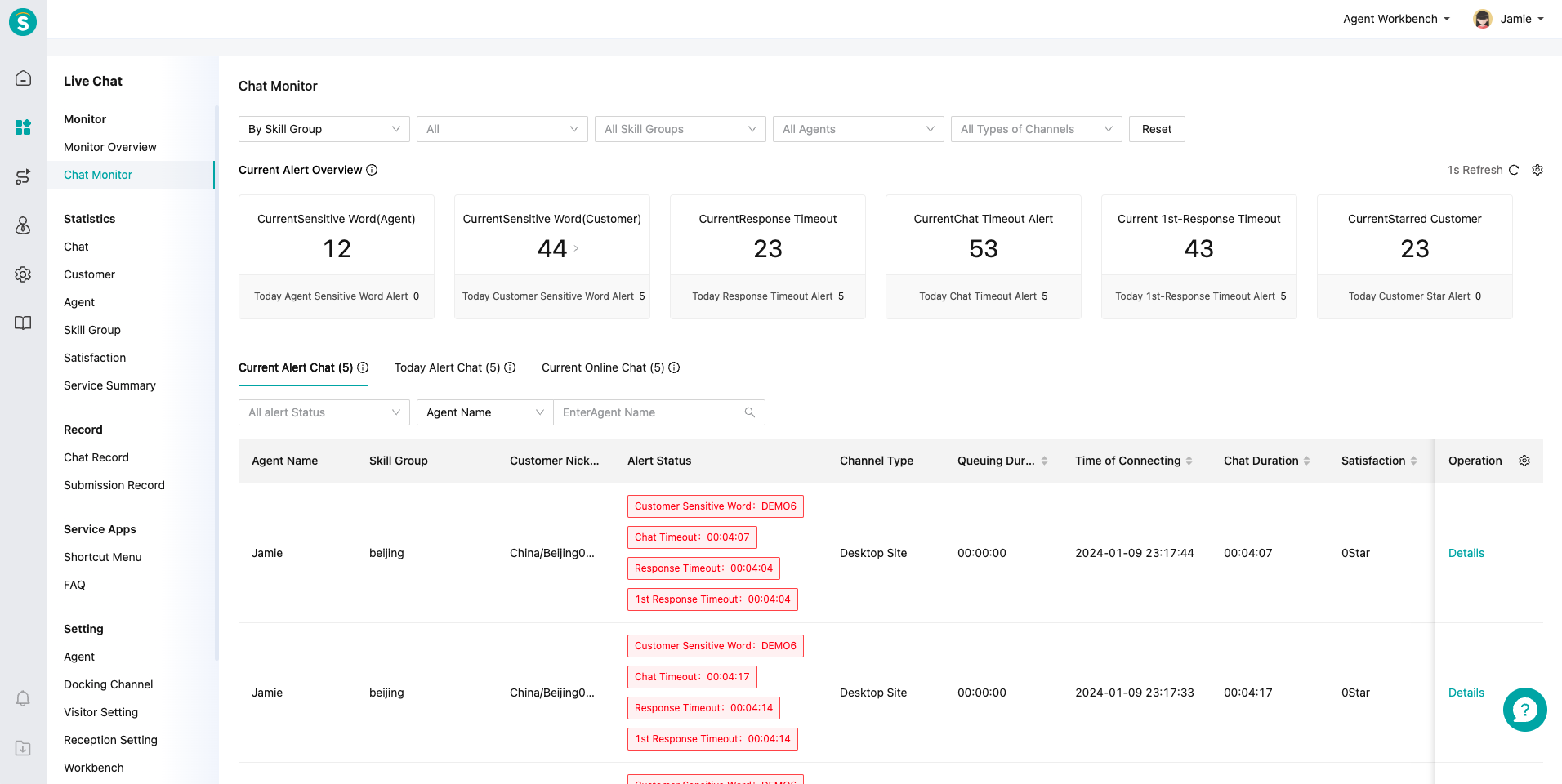
    Online monitoring consists of two modules: "Real-Time Dashboard" and "Alert Dashboard". It helps administrators understand the agent's reception pressure and chat alert status.

    # Main Functions Of Online Monitoring

    # ● Real-Time Dashboard

    Display detailed metrics for each stage of the chat and agent performance, helping administrators monitor workload in real time, allocate resources effectively, and adjust service strategies. Figure Name
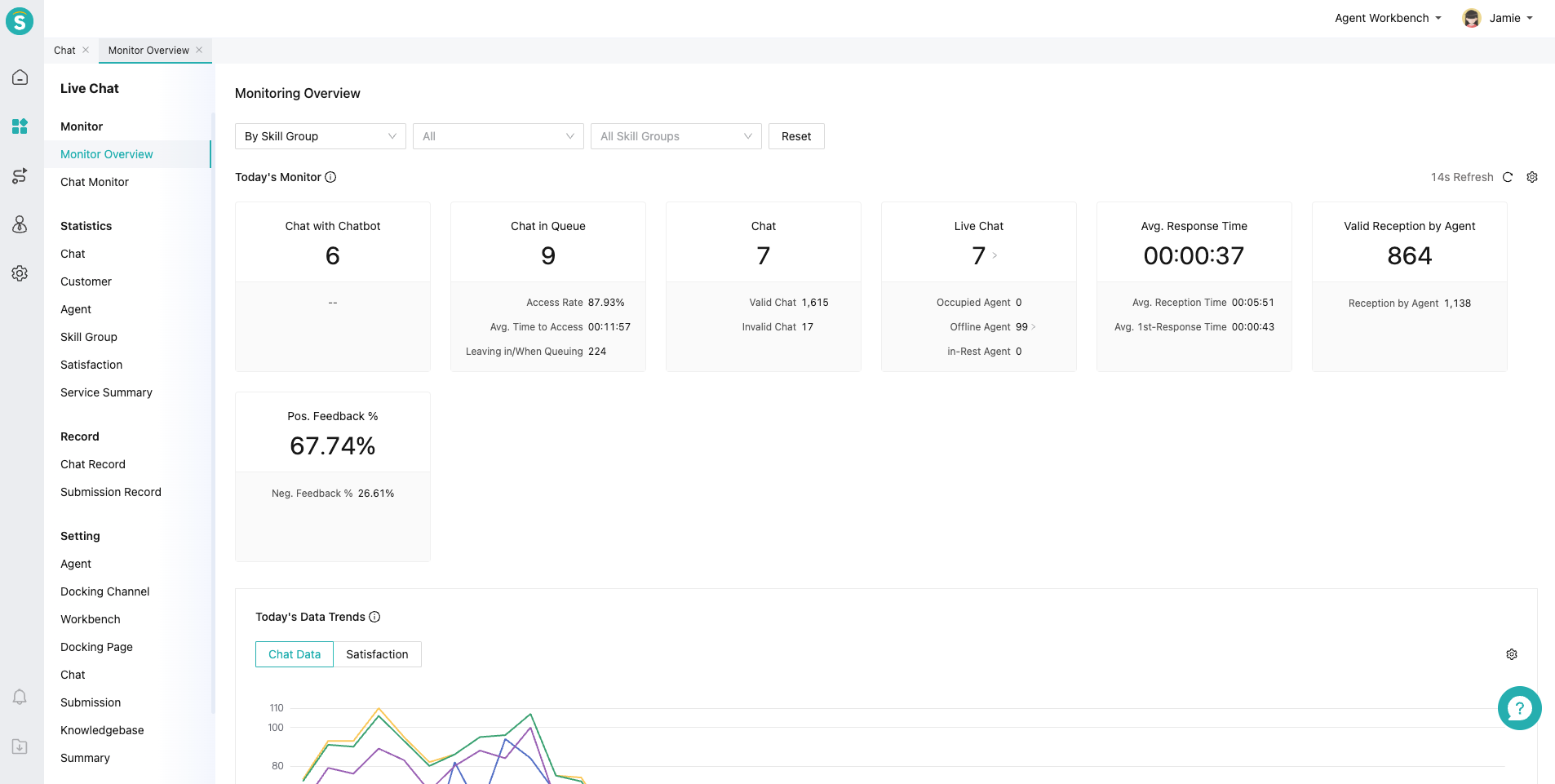
    Figure 1: Real-Time Mode - Real-Time Dashboard

    Figure Name

    Figure 2: Always On Mode - Real-Time Dashboard
    # ● Alert Dashboard

    Display alert statuses and causes across each stage of the chat, helping administrators determine whether to intervene and stay informed of daily alert conditions. Figure Name
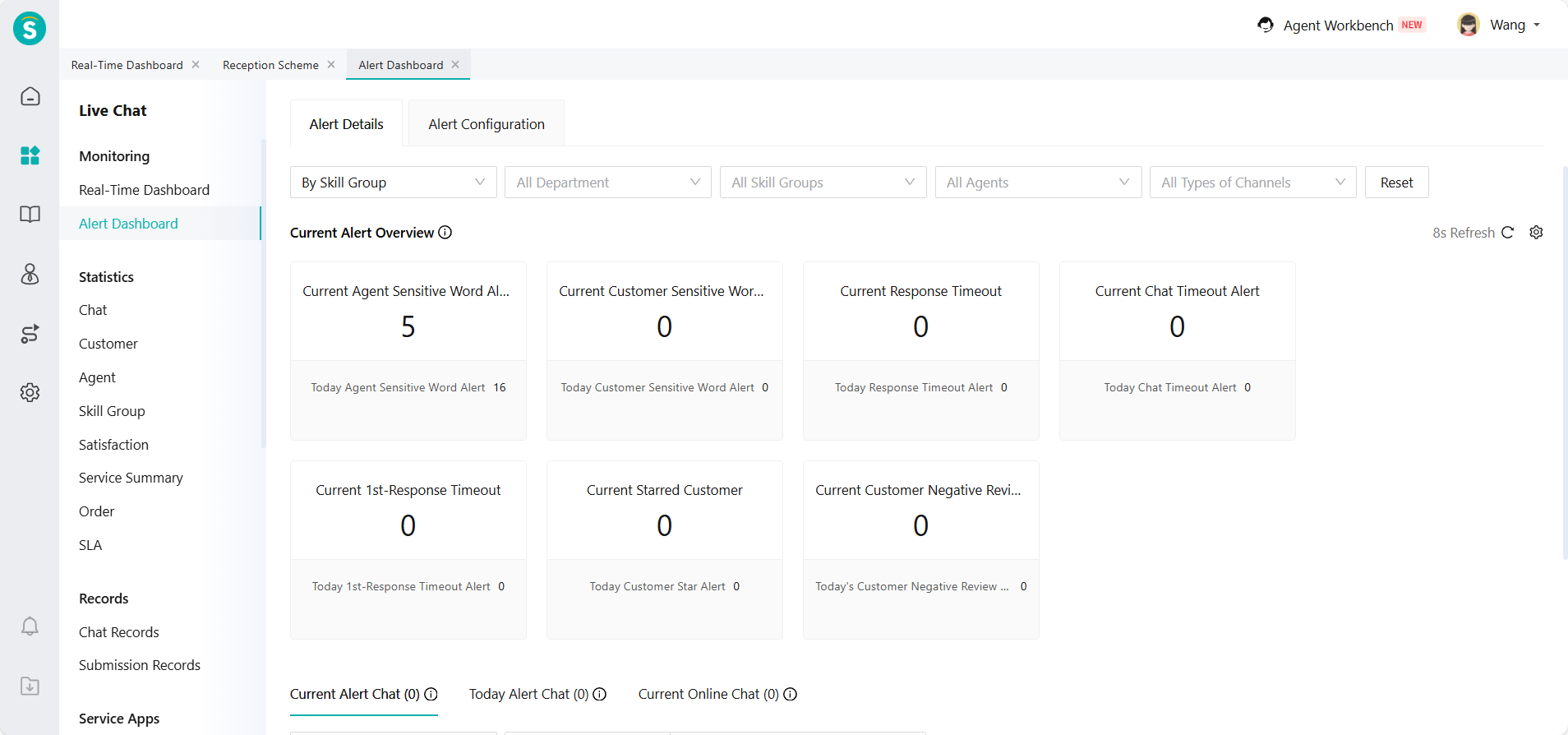
    Figure 3: Alert Dashboard
    Last Updated: 4/9/2026, 3:23:41 PM

    ← AI Assistance Real-Time Dashboard Guide→

    Update Date
    01
    Overall Introduction to Submission Management
    10-27
    02
    Real-Time Reception Mode
    10-25
    03
    Always On Mode
    10-25
    More Articles>
    Theme by Vdoing
    • Follow Sys
    • Line
    • Dark
    • Read