
Agents Overview
# Agents Overview
——This article explains what an Agents is and how it differs from a legacy LLM bot.
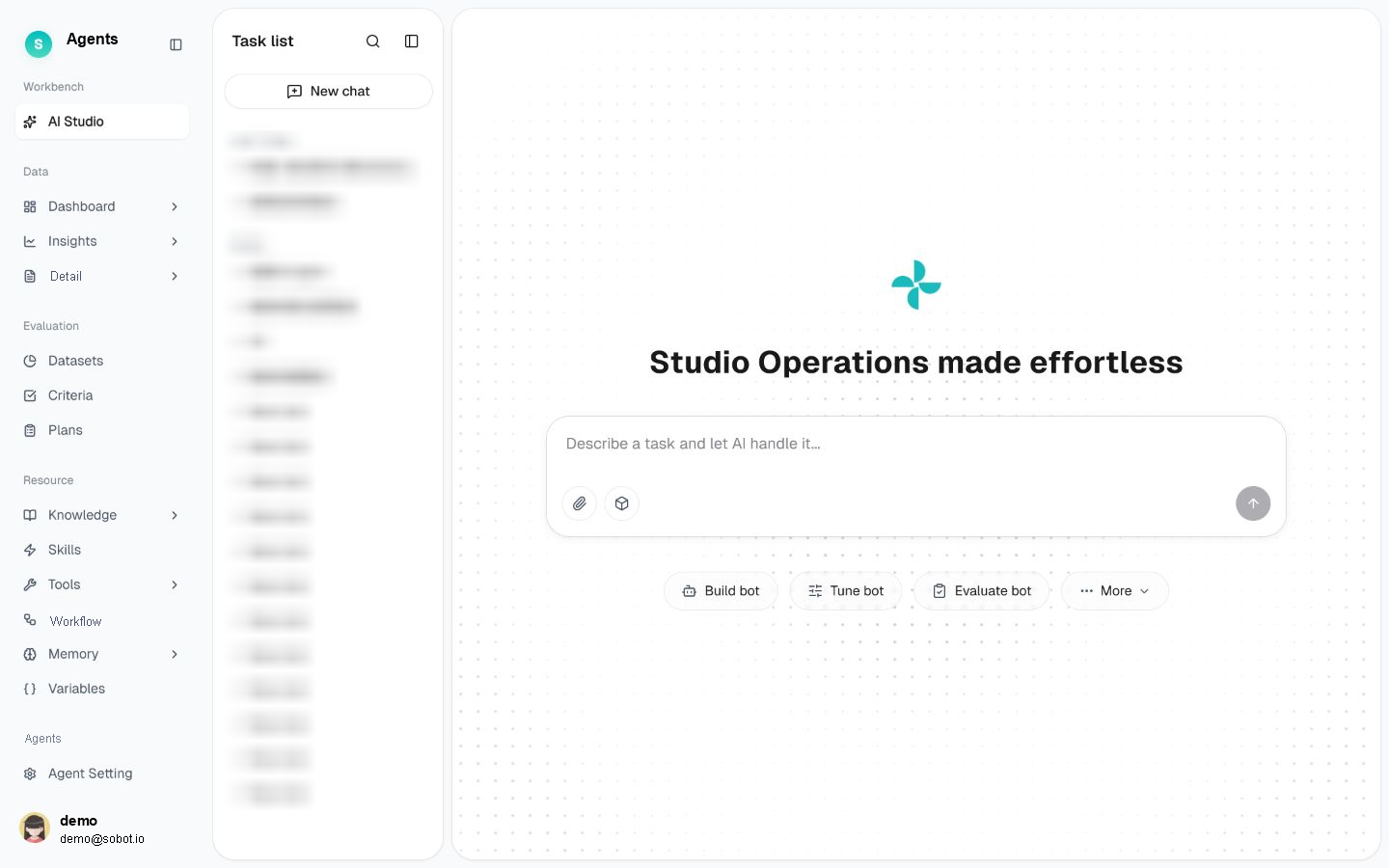
Figure 1: Agents overview
# Agents Overview
Before using Agents, we recommend familiarizing yourself with its use cases and purpose:
- Use case: Build an intelligent customer service bot and continuously improve service quality through performance evaluation, optimization, and data analysis.
- Purpose: Centrally manage the knowledge, skills, and tools required by an Agent. Use conversational interactions to build, evaluate, and optimize the Agent, making setup easier and ongoing maintenance more efficient.
Unlike the legacy LLM bot module, which requires you to configure each setting manually, Agents lets you describe your requirements in natural language and then assists you in building the bot.
# Core Design Principles
- Agent-centric: Focus on what is required to build an Agent rather than navigating separate feature modules.
- Build AI with AI: Use natural language in the conversational AI Studio to build, evaluate, optimize, and analyze bots.
- Reusable resources: Knowledge, skills, tools, variables, memory, and other resources can be managed independently and shared by multiple Agents without being recreated.
- Continuous service improvement: After an Agent goes live, you can monitor its operation, identify issues, evaluate performance, and optimize it at any time.
# Concepts to Know First
- Agent: An entity composed of basic information, prompts, required resources, and operating rules. It can interact directly with customers or assist customer service agents in resolving customer issues.
- Resource: A reusable capability that can be shared by multiple Agents, including knowledge, skills, tools, memory, and variables. Resources are centrally managed in the Resource.
- Reference binding: An Agent links resources to itself by reference (@), allowing the same resource to be used by multiple Agents at the same time.
- Operational closed loop: Build the Agent, evaluate its actual performance, optimize it based on the evaluation results, and continue improving it using post-launch data analysis to enhance service quality.
# Tour of the Five Modules
- AI Studio: A conversational workspace covering bot building, evaluation, optimization, and data analysis
- Data: Global data monitoring, issue discovery, and conversation record tracing
- Evaluation: Systematic measurement of Agent performance
- Resource: Centralized management of knowledge, skills, tools, memory, variables, and other resources
- Agent Setting: Management of an Agent's basic information, prompts, resource bindings, rules, debugging, and publishing
Next step: Read Quickly Build Your First Agent to get an Agent up and running in 10 minutes.
Last Updated: 8/6/2026, 4:27:14 PM