Audience Segment Rule Management Guide
# Audience Segment Rule Management Guide
——Define and manage customer groups in groups based on different service businesses
# Role of Audience Segment Rule
● Create reusable customer grouping rules based on customer channel sources, customer tags, valid time, personalized param passing and other conditions to distinguish customer identities and trigger different functions or schemes for different customer groups;
● At present, the Customer Group: Grouping Rule Management has become a trigger condition for Bot One-round Question, Visitor Setting, Reception Scheme Setting, FAQ and Shortcut Menu.
# Main Functions of Audience Segment Rule
# ● Operation Path
Admin Console > Admin Center > Business and Rule > Business Settings > Audience Segment Rule
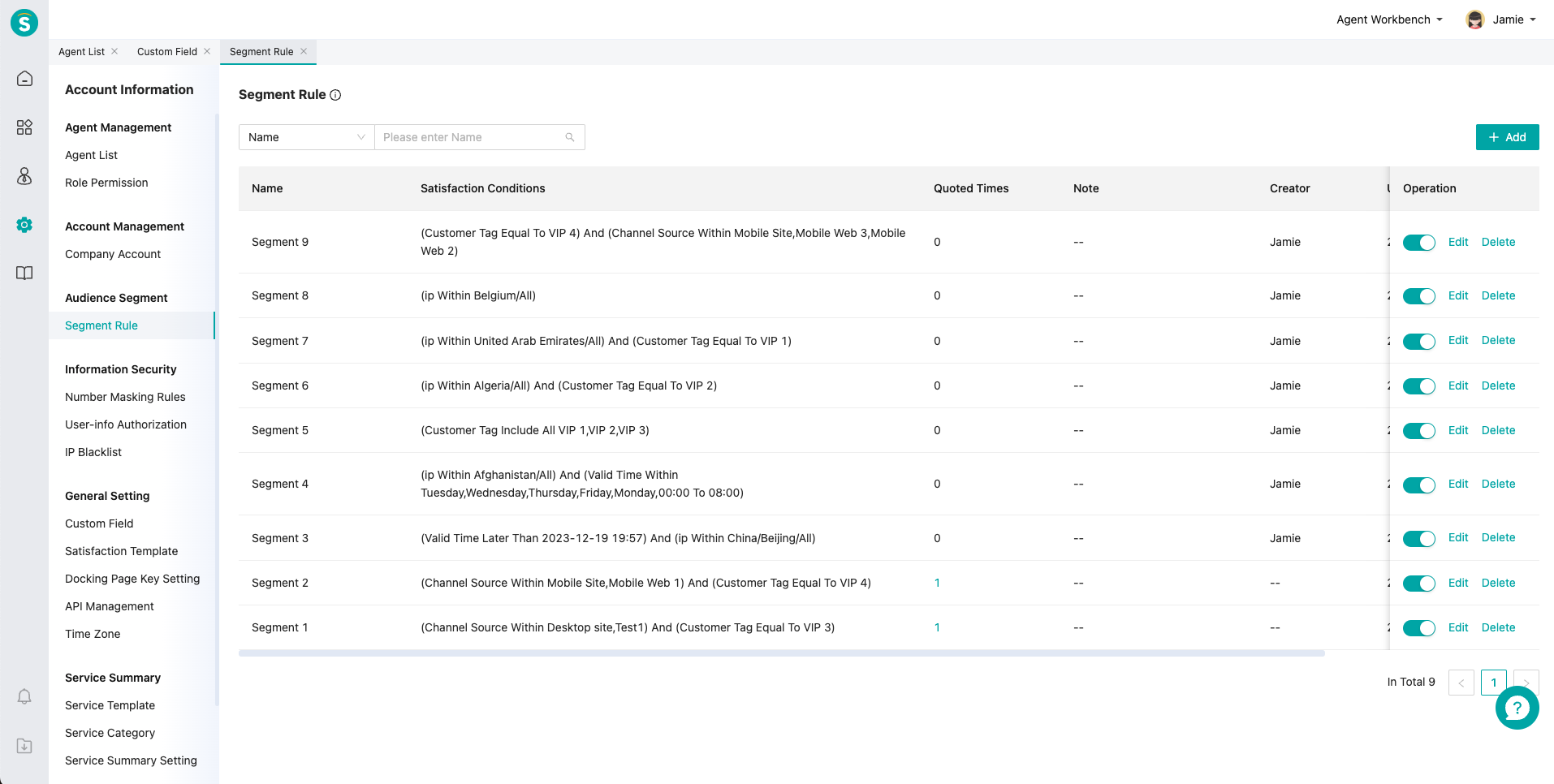
# ● Audience Segment Rule Management List
Manage the customer grouping rules for the entire company, view quoted times, and set whether the grouping rules are enabled
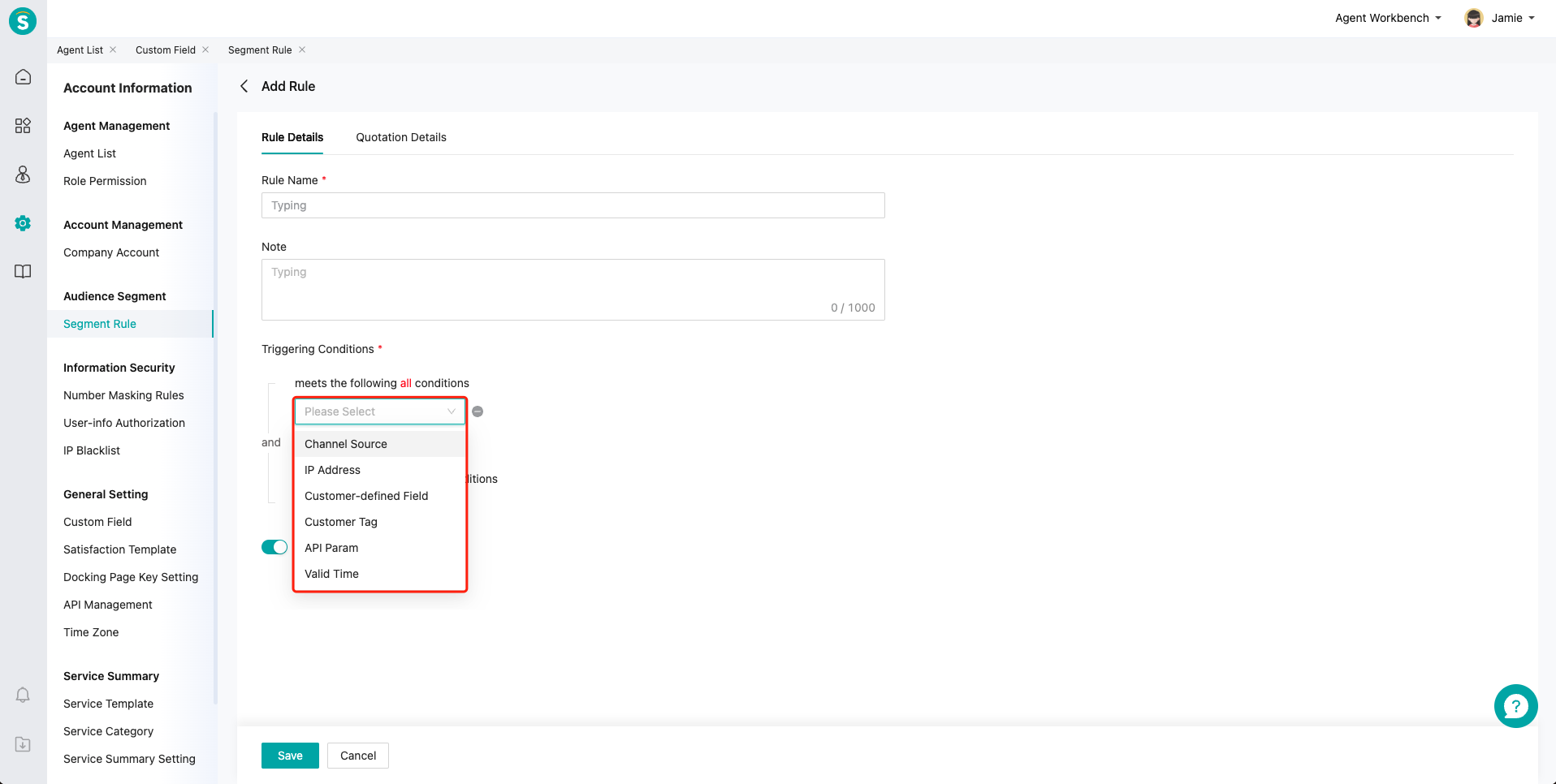
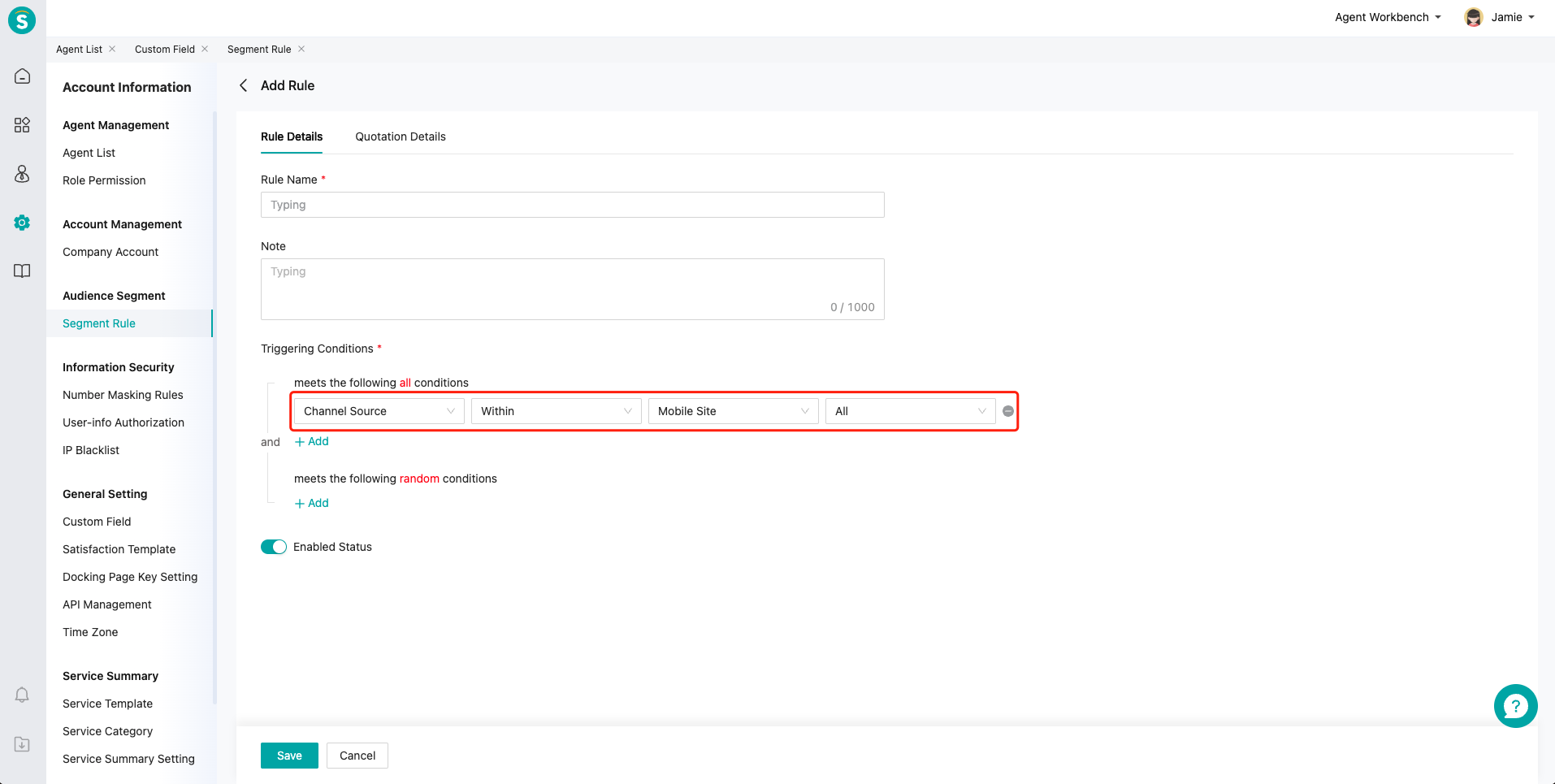
# ● Add audience segment rules
Support creating different customer grouping rules based on channel sources, customer tags, valid time and API param passing
# ● View and manage quotation relationship of audience segment rules
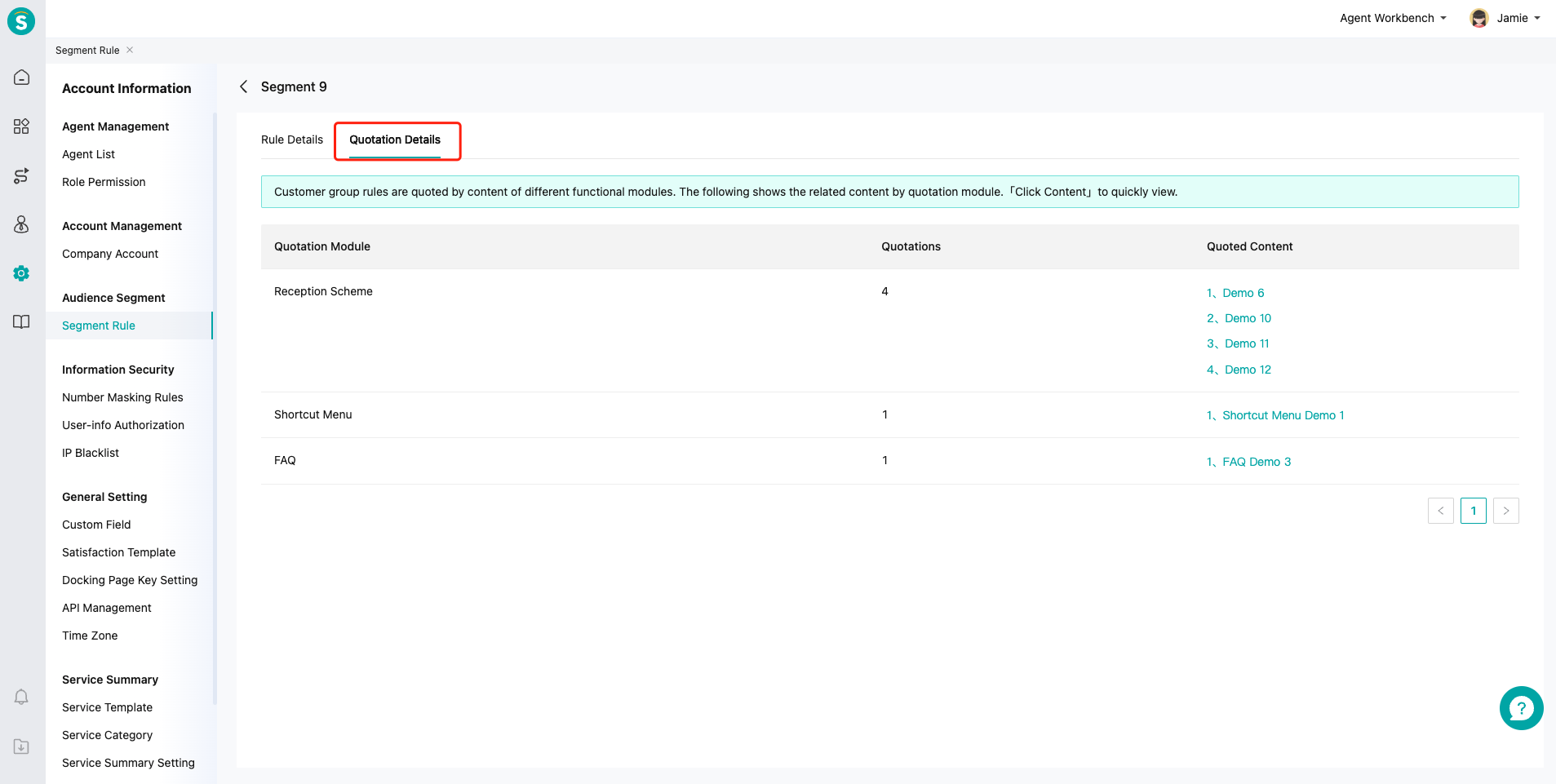
If the customer grouping rule is quoted by functions such as Smart Response, Visitor Setting, Reception Scheme Setting, FAQ and Shortcut Menu, deleting or disabling the customer group will cause the association functions to be unavailable. View and manage it through the "Rules Dependency" tab. Click on the specific「Quoted Content」copy to jump to the function edit status and directly adjust the grouping rule quotation.