
Talk Trigger
# Talk Trigger Guide
——Function module of automatically triggering a series of actions by different preset trigger conditions
# Role of Talk Trigger
Talk trigger can automatically trigger and execute a series of actions according to preset talk conditions, thus automating some fixed and repetitive workflows.
# Main Functions of Talk Trigger
# ● Create triggers and support customizing execution order of triggers.
# ● Search triggering record of triggers
# How to Use Talk Trigger
# ● Create Trigger
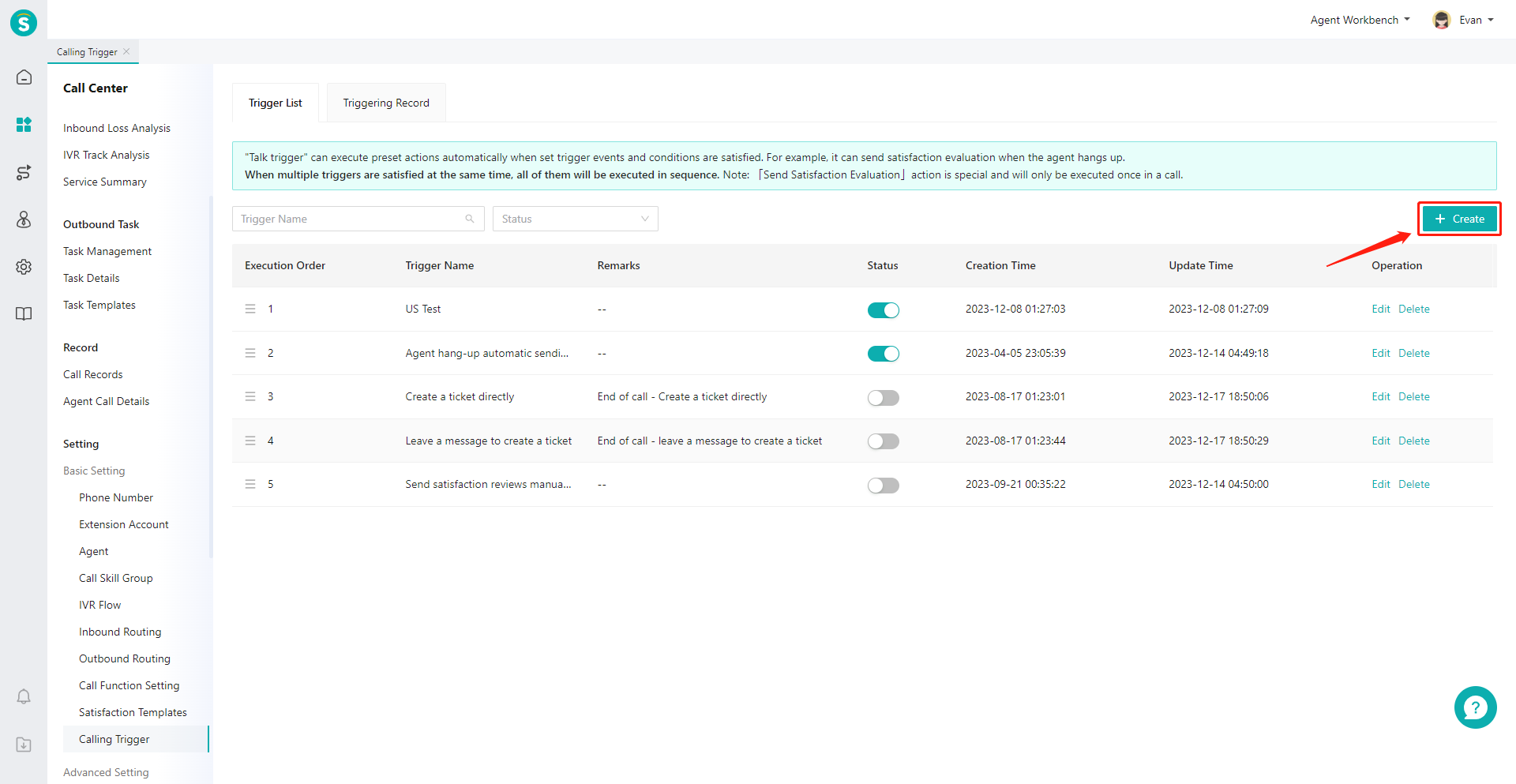
- Click「Create」button in the top right corner of the page to enter the Create Trigger edit page.
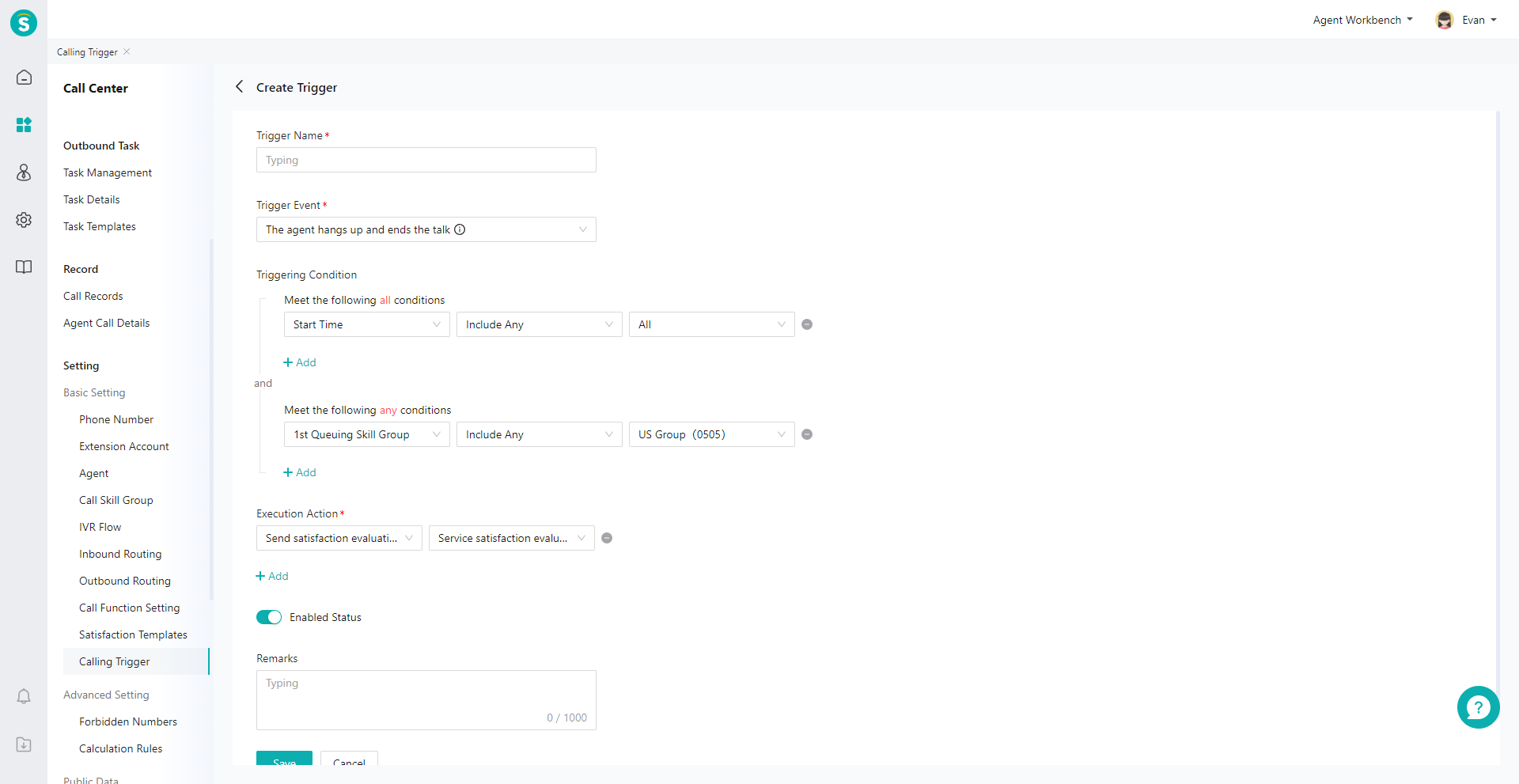
- Set the "Trigger Event", "Trigger Condition" and "Action to be Executed" of the trigger.
# ● Search Triggering Record of Triggers
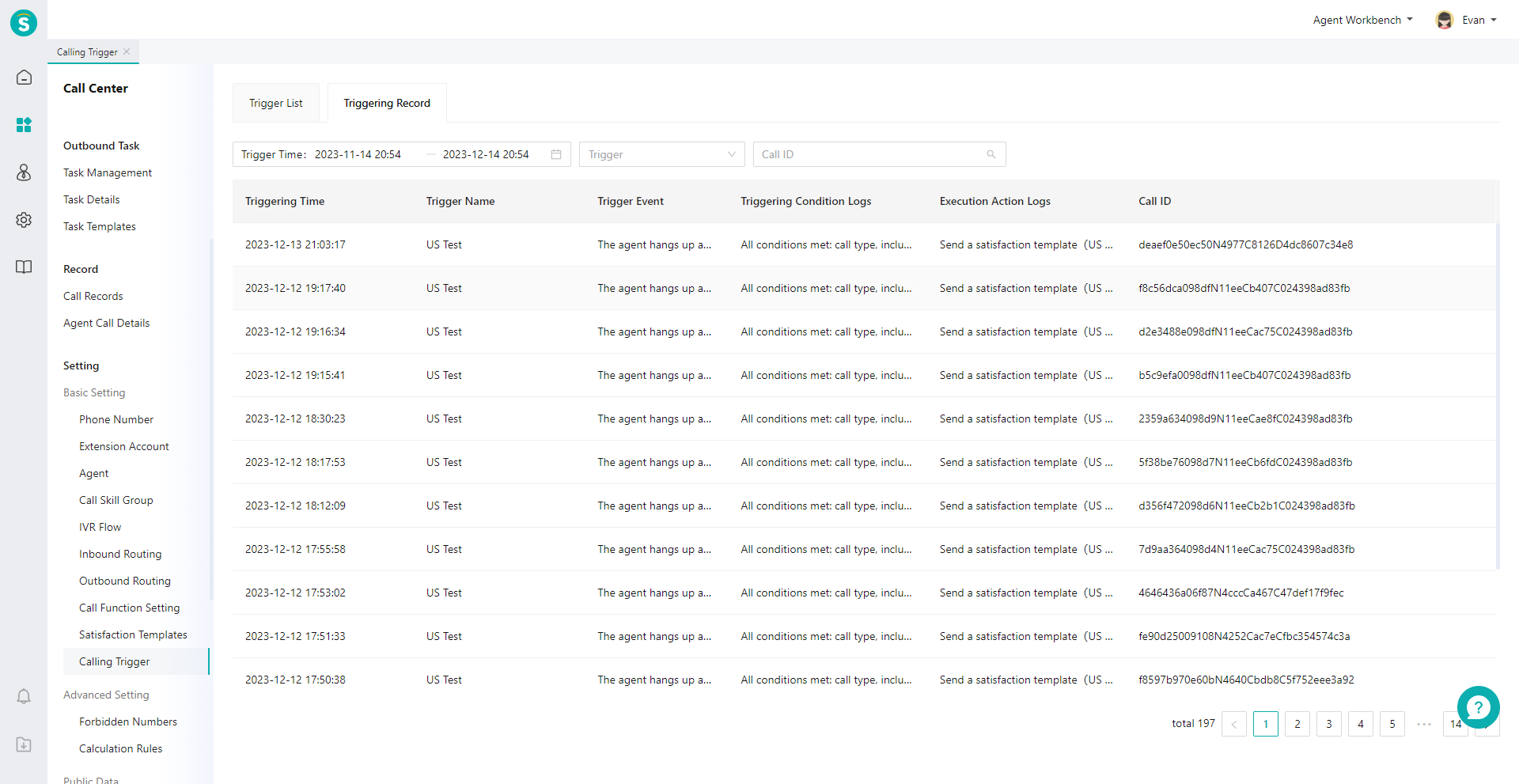
- The triggering records of all triggers under the enterprise can be viewed through the trigger list.
- The triggering record can be queried by time, trigger and talk ID.
Last Updated: 11/18/2024, 7:17:07 PM