
Answering Details
# Answering Details
——This article helps you understand the guidelines for answering data usage.
# The Role of Answering Details
We hope you understand its usage scenarios and purposes before using [Answering Details]:
● Usage scenario: Check the data to confirm if there are any abnormalities in the robot's operation status. For example, a decrease in the knowledge response rate or a decrease in the task workflow response rate.
● Purpose: Quickly locate all exceptions of the robot based on the details of response sessions from different time periods, robots, business types, and channels.
# How to Use Answering Details
You can find [Answering Details] in the menu of the AI Agent management console:
# ● Data Filtering Rules and Conditions
Support filtering by time, with the smallest unit being a day.
Support filtering by robot.
Support filtering by business type.
Support filtering by channel type.
# ● Indicator Range and Description
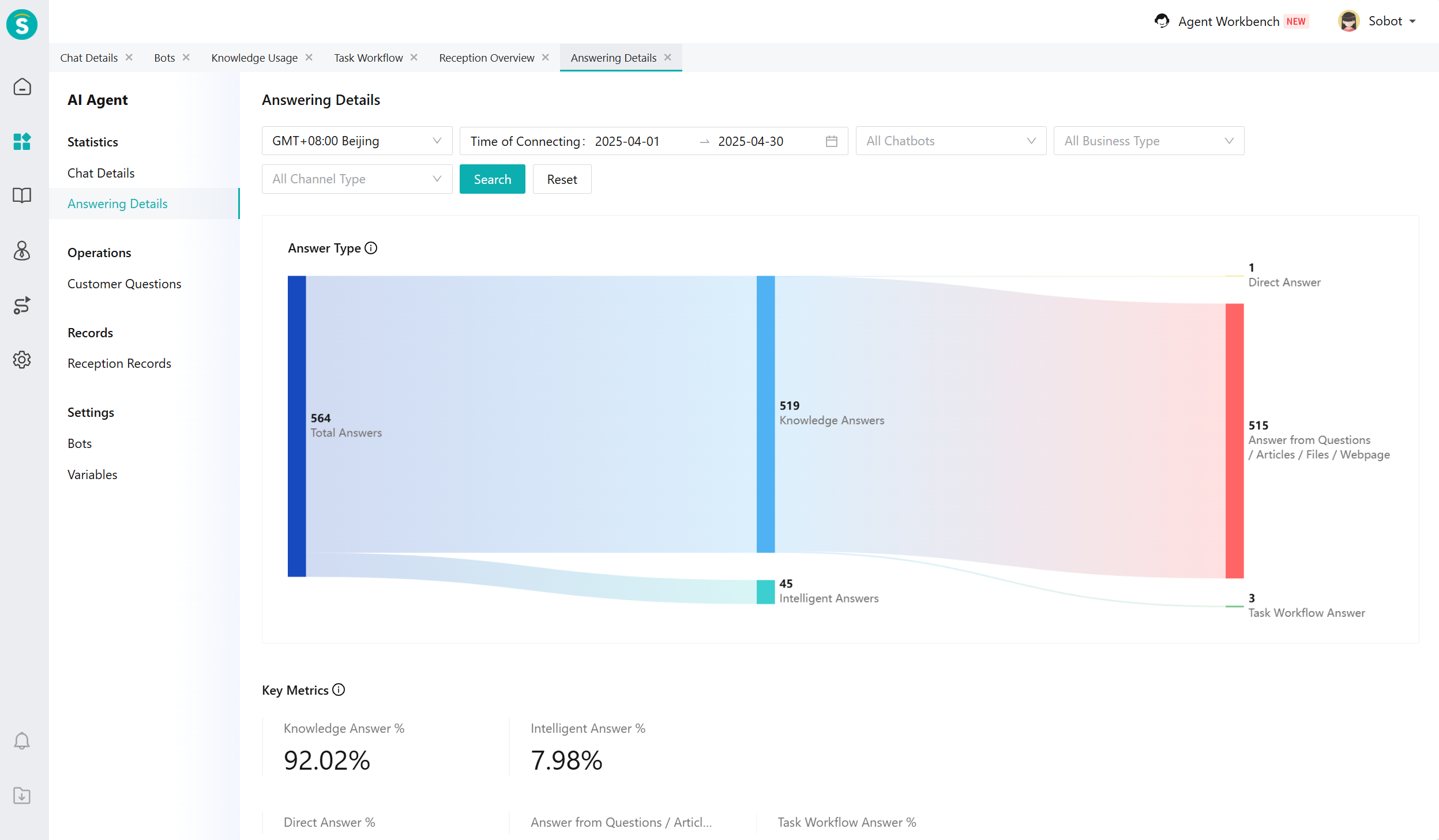
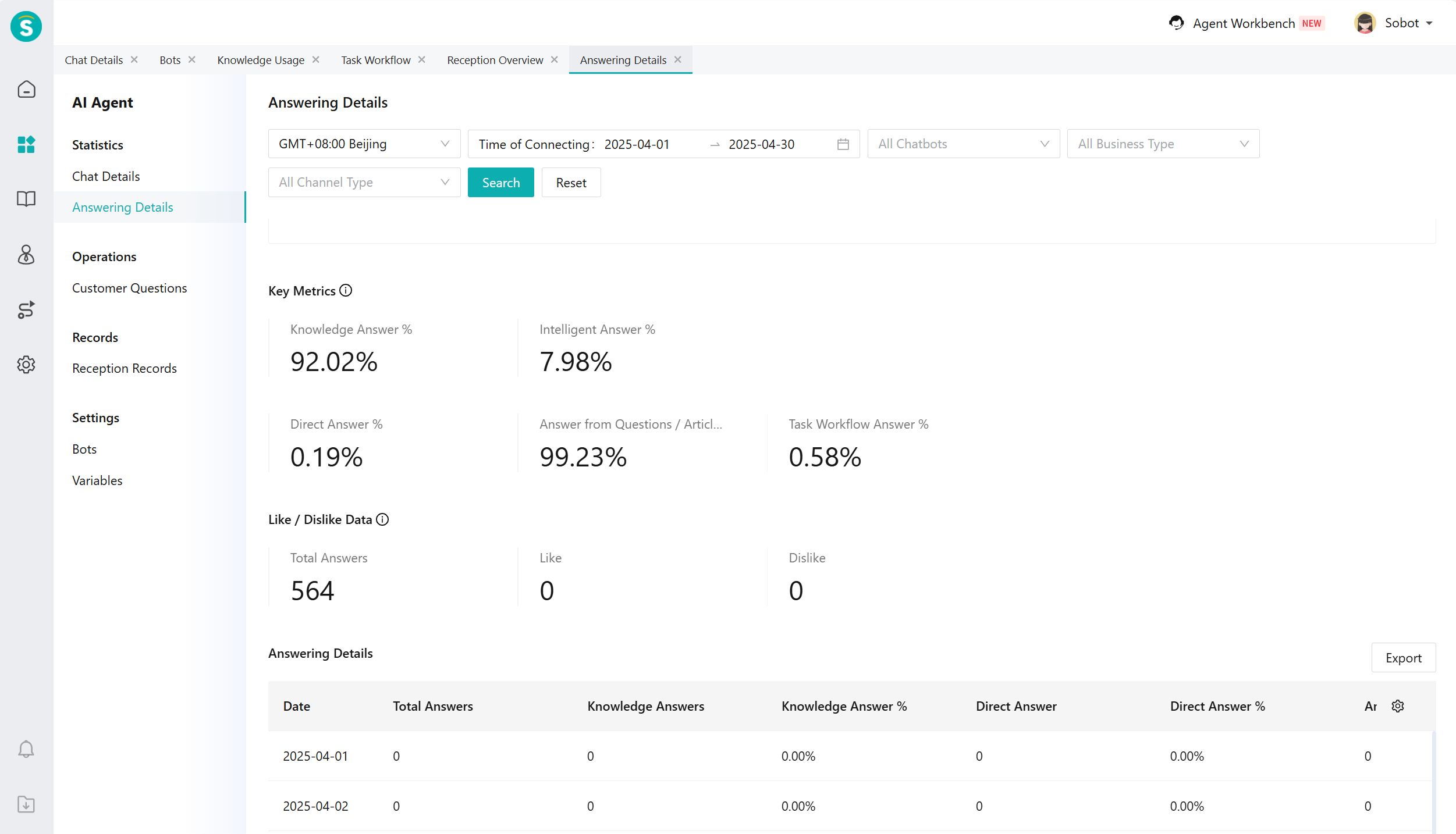
The response data includes three dashboards and one report: response type, key metrics, like/dislike data, and response details.
The data range of response type is the message data that the robot uses to answer user questions.
| Type | Metric Details |
|---|---|
| Answer Type | Total Answers, Knowledge-based Answers, Intelligent Answers, Direct Answers, Task Flow Answers, Question/Article/File/Webpage Answers |
- The data range of core metrics is the data situation of robot-answered sessions.
| Type | Metric Details |
|---|---|
| Key Metrics | Knowledge Response Rate, Intelligent Response Rate, Direct Response Rate, Question/Article/File/Webpage Response Rate, Task Flow Response Rate |
- The like/dislike data range shows customers' evaluation of the robot's responses.
| Type | Metric Details |
|---|---|
| Like and dislike data | Total answers, number of likes, number of dislikes |
- The detailed data scope of answers refers to the overall data situation of the robot answering customer questions.
| Type | Metric Details |
|---|---|
| Answer data | Total Answers, Knowledge Answers, Knowledge Answer Rate, Direct Q&A Count, Direct Q&A Rate, Question/Article/File/Webpage Answers, Question/Article/File/Webpage Answer Rate, Task Flow Answers, Task Flow Answer Rate, Intelligent Answers, Intelligent Answer Rate, Likes, Dislikes |
- The metric definitions and formulas are displayed on the dashboard and reports. You can view them at the following locations.
# ● Other Functions
Custom display of metrics: You can control which metrics to display and their display order through the setting button in the report.
Report export function: Supports export based on customized display fields.